- See how visitors interact with your external websites and forms using the new built-in analytics dashboard.
- Quick Summary – External Site Analytics Essentials
- What’s new with external site analytics
- What’s changed with external site analytics
- Why external site analytics matters for your agency
- How to Use – View External Site Analytics in GoHighLevel
- Pro tips for using external site analytics
- What external site analytics means for your agency
- Results you can expect from external site analytics
- Frequently Asked Questions – External Tracking Analytics in GoHighLevel
- Make the most of external site analytics
See how visitors interact with your external websites and forms using the new built-in analytics dashboard.
Why external site analytics matters
External site analytics is something most agencies struggle with. If your clients have websites or forms hosted outside GoHighLevel, you’ve probably been stuck guessing what’s actually happening on those pages.
You might be using Google Analytics or switching between tools just to get the basics. It’s clunky, time-consuming, and often leaves you with more questions than answers.
Now GoHighLevel has made it simple. You can track visitor activity on external sites and forms right inside your dashboard. Page views, form completions, bounce rate, and time on page all in one place.
This update gives agencies a clean way to see real results from outside websites. No more digging through reports or hoping the numbers add up. Just solid, clear external site analytics you can act on.
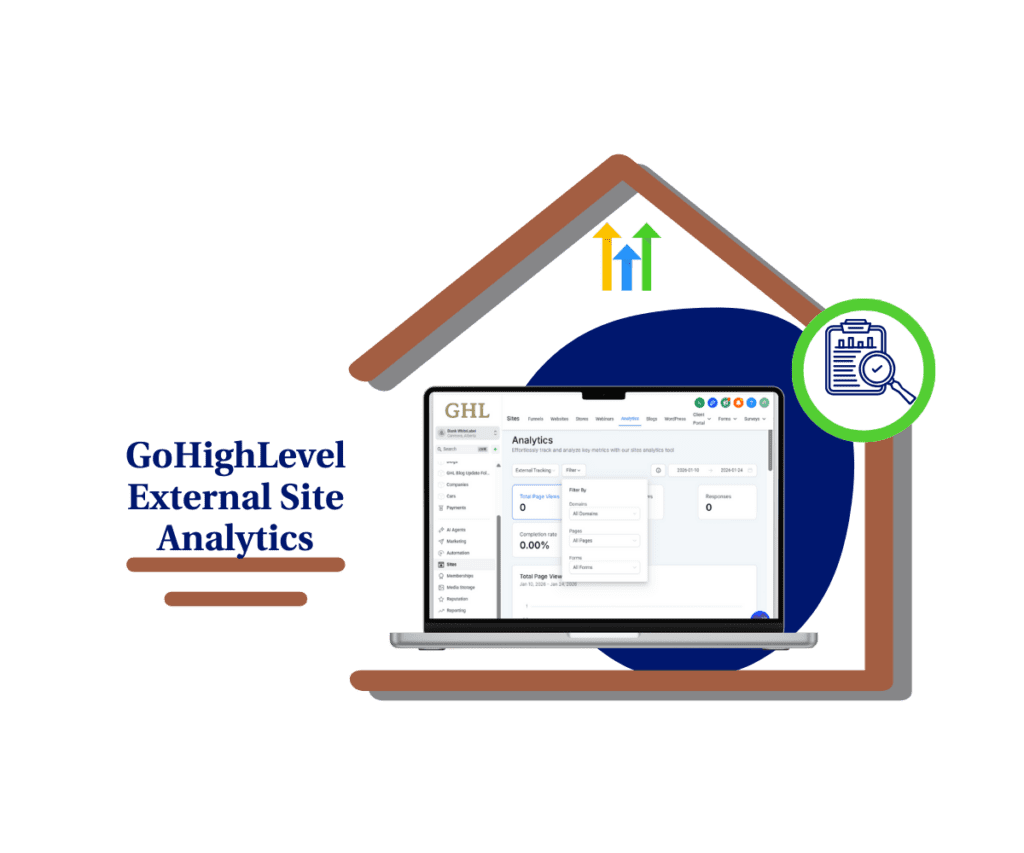
With external site analytics now built into GoHighLevel, you can see what’s working and what’s not across your external pages. No more jumping between tools or guessing why forms aren’t converting.
Quick Summary – External Site Analytics Essentials
Purpose: This update adds external site analytics to GoHighLevel, so you can track visitor activity on websites and forms that are hosted outside the platform.
Why It Matters: It removes the need for third-party tools and gives you clear data about engagement, bounce rate, and form completion, all inside your GHL dashboard.
What You Get: You get a full analytics dashboard with filters, time-based charts, and audience breakdowns including devices, browsers, and geographic info.
Time to Complete: Setup takes less than 5 minutes. Just add the GHL tracking script to your external website.
Difficulty Level: Beginner-friendly. No coding or extra tools are required beyond pasting one script.
Key Outcome: You’ll know what’s working on external sites and forms, where visitors drop off, and how to improve your results using real data.
What’s new with external site analytics
GoHighLevel just made it easier to track what’s happening on your external sites. With the new external site analytics dashboard, you can now see visitor activity on any page or form outside of GHL all in one place.
There’s a new “Analytics” button inside the External Tracking setup. Click it, and you’re taken straight to a dashboard built for external site analytics. No need to dig around or build custom reports.
Automate marketing, manage leads, and grow faster with GoHighLevel.

The dashboard shows your total page views, form views, responses, and completion rate. You also get daily charts to spot trends and compare changes over time.
You can filter everything by domain, page, or form. So if you’re running multiple sites or testing forms across different landing pages, external site analytics helps you see what’s working and what’s not.
This update gives you clear, simple tracking on sites that live outside GoHighLevel. No code-heavy setups. No extra tools. Just better insight, right where you need it.
What’s changed with external site analytics
Before this update, tracking form activity or page views on external websites meant using other platforms like Google Analytics. It worked, but barely. You had to switch between tools, sync data, and hope nothing broke.
Now, external site analytics is built right into GoHighLevel. You don’t need to leave the platform to see what’s happening on external pages. It’s all under one roof.
Instead of dealing with disconnected tools, you can open the GHL dashboard and get a full picture of how your external pages and forms are performing.
That means less time managing tools and more time acting on real data.
External site analytics also works with both native and HTML forms. So whether you’re embedding GHL forms or using custom code, the analytics still show up.
This change isn’t just about saving time. It’s about giving you and your clients real answers from the pages that matter most.
Why external site analytics matters for your agency
External site analytics gives you the full picture. If your forms or pages live outside GoHighLevel, you still need to know how people are using them. Now you can.
You can track page views, form views, and how often people finish what they start. With external site analytics, you don’t have to guess where people drop off or why a form isn’t getting responses.
You also get clear data on time spent, bounce rates, and which devices people are using. It shows you what’s working and where the problems are.
This isn’t about fancy charts. It’s about knowing the facts. When you use external site analytics the right way, you can fix the weak spots and double down on what’s doing well.
Good data leads to better results. That’s why this matters.
How to Use – View External Site Analytics in GoHighLevel
External site analytics is already available in your GoHighLevel account. You just need to activate tracking and open the dashboard to start using it. Once it’s set up, you’ll be able to see page views, form stats, bounce rate, and time on page all in one place.
Here’s how to set up and view external site analytics in GoHighLevel:
Step 1.0 – Access the Settings Area in GoHighLevel
- Go to the left-hand sidebar, look all the way to the bottom.
1.1 Click on the gear icon ⚙️ labeled “Settings.”
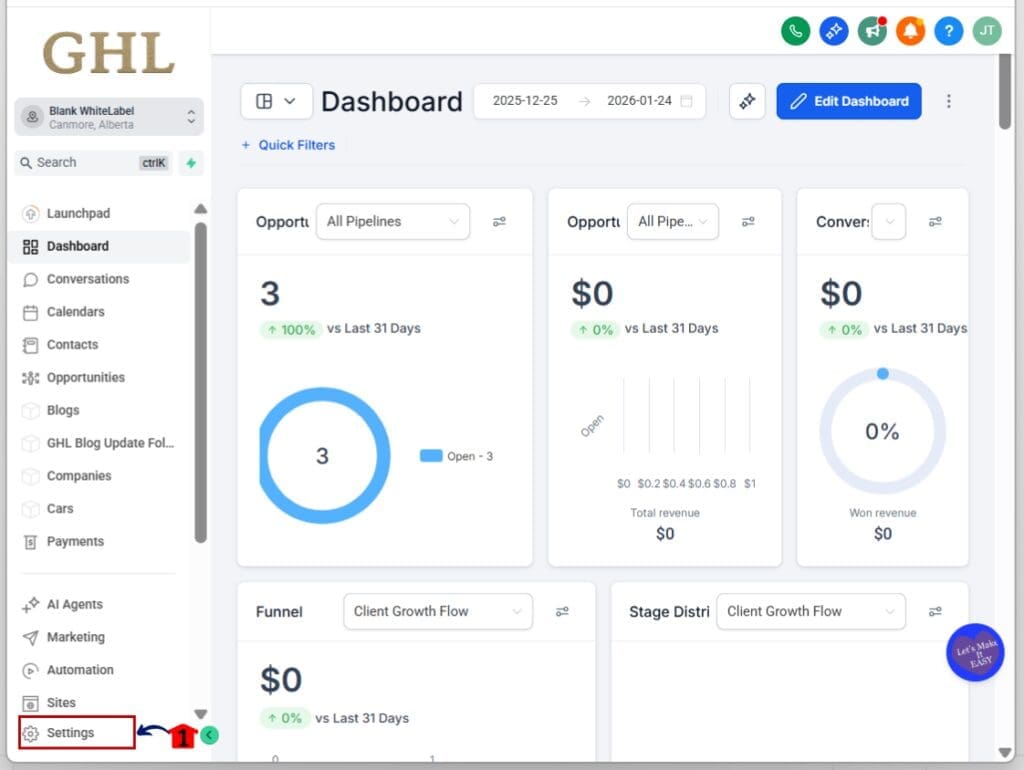
- You’ll now be in the main Settings dashboard, where you can access:
- Business Info
- Billing
- My Staff
- Phone System
- Labs
- External Tracking
- and more.
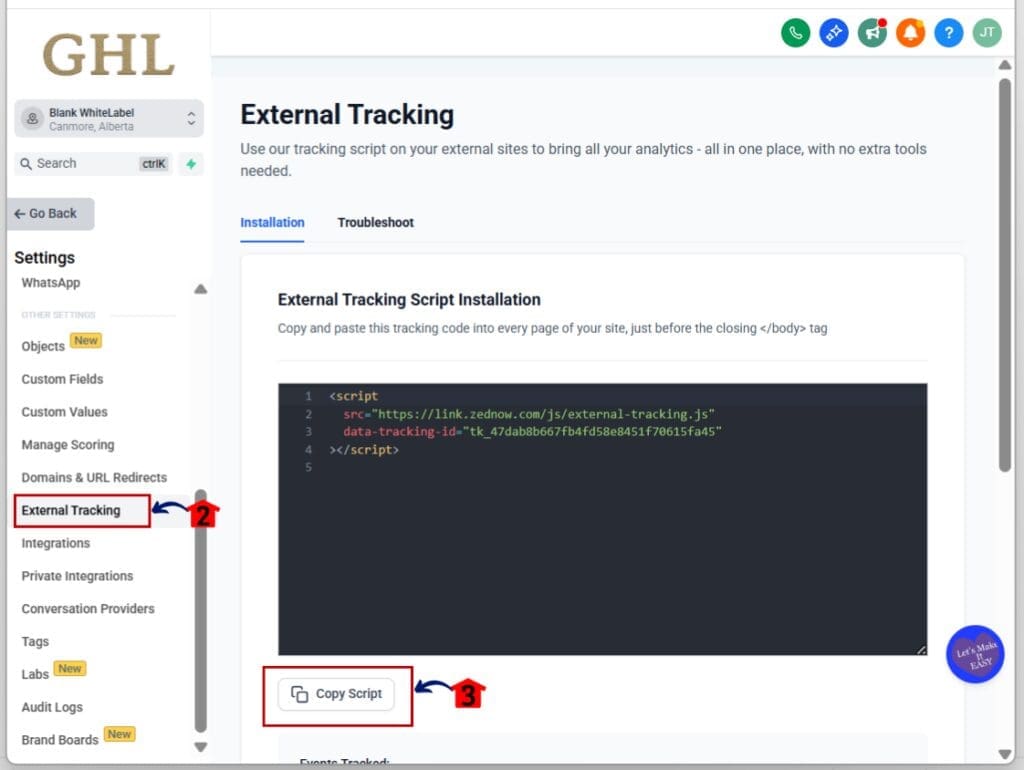
1.2 Click into the External Tracking
- This is where you can copy the tracking script
1.3 Click on the Copy Script button to copy the tracking script
1.4 Paste the script into the header of your external website
- Make sure it loads on every page you want to track.
Step 02: Access the External Site Analytics Dashboard
- Once the tracking script is active, you’ll unlock analytics for external sites.
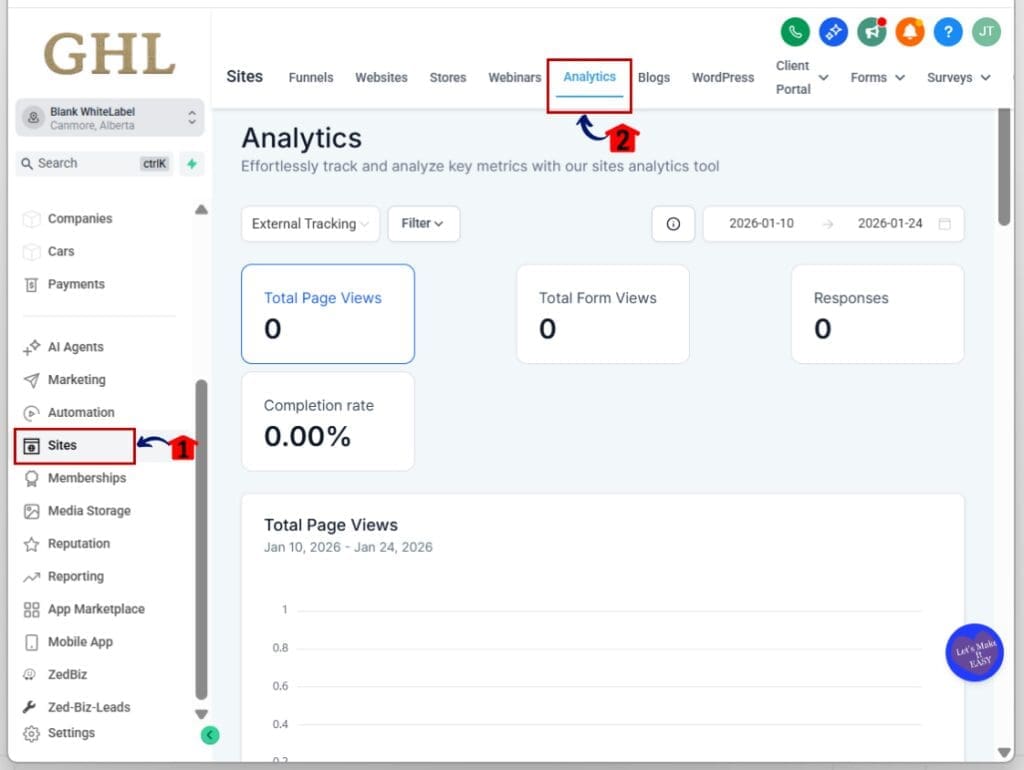
2.1 Go to the Sites Menu in your left-hand GHL sidebar
- This is where you manage pages, forms, and funnels.
2.2 Click “Analytics” from the top tab
- You’ll now see a dashboard built for external site analytics.
Step 03: Filter and Customize Your View
- You can break down the data to match your specific site setup.
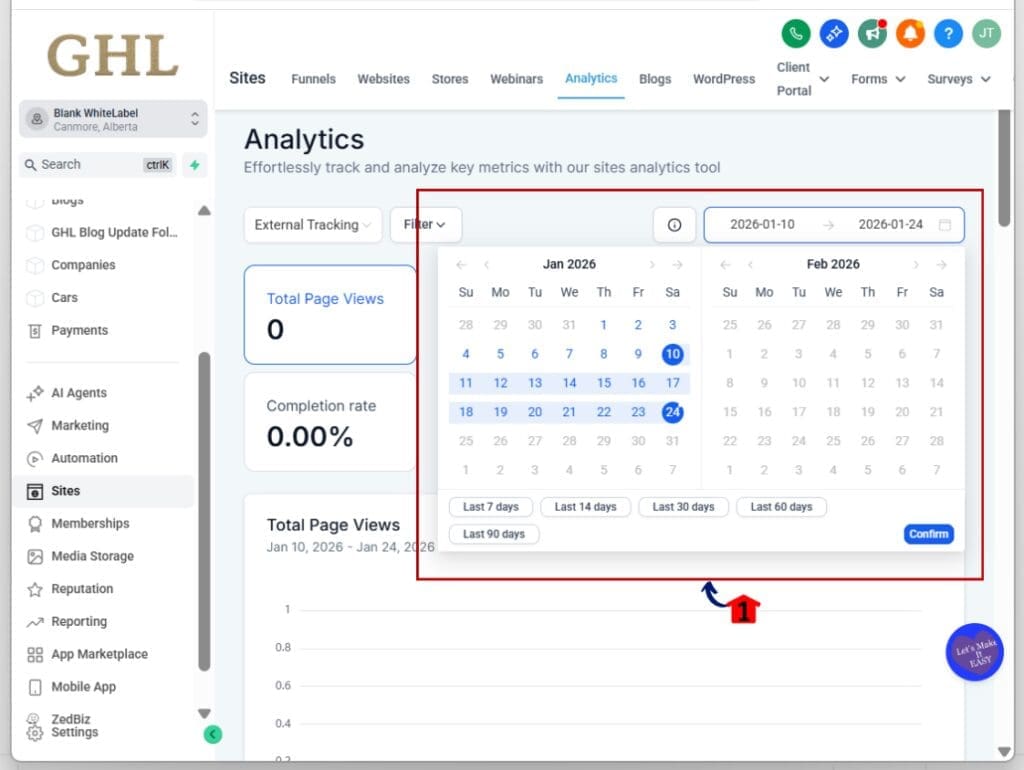
3.1 Choose a date range in the top right corner
- This lets you analyze trends over days, weeks, or months.
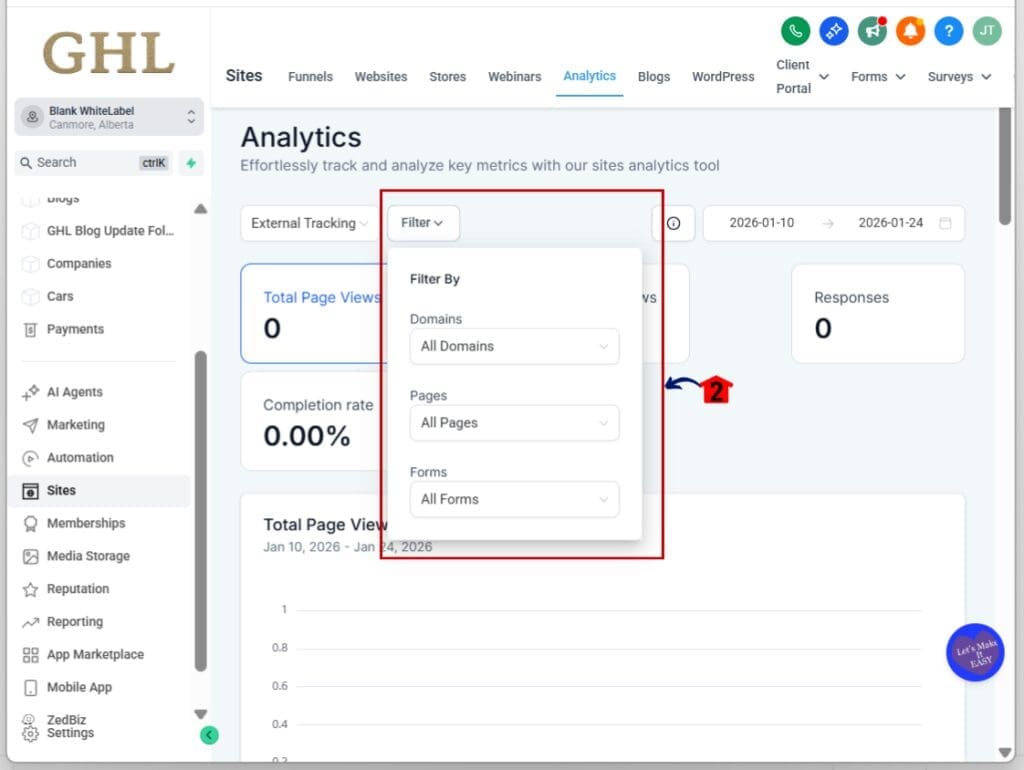
3.2 Use filters for Domains, Pages, and Forms
- Drill down to view analytics by exact page or specific form.
Step 04: Review the Engagement and Completion Metrics
- This is where you find the details that matter.
4.1 Scroll to see Total Views, Form Responses, and Completion Rates
- This helps you see how many people viewed a page or form and how many completed it.
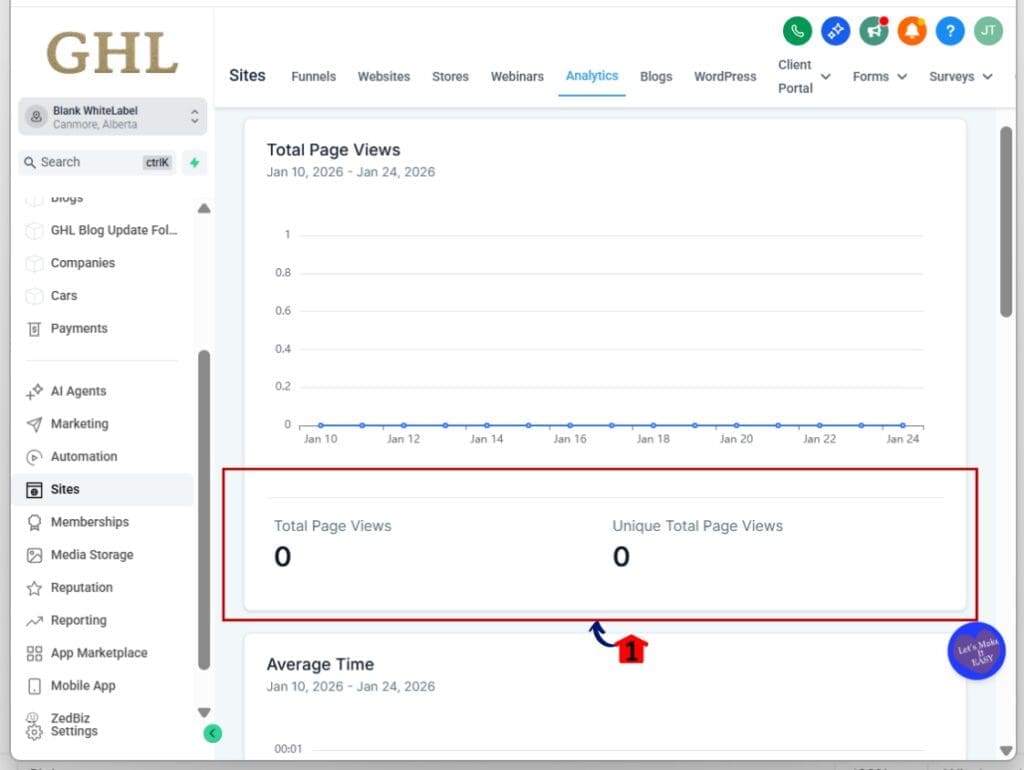
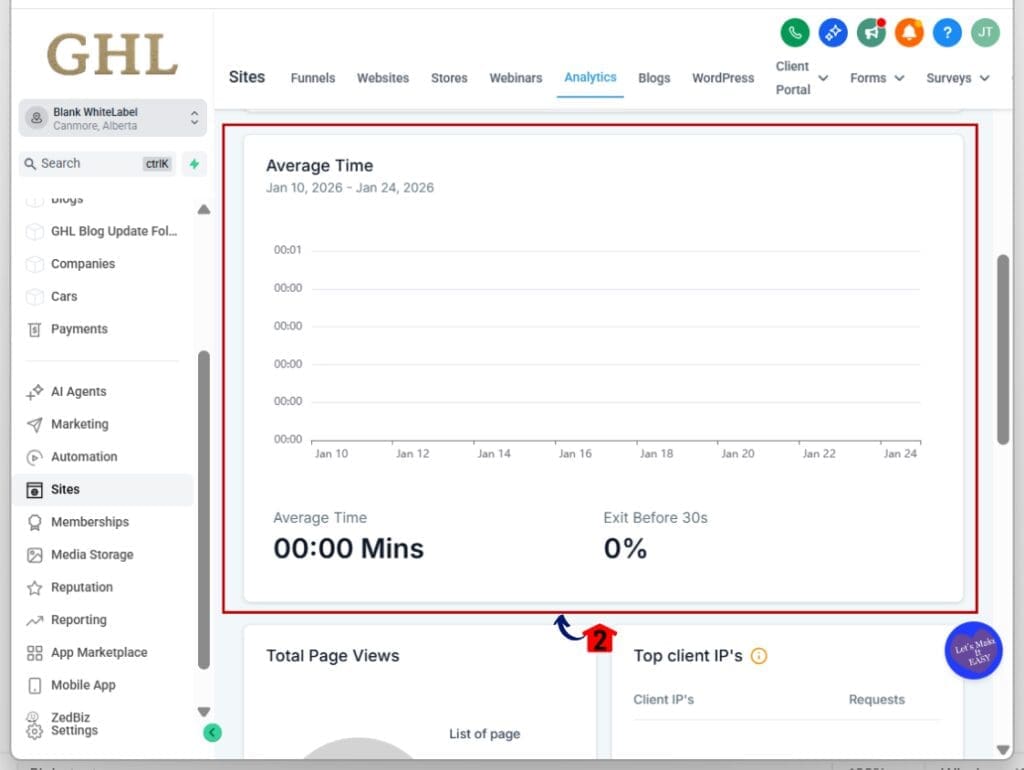
4.2 Check “Exit Before 30 Seconds” and “Average Time on Page”
- These metrics show bounce rate and engagement across your external sites.
Step 05: Review Form-Level Performance
- External site analytics also breaks down each form.
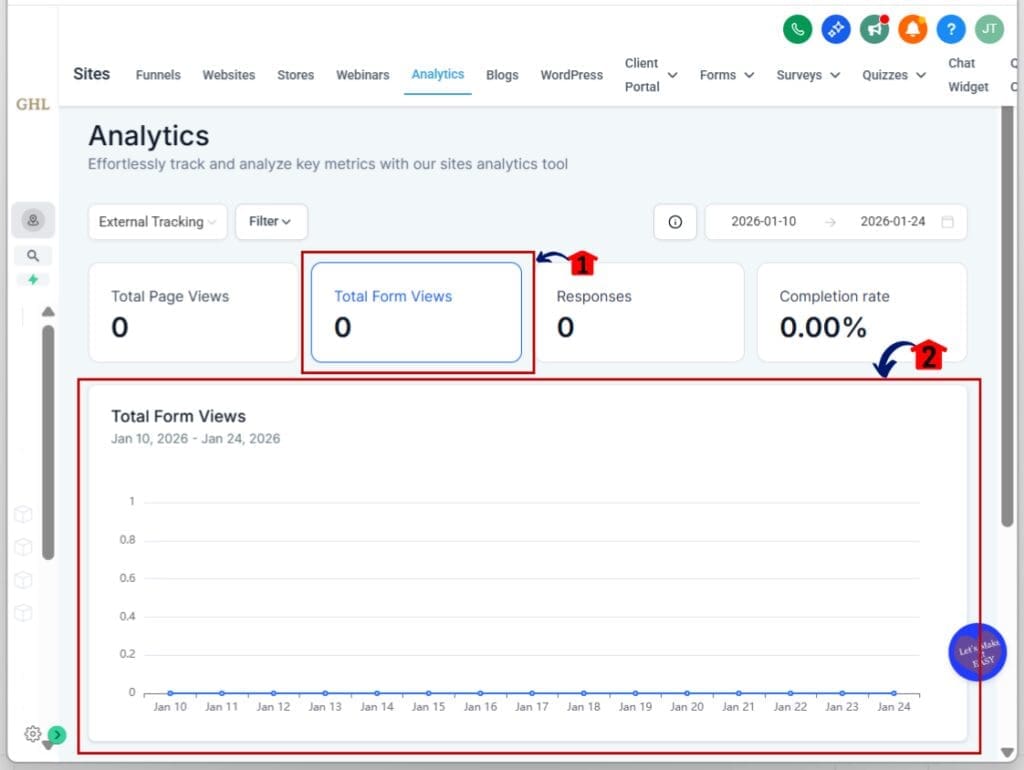
5.1 Click the “Total Form Views” section inside the dashboard
- You’ll see views, responses, and completion rate per form
5.2 Use the timestamps to see when a form was last active
- Helps you identify old or unused forms that may need updates.
That’s it. Once the script is active, external site analytics works automatically. No extra tools or reports are needed.
Pro tips for using external site analytics
Once external site analytics is active, the real value comes from how you use the data. These tips will help you make smarter decisions without getting lost in the numbers.
Start with filters. Use external site analytics to sort data by domain, page, or form. This lets you see which pages are pulling their weight and which ones need work.
Next, check your form views and responses. If a form gets a lot of views but not many completions, something might be off. External site analytics helps you catch these patterns early.
Look at bounce rate using the “Exit Before 30 Seconds” metric. If people are leaving fast, the page might be loading too slowly or not grabbing attention. That’s a signal worth checking.
Average time on page also tells a story. If people stick around, they’re probably interested. If not, it may be time to rethink your layout or message.
Finally, review the audience data. External site analytics shows traffic by device, browser, and location. If one browser or region is underperforming, that’s a clue. Maybe the layout breaks on mobile. Maybe the offer doesn’t fit the local audience.
External site analytics is a tool. These tips help you use it like one.
What external site analytics means for your agency
External site analytics means you don’t have to guess anymore. You can finally see how people interact with your external websites and forms, all from inside GoHighLevel.
You’re no longer stuck switching between platforms or trying to match data from different tools. Everything you need is in one dashboard, right where you’re already working.
That saves time. It also improves the way you make decisions. With external site analytics, you can spot problems faster, test ideas more clearly, and give clients better answers.
It also makes reporting simpler. You can show real results from external traffic and forms without needing to pull numbers from three different platforms.
The goal is to make marketing easier and smarter. External site analytics helps do both.
Results you can expect from external site analytics
External site analytics gives you clear answers. You will see which pages get views, which forms convert, and where people drop off.
Expect stronger form results. With external site analytics, you can compare form views and completions. If people are not finishing, you will know where to look.
You will also spend less time digging for data. Since external site analytics lives inside GoHighLevel, you are not jumping between tabs or tools.
This helps you move faster. You can test a headline, fix a form, or adjust a page — and see what works. External site analytics lets you track changes without delay.
For reporting, it makes your job easier. You can show clients how their external sites are performing using real data from their forms and pages.
External site analytics does not give you more noise. It gives you useful information you can act on.
Frequently Asked Questions – External Tracking Analytics in GoHighLevel
Make the most of external site analytics
External site analytics is one of those updates that just makes sense. It gives you the numbers you need from websites and forms that live outside GoHighLevel.
You can track page views, form completions, bounce rate, and more all without leaving your dashboard.
This means no guessing and no bouncing between tools. With external site analytics, everything is in one place. You get the full picture, and you can act on it fast.
Use it to fix weak pages, improve form results, and give your clients reports that actually show what’s happening.
If you’re running any part of your business outside of GHL, external site analytics is now the easiest way to stay in control.
Scale Your Business Today.
Streamline your workflow with GoHighLevel’s powerful tools.