- The latest GHL update improves how AI Translate, Summarize, and Decision tools work inside your workflows no setup needed.
- Quick Summary – Workflow AI Upgrades Overview
- What’s New: Under-the-Hood AI Model Upgrade
- What’s Changed: Smarter AI Actions Across the Board
- Why This Matters: Better Results Without More Work
- How to Use the New Workflow AI Upgrades in GHL
- Quick Tips: Make the Most of the Workflow AI Upgrades
- Frequently Ask Questions About the Workflow AI Upgrades
- Final Thoughts: Let Workflow AI Upgrades Do the Work
The latest GHL update improves how AI Translate, Summarize, and Decision tools work inside your workflows no setup needed.
Smarter Workflow AI is Here
Workflow AI upgrades in GHL are now live, and they make your automations smarter without any setup on your end. This update runs quietly in the background but brings real improvements you’ll notice right away.
GHL has boosted the AI that powers tools like Translate, Summarize, Intent Detection, and Decision Maker. That means clearer summaries, better language, and sharper logic inside the workflows you already use.
You don’t need to change anything. Just keep building and let the new AI handle the heavy lifting.
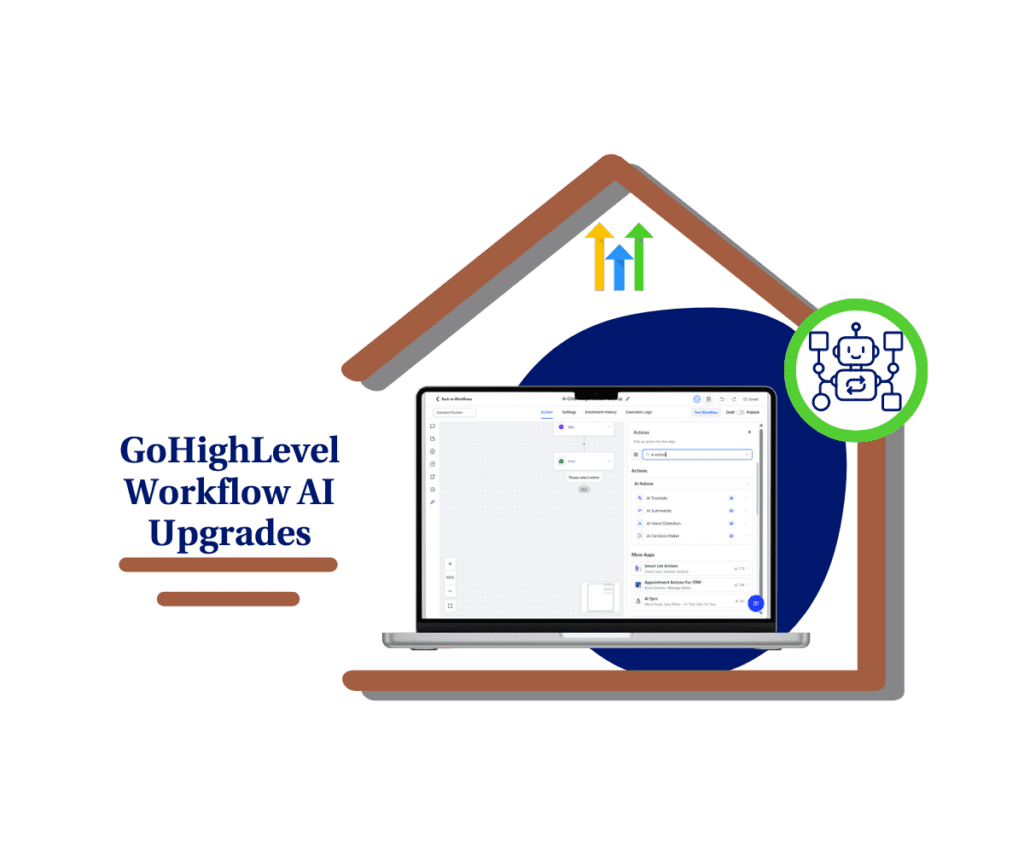
With the latest workflow AI upgrades in GHL, your automations just got a lot sharper. Translations sound better, summaries hit the point, and decisions make more sense. It all works out of the box.
Quick Summary – Workflow AI Upgrades Overview
Purpose: This update improves all AI actions inside GHL workflows with a new, smarter model.
Why It Matters: You get better translations, summaries, intent detection, and decision-making without changing a thing.
What You Get: AI that understands context better, delivers clearer results, and runs faster in real-time automations.
Time to Complete: No setup required. Just open a workflow and test the upgraded actions.
Difficulty Level: Easy. The upgrades are built into the tools you already use.
Key Outcome: Smarter workflows with less effort, giving you more accurate automation across your business.
What’s New: Under-the-Hood AI Model Upgrade
GHL just rolled out workflow AI upgrades that make your automations run smarter behind the scenes. These upgrades don’t change how things look, but they do change how well things work.
The AI model used in workflows has been improved. This affects tools like Translate, Summarize, Intent Detection, and the AI Decision Maker. Each one now uses a better model that understands language more clearly and handles complex tasks with more accuracy.
Automate marketing, manage leads, and grow faster with GoHighLevel.

You won’t need to adjust your prompts or change your workflows. These workflow AI upgrades are already in place and working inside your existing automations.
What’s Changed: Smarter AI Actions Across the Board
The latest workflow AI upgrades improve how every AI action works inside your automations. You’ll get faster, cleaner results without needing to change anything.
AI Translate
- Translations are now more accurate and easier to read. The new model understands tone and meaning better, which helps when you’re working with leads in different languages.
AI Summarize
- Summaries are sharper. The new AI keeps the important details and leaves out the extra. It’s great for cutting down long messages or notes without losing what matters.
AI Intent Detection
- This tool is now better at picking up what someone really means. It can read between the lines and handle more complex questions or requests.
AI Decision Maker
- The logic behind decisions is more accurate, even when the input isn’t clear. It helps your workflows choose the right path faster and with fewer mistakes.
All of these improvements come from the same set of workflow AI upgrades. The tools you use haven’t changed, but how they work under the hood just got a big upgrade.
Why This Matters: Better Results Without More Work
Workflow AI upgrades are a big win because they make your automations smarter without adding more steps. You get better output from the same tools you already use.
With improved AI summaries, your messages and notes are easier to scan and share. Translations come out smoother and more natural, which helps when you’re working across languages. The AI also picks up on more subtle intent, helping your workflows respond the right way more often.
All of this means fewer errors, less back-and-forth, and more confidence that your workflows are doing the job right. These workflow AI upgrades help your system think better, so you don’t have to second-guess the results.
Whether you’re running a busy agency or managing leads at scale, this kind of upgrade gives you more reliable automation with zero extra setup.
How to Use the New Workflow AI Upgrades in GHL
These workflow AI upgrades are already live in your account, and using them is simple. You don’t need to rebuild anything. Just know where to find the tools and how to test them.
Here’s how to access and use the upgraded AI actions inside a workflow:
Step 01: Access the Main Left Hand Menu in GoHighLevel
- The Main Menu on the Left side of your screen has all the main areas that you work in when using GHL
1.1 Click on the Automation Menu Item.
- Access the ‘Automation’ section of GoHighLevel
1.2 Click on the Workflows tab
1.3 Click on the All Workflows tab
- From here, you can open an existing workflow or start a new one.
1.4 Open an existing workflow or create a new one
- You’ll be able to edit or start fresh from here.

Step 02: Add or Edit an AI Action
- All AI tools live inside the workflow editor as action steps.
2.1 Click the “+” button to add a new step
- This opens the list of available actions.

2.2 Scroll to the section labeled AI Actions
- You’ll now see four key options:
- AI Translate
- AI Summarize
- AI Intent Detection
- AI Decision Maker

These use the upgraded model automatically, even if you added them before. You can run a test contact or watch the execution logs to see how much better the results are.
That’s it. Workflow AI upgrades are already working behind the scenes. All you have to do is keep building like you normally would.
Quick Tips: Make the Most of the Workflow AI Upgrades
The new workflow AI upgrades are already active in your account. You don’t need to change much to get better results. Just use what’s there in a smarter way.
Summarize long messages
- Use AI Summarize to clean up long form replies from lead forms, surveys, or support messages. The summary will be clear and short, so your team can scan it fast.
Translate responses on the fly
- Add AI Translate if you get leads who speak different languages. You can now reply in their language or read what they sent without switching tools.
Detect intent at the start
- Drop AI Intent Detection near the beginning of a chat or SMS flow. It can figure out what the person wants and send them to the right path.
Make smarter routing decisions
- Use the AI Decision Maker to route leads based on what they write. It can help move support requests, sales leads, or form replies into the right pipeline.
Try real examples
- If you want to see how good the workflow AI upgrades are, test them with actual messages from your inbox. You’ll spot the difference right away.
The best part is, these upgrades don’t add work. You just plug them in where it makes sense, and they do the heavy lifting.
Frequently Ask Questions About the Workflow AI Upgrades
These upgrades are meant to be simple. Smarter results, no added work.
Final Thoughts: Let Workflow AI Upgrades Do the Work
The new workflow AI upgrades in GHL give you better results without more effort. You don’t have to change anything. Just keep using the tools already built into your workflows.
With these workflow AI upgrades, your summaries will be clearer, your translations will sound more natural, and your decisions will be more accurate. It all happens in the background, but you’ll feel the difference right away.
If you’re already using AI actions in your workflows, this upgrade makes them even more useful. If you’re not, now is a good time to try them out. They’re simple to use and can take a lot of pressure off your team.
Let the workflow AI upgrades do what they were built for. Save time. Improve output. Stay focused on what matters.
Scale Your Business Today.
Streamline your workflow with GoHighLevel’s powerful tools.