- Reduce Pagination, Improve Product Discoverability, and Create a Better Shopping Experience for Larger Catalogs
- Quick Summary – Product Listing Page Essentials
- Product Listing Page Now Supports 100 Products
- From 24 to 100 on the Product Listing Page
- Why Product Listing Page Optimization Matters
- How to Update the Product Listing Page Inside GoHighLevel
- Pro Tips for Optimizing Your Product Listing Page
- What This Means for Agencies Managing Ecommerce Stores
- Results You Can Expect from a Stronger Product Listing Page
- Product Listing Page Frequently Asked Questions
- A Stronger Product Listing Page Without the Extra Work
Reduce Pagination, Improve Product Discoverability, and Create a Better Shopping Experience for Larger Catalogs
Product Listing Page Limits Were Slowing Stores Down
Your Product Listing Page used to hold your store back.
If you had more than 24 products, your customers had to keep clicking to see them all. Page after page. More loading. More waiting. More chances to lose interest.
That might not seem like a big deal at first. But it adds up fast.
When shoppers land on your Product Listing Page, they want to browse. They want to scroll. They want to see options. They do not want to keep jumping between pages just to figure out what you sell.
Moreover, here is the truth. Every extra click creates friction.
Small catalogs could get away with it. Larger stores could not. If you had 80 or 100 products, your catalog felt split up. It felt harder to explore. Some products never even got seen.
That is not a traffic problem. That is a layout problem.
The good news is this is now fixed.
GoHighLevel has increased the limit from 24 products to up to 100 products per page. That means your Product Listing Page can finally show more of your catalog at once, especially on desktop.
It is a simple update. But for growing ecommerce stores, it makes a real difference.
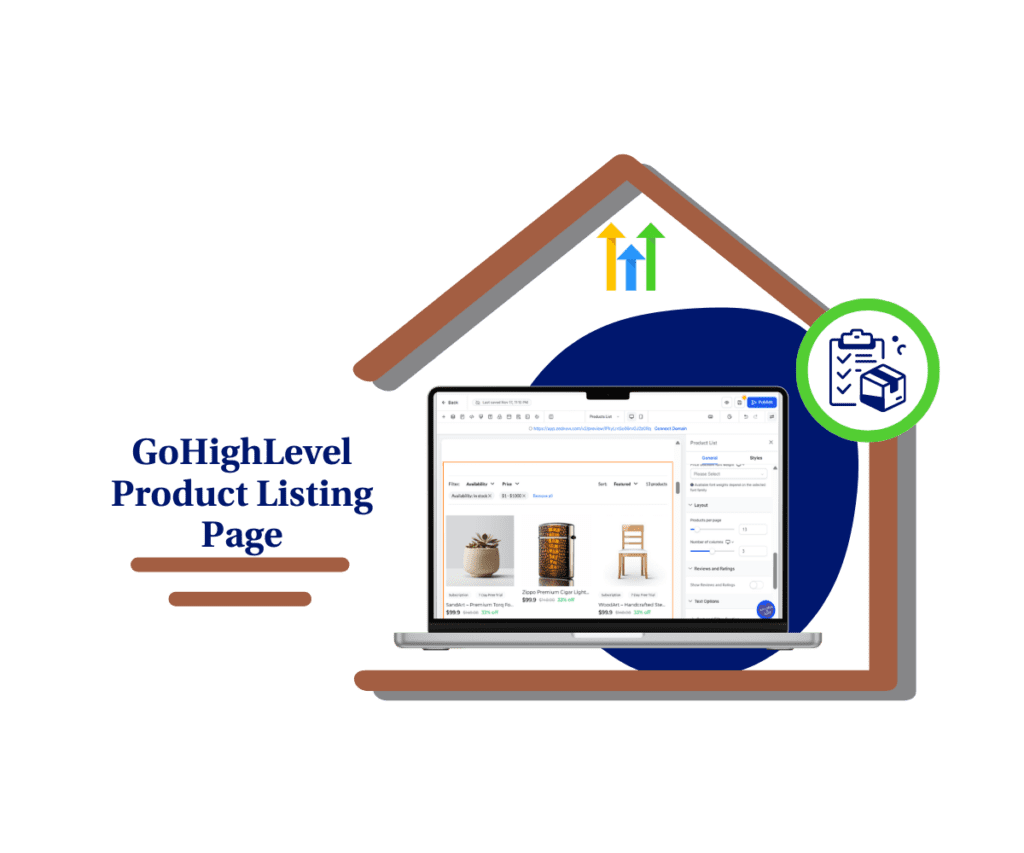
Now you can display up to 100 products per Product Listing Page, reducing pagination friction and improving product discoverability. This simple update creates a smoother browsing experience and better visibility for large ecommerce catalogs.
Quick Summary – Product Listing Page Essentials
Purpose: This update increases the Product Listing Page limit from 24 to 100 products per page, giving store owners more control over how their catalog appears.
Why It Matters: The previous limit created unnecessary pagination for larger stores. Increasing the Product Listing Page capacity reduces friction and helps customers browse more products without constant page changes.
What You Get: You now have the flexibility to display up to 100 products per Product Listing Page using a simple layout slider inside the builder. No redesign or technical setup is required.
Time to Complete: Adjusting your Product Listing Page takes less than five minutes inside the site builder.
Difficulty Level: Beginner friendly. No coding or advanced configuration is needed.
Key Outcomes: A smoother browsing experience, better product visibility, and stronger catalog presentation for medium and large ecommerce stores.
Product Listing Page Now Supports 100 Products
The Product Listing Page can now show up to 100 products on a single page. That is a serious upgrade from the old 24 product limit. If you run a larger store, you already know how tight that old cap felt.
Before this change, your Product Listing Page would break your catalog into small chunks. Customers had to keep clicking through pages just to see what you offer. Now you can display a much larger portion of your inventory at once, especially on desktop where space is not an issue.
Automate marketing, manage leads, and grow faster with GoHighLevel.

You are still in control. Inside the Product Listing Page settings, you can adjust the number of products using a simple slider. Set it to what fits your layout and your audience. More flexibility. Less friction. A better way to present your catalog.
From 24 to 100 on the Product Listing Page
The jump from 24 to 100 products per Product Listing Page is more than just a numbers change. It removes a real limitation that many store owners felt but could not always explain. When your catalog was split into too many pages, it slowed the browsing flow.
With only 24 products showing at a time, customers had to click through several pages to see your full range. Some never made it past page one. That meant certain products barely got exposure. Now, your Product Listing Page can show a much wider view of your inventory in one place.
This change improves the experience right away, especially on desktop. Fewer page changes. More scrolling. More product visibility. It feels smoother and more complete, which is exactly how a modern ecommerce store should feel.
Why Product Listing Page Optimization Matters
Your Product Listing Page is not just a layout setting. It shapes how people experience your store. When customers can see more products at once, they stay in browsing mode. They scroll instead of clicking back and forth between pages.
Less pagination means less friction. Every extra click is a chance for someone to leave. By increasing the number of products shown on your Product Listing Page, you reduce those drop-off points. The experience feels smoother and more natural.
There is also a visibility benefit. When more products appear on a single Product Listing Page, more of your catalog gets exposure. That can lead to higher engagement and more product views per session. It is a small technical change, but it supports a stronger overall shopping experience.
How to Update the Product Listing Page Inside GoHighLevel
The Product Listing Page update is simple to use. You are not rebuilding your store. You are adjusting one layout setting that controls how many products appear at once.Below is a clear walkthrough to update your Product Listing Page inside GoHighLevel.
Step 01: Access the Main Left Hand Menu in GoHighLevel
- The Main Menu on the Left side of your screen has all the main areas that you work in when using GHL
1.1 Click on the Sites Menu Item.
- Access the ‘Sites’ section of GoHighLevel
- This is where you’ll find Websites, Funnels, Stores, and more.
1.2 Click on the Stores Menu Tab.
- This brings up your Stores dashboard.
1.3 Choose the Website or Funnel that contains your Product Listing Page.
- This will open the pages in the store website selected.

Step 02: Access the Product Listing Page
2.1 Locate the page that displays your products.
- This is your main Products List Page.
2.2 Click Edit to open the page in the visual builder.

Step 03: Select the Product List Element
3.1 Click directly on the Product List element inside the page.
- This is the section that controls how products are displayed.
3.2 Look to the settings panel on the right side of the screen.
- This panel controls layout and display options.

Step 04: Adjust the Product Count
4.1 Scroll to the Layout section in the settings panel.
- You will see the option that controls how many products appear per page.
4.2 Use the slider to increase the number of products.
- You can now set your Product Listing Page to display up to 100 products.
4.3 Click Save after adjusting the slider.
4.4 Preview your Product Listing Page on desktop and mobile.
- Make sure spacing looks clean. Check image sizes. Scroll through the page to confirm the layout feels natural.

That is the full process. A few clicks and your Product Listing Page can now show more of your catalog without forcing customers to keep switching pages.
Pro Tips for Optimizing Your Product Listing Page
Now that your Product Listing Page can show up to 100 products, the next step is using it wisely. More products on one page is powerful, but layout still matters.
First, do not assume 100 is always the best choice. If your product images are large and detailed, showing 72 or even 48 per Product Listing Page might look cleaner. If your images are simple and uniform, you can safely increase the count without cluttering the design.
Second, pay attention to image quality and file size. When your Product Listing Page displays more products, you are loading more images at once. Compress your images and keep file sizes optimized. This protects page speed and keeps the browsing experience smooth.
Third, think about how your customers scroll. On desktop, larger product grids feel natural. On mobile, too many products stacked tightly can feel overwhelming. Always preview your Product Listing Page on both devices before publishing changes.
Finally, use sorting and filtering to support larger catalogs. When customers can see more products and filter them easily, your store feels organized instead of crowded.
The goal is simple. Show more products without sacrificing clarity.
What This Means for Agencies Managing Ecommerce Stores
If you manage ecommerce clients inside GoHighLevel, this Product Listing Page update is more than a small tweak. It is a simple way to improve user experience without rebuilding a store.
Many clients complain about traffic or conversions. But sometimes the issue is visibility. When a Product Listing Page only showed 24 products, larger catalogs felt broken into pieces. Some products barely got seen. Now you can fix that in minutes.
This gives you a strong talking point. You can position it as catalog optimization. You are helping clients reduce browsing friction and improve product exposure. That is real value, not just a cosmetic change.
It also fits nicely into a broader CRO conversation. You can review layout density, test different product counts, and track engagement changes. Small adjustments inside the Product Listing Page can lead to measurable improvements.
The best part is this. It takes almost no time to implement. That means high impact with low effort, which every agency appreciates.
Results You Can Expect from a Stronger Product Listing Page
When you increase the product count on your Product Listing Page, the first change you notice is flow. Customers scroll more. They click less between pages. The experience feels smoother right away.
You will likely see more products viewed per session. When shoppers can see a wider range on one Product Listing Page, they are more likely to discover items they did not search for directly. That improves overall product exposure.
Larger catalogs also feel more complete. Instead of looking limited or broken into small sections, your store feels established and organized. That perception matters. A full Product Listing Page builds trust and makes your brand look more professional.
For agencies, this can translate into stronger engagement metrics. Fewer page transitions. Longer browsing time. More product clicks. It is not a magic switch for conversions, but it removes a common friction point.
In short, a better Product Listing Page supports a better shopping experience. And a better experience usually leads to better results.
Product Listing Page Frequently Asked Questions
A Stronger Product Listing Page Without the Extra Work
The Product Listing Page update may look small on the surface. But for growing ecommerce stores, it removes a real limitation.
Moving from 24 products to up to 100 products per Product Listing Page gives you more flexibility and better control over how your catalog appears. Customers can scroll instead of clicking through multiple pages. More products get seen. The browsing experience feels smoother and more complete.
This is the kind of update that improves usability without forcing a redesign. You are not changing your branding. You are not rebuilding funnels. You are simply giving your Product Listing Page room to breathe.
If you manage your own store, take a few minutes to adjust the setting and test different product counts. If you run an agency, review your client stores and look for opportunities to improve layout density.
Sometimes better results do not come from adding more tools. They come from removing friction.
Moreover, this Product Listing Page update does exactly that.
Scale Your Business Today.
Streamline your workflow with GoHighLevel’s powerful tools.