- See what’s new in websites, email, ads, social, forms, and snapshots and how agencies can use them faster
- Template Expansion Update Overview
- Template Expansion Update Breakdown
- Template Expansion Update Template Breakdown
- Template Expansion Update Industry Coverage
- Template Expansion Update Snapshot Overview
- The Impact of This Template Expansion Update on Agencies
- Using the Template Expansion Update Inside GoHighLevel
- Scaling With the Template Expansion Update
- Template Expansion Update Frequently Asked Questions
- Results From the Template Expansion Update
- Closing Thoughts on the Template Expansion Update
See what’s new in websites, email, ads, social, forms, and snapshots and how agencies can use them faster
Template Expansion Update Overview
This template expansion update adds practical new assets that help teams move faster inside GoHighLevel. Instead of one small change, this release expands the template library across tools agencies already use every day. That includes websites, email, ads, social content, forms, surveys, stores, and snapshots. The focus is clear. Save time and reduce setup work.
Most agencies are not stuck because of strategy. They are stuck because everything takes too long to build. Each new client means recreating pages, emails, and ads that follow patterns you have already used before. This template expansion update shortens that process by giving you a strong starting point that fits the business type right away.
What makes this release useful is how focused it is on real industries. These templates are built for specific business types, not generic layouts that need heavy rework. That makes them easier to customize and easier to launch. In this guide, you will see what was added, which industries are covered, and how this template expansion update helps agencies deliver faster without adding more work.
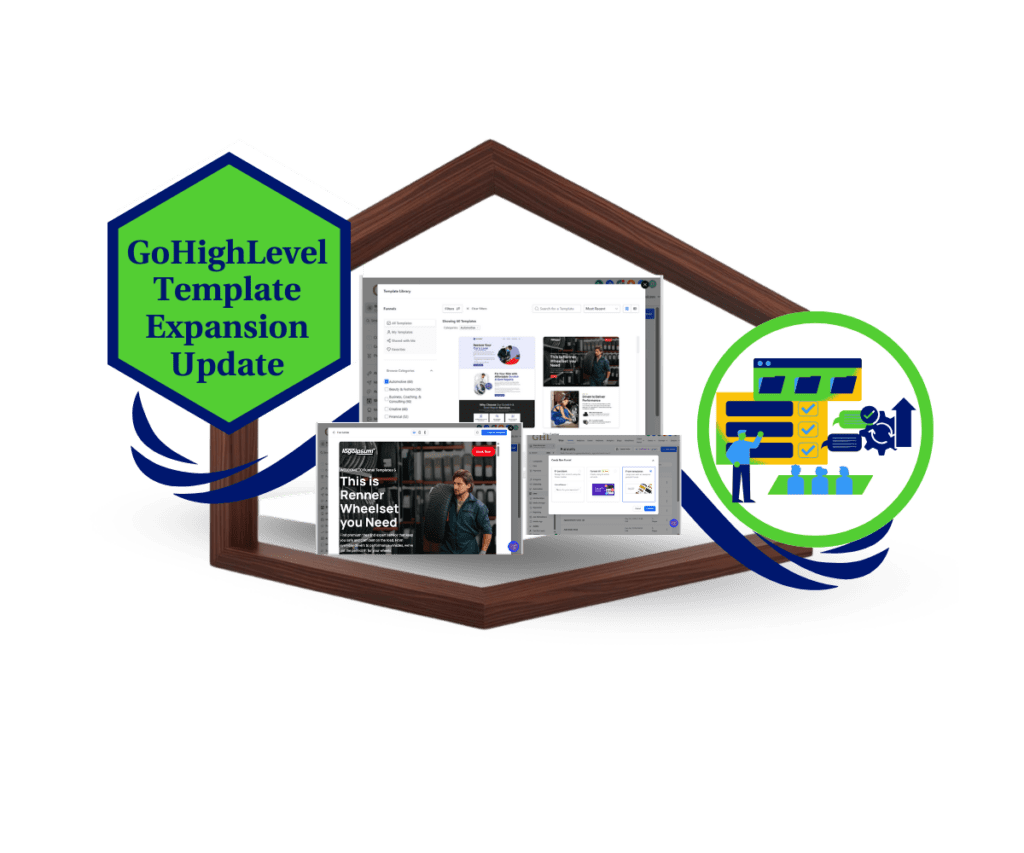
This template expansion update gives agencies faster access to industry-ready websites, emails, ads, and social assets so you can launch client campaigns quicker, with less setup and more consistency.
Template Expansion Update Overview
Purpose: This post explains the Feb 8, 2026 template expansion update and how the newly added templates and snapshot help agencies work faster inside GoHighLevel.
Why It Matters: The template expansion update reduces repeated setup work and gives agencies structured starting points that improve speed, consistency, and delivery quality.
What You Get: You get a new website, store, email, form, survey, social, and ad templates, plus a public relations firm snapshot that can be reused and customized.
Time to Complete: Reviewing and deploying a template from this update typically takes 15 to 30 minutes depending on customization needs.
Difficulty Level: This update is beginner friendly and requires no advanced technical skills to use.
Key Outcome: Agencies can launch client assets faster, reduce build fatigue, and create more repeatable workflows using the template expansion update.
Template Expansion Update Breakdown
This template expansion update focuses on real work agencies do every day inside GoHighLevel. It is not limited to one feature or one tool. Instead, it adds new templates across multiple areas so teams can stop starting from scratch and move straight into building.
The update includes new templates for websites, stores, emails, forms, surveys, social posts, and ads. Each template is designed to work inside its own tool without extra setup. You can load a template, adjust the branding, update the copy, and keep moving. That saves time and reduces small errors that slow projects down.
Automate marketing, manage leads, and grow faster with GoHighLevel.

Another benefit of this template expansion update is consistency. When your pages, emails, and ads follow a familiar structure, it is easier to manage work across clients. Teams spend less time fixing layouts and more time improving messages and results. If you are building at scale, this kind of structure matters.
Template Expansion Update Template Breakdown
This template expansion update introduces new templates across several tools, each built for a clear purpose. These additions are meant to support common agency workflows without adding complexity. Every template fits into an existing feature inside GoHighLevel, so there is no learning curve before using them.
The new website template is built for business coaching and consulting. It focuses on clear messaging, structured sections, and simple calls to action. The new store template is designed for restaurants and bars, with layouts that support menus, offers, and local traffic. The email template added in this update supports health and wellness businesses and is structured for clarity and engagement without heavy customization.
This template expansion update also includes new forms, surveys, social, and ad templates. The form template supports beauty and fashion businesses, while the survey template is built for creative brands. Social templates were added for automotive and travel businesses, and new ad templates were released for home services and medical industries. Each template gives you a clean starting point that matches the business type and helps speed up setup.
Template Expansion Update Industry Coverage
This template expansion update covers a wider range of industries than most past releases. Instead of adding general layouts, GoHighLevel focused on business types agencies work with every day. That makes these templates easier to apply and faster to customize for real clients.
The update includes templates built for coaching and consulting, restaurants and bars, health and wellness brands, beauty and fashion businesses, and creative services. These industries rely on clear messaging and simple layouts, which is reflected in how the templates are structured. You are not forced to remove extra sections or rebuild pages just to make them usable.
This template expansion update also supports service-based industries like automotive, travel and hospitality, home services, and medical practices. These niches often need trust, clarity, and local relevance. Having templates that already reflect those needs helps agencies move faster while keeping the work professional and consistent.
Template Expansion Update Snapshot Overview
This template expansion update also introduces a new public snapshot built for a public relations firm. The goal of this snapshot is simple. Help agencies set up a full client account faster without rebuilding the same pieces every time. It gives you a clear structure you can work from instead of starting with a blank account.
The snapshot includes a ready-to-use website and supporting assets that reflect how service-based businesses operate. Agencies can import the snapshot, update the branding, adjust the messaging, and move straight into refinement. This shortens onboarding time and helps teams follow a repeatable setup process.
What makes this snapshot useful is flexibility. You are not locked into one narrow use case. This template expansion update provides a solid base that can be reused, edited, and scaled across similar clients. For agencies that often onboard, this helps keep quality high while saving time.
The Impact of This Template Expansion Update on Agencies
This template expansion update has a direct impact on how agencies manage day-to-day work. Rebuilding the same pages, emails, and ads for every client slows teams down and leads to inconsistent results. This update reduces that friction by giving agencies structured starting points that already match real business needs.
With this template expansion update, agencies can move faster without cutting quality. Teams spend less time fixing layouts and reworking structure and more time focusing on messaging, offers, and follow-up. That shift helps projects stay on track and reduces back-and-forth during builds.
As agencies grow, repeatable systems become more important. This template expansion update supports that growth by making it easier to standardize work while still allowing room for customization. The result is smoother workflows, more predictable delivery, and better use of team time.
Using the Template Expansion Update Inside GoHighLevel
The template expansion update is not just a set of designs you drop in and forget. It is part of a system meant to help agencies work faster, stay consistent, and reduce setup time across client accounts. Once you know where to find the templates, using them becomes part of your regular workflow inside GoHighLevel.
Below is a simple walkthrough on how agencies can find and use the templates included in this template expansion update.
Step 01: Access the Main Left Hand Menu in GoHighLevel
- The Main Menu on the Left side of your screen has all the main areas that you work in when using GHL
1.1 Click on the Sites Menu Item.
- Access the ‘Sites’ section of GoHighLevel
- This is where you’ll find Websites, Funnels, and more.
1.2 Click on the Funnels option (for this walkthrough).
- This brings up your funnels dashboard.
1.3 Click ‘New Funnel’ button
- A pop-up window will appear with template options.

Step 02: Use the Template Library
- Once the window pops up, you’re ready to explore.
2.1 Choose “Start from Template.”
- This unlocks the library of built-in options.
2.2 Click Continue to browse the full library.

Step 03: Search by Category or Niche
- Find what fits your business or client project.
3.1 Use filters or type into the search bar.
- You can search by industry such as health and wellness, automotive, restaurants, or home services.
3.2 Choose your viewing style.
- Use grid view to see full designs or list view to scan template names faster.

Step 04: Preview and Select a Template
4.1 Click Preview to see the full layout.
- You’ll get a full-page walkthrough of each funnel or form.

4.2 Switch between device previews.
- Check mobile, tablet, and desktop layouts to make sure it looks clean across screens.
4.3 Click Choose Template to add it.
- The template will be loaded into your workspace, ready to edit.

Step 05: Customize and Publish
5.1 Change the text, colors, logos, and images.
- Use the Branding tab or Global Sections to save time.
5.2 Click Save and then Publish.
- Your new funnel, site, or asset is now live.

That is the full process. When used consistently, the template expansion update helps agencies launch faster, stay organized, and keep builds clean across multiple client accounts.
Scaling With the Template Expansion Update
The template expansion update works best when agencies use it as part of a repeatable system. One of the simplest ways to save time is to standardize branding before cloning templates. When brand colors, fonts, and logos are set early, customization becomes faster and more consistent across client accounts.
Another smart approach is pairing templates with existing workflows. Websites, forms, and emails work better when they connect to automations you already trust. Using the template expansion update alongside proven workflows helps teams avoid extra setup and reduces mistakes during handoff between team members.
Agencies that build at scale should also save customized versions of templates for future use. Once a layout performs well, it can become a baseline for similar clients. Over time, the template expansion update becomes more than a library. It becomes a structured system that supports faster delivery and cleaner operations.
Template Expansion Update Frequently Asked Questions
Results From the Template Expansion Update
The template expansion update is designed to improve speed and consistency across agency work. One of the first results most teams notice is faster setup time. Starting with structured templates means fewer decisions and less rework during builds. Projects move forward with fewer delays.
Another result of the template expansion update is cleaner delivery. When pages, emails, and ads follow a familiar structure, teams spend less time fixing layout issues. That consistency also makes it easier to manage changes, updates, and revisions across multiple client accounts.
Over time, agencies also see better use of team resources. Junior team members can work more confidently with clear starting points, while senior staff focus on strategy and optimization. As the template expansion update becomes part of a repeatable process, delivery becomes more predictable and easier to scale.
Closing Thoughts on the Template Expansion Update
This template expansion update is a practical improvement for agencies that want to work faster without lowering quality. It adds useful assets across multiple tools and industries, giving teams better starting points for real client work. The value is not in the designs alone, but in the time saved during setup and delivery.
Agencies that get the most out of this template expansion update will treat it as part of their process. Exploring the new templates, testing them with live accounts, and saving strong versions for reuse helps build consistency over time. Small changes like this can make a noticeable difference in how smoothly projects move.
The next step is simple. Open your GoHighLevel account, review the newly added templates, and apply them to an active or upcoming client project. The faster these templates become part of your workflow, the more value you will see from this template expansion update.
Scale Your Business Today.
Streamline your workflow with GoHighLevel’s powerful tools.