- Learn how AI Voice Agents handle calls in GHL
- Quick Summary – AI Voice Agents Overview
- What AI Voice Agents Are and How They Work
- Key Benefits of Using AI Voice Agents for Call Handling
- Overview of Creating a Voice AI Agent in GHL
- Pro Tips for Better Call Handling with AI Voice Agents
- What AI Voice Agents Mean for Your Business
- Frequently Asked Questions About AI Voice Agents
- Final Thoughts and Next Steps
Learn how AI Voice Agents handle calls in GHL
This 7-minute guide will show you how AI Voice Agents handle inbound calls inside GHL so no call goes unanswered. AI Voice Agents act as a virtual call handler that answers the phone, speaks naturally with callers, and captures important details without needing a live staff member. For businesses that rely on phone calls, this solves a very real problem in a simple and practical way.
AI Voice Agents in GoHighLevel are designed to manage inbound calls when teams are busy, unavailable, or closed. Instead of sending callers to voicemail, the agent answers the call, asks clear questions, and responds based on what the caller says. The conversation feels natural, not scripted, and the system records everything that happens during the call.
Inside GHL, AI Voice Agents are managed from the AI Agents section of a sub-account. From there, users can create agents, assign them to phone numbers, control working hours, and decide what actions happen after the call ends. These actions can include updating contact records, triggering workflows, or sending notifications. This makes AI Voice Agents useful for agencies, service businesses, and support teams that want consistent call handling without extra overhead.
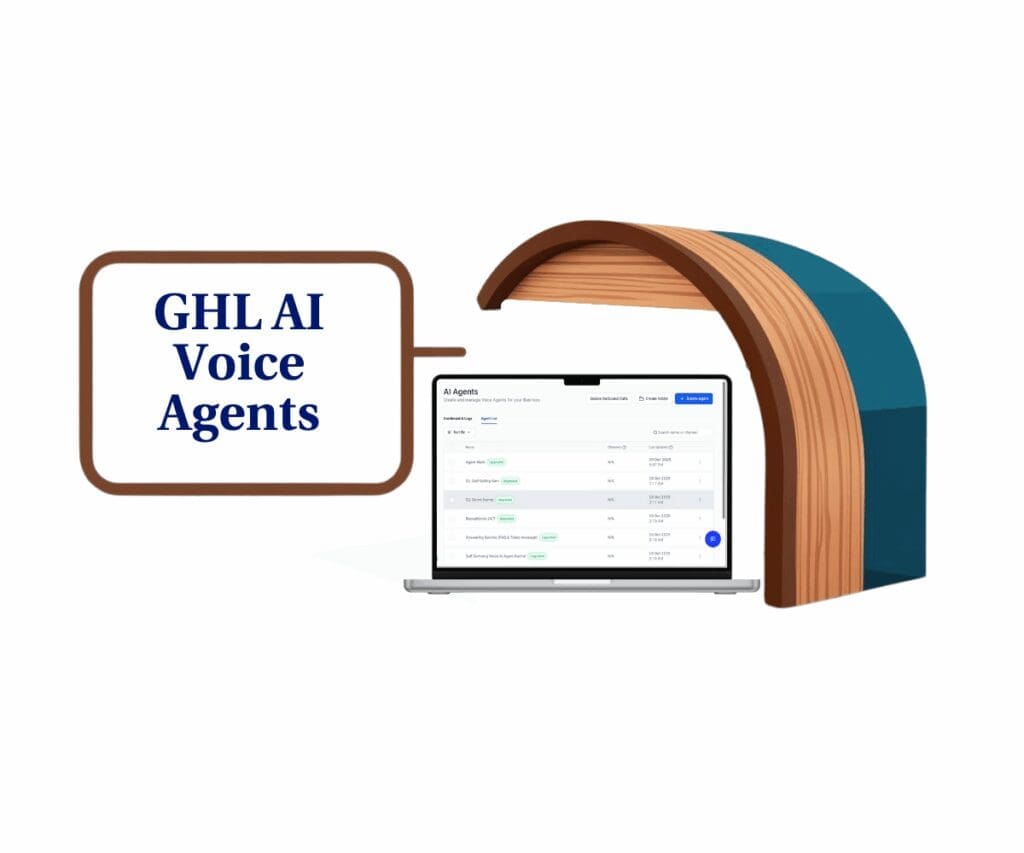
AI Voice Agents in GHL help answer every inbound call, collect caller details, and trigger follow-up actions automatically. This allows teams to spend less time answering phones and more time focused on qualified leads, active customers, and closing conversations that matter.
Quick Summary – AI Voice Agents Overview
Purpose: This mini-guide explains how AI Voice Agents handle inbound calls in GHL and how businesses can use them for daily call handling.
Why It Matters: AI Voice Agents help make sure inbound calls are answered on time so leads and customers do not fall through the cracks.
What You Get: Readers learn what AI Voice Agents are, how they work, and how to set them up for reliable call handling inside GHL.
Time to Complete: Most users can create and test an AI Voice Agent in about 10 to 15 minutes.
Difficulty Level: The setup is straightforward and designed for users with little or no technical background.
Key Outcome: Inbound calls are answered automatically, caller details are saved in GHL, and follow-up actions begin without manual effort.
What AI Voice Agents Are and How They Work
AI Voice Agents are automated call handlers built into GHL that answer inbound calls and speak with callers in a natural, conversational way. When someone calls a connected phone number, the AI Voice Agent answers right away and starts the conversation based on the rules you set. This helps businesses handle calls even when staff are busy or unavailable.
Instead of forcing callers through a button-based phone menu, AI Voice Agents let people speak normally. The agent listens, understands the intent of the caller, and responds with clear questions or answers. This keeps the call moving without confusion and helps callers feel like they are talking to a real assistant.
Automate marketing, manage leads, and grow faster with GoHighLevel.

AI Voice Agents are designed to stay focused on a few clear goals during each call. These goals guide how the conversation flows and what information is collected.
During an inbound call, AI Voice Agents can:
- Answer calls automatically on assigned GHL phone numbers
- Ask simple, direct questions to guide the conversation
- Collect caller details such as name, email, or reason for calling
- Respond based on what the caller actually says
- End the call politely once the goal is complete
After the call ends, AI Voice Agents pass the results back into GHL so the information can be used right away. This keeps calls from turning into loose notes or missed follow-ups.
Post-call actions inside GHL may include:
- Creating or updating contact records
- Triggering workflows tied to the call outcome
- Sending email notifications to staff
- Saving call summaries and transcripts
- Logging the call for future review
By handling calls this way, AI Voice Agents act as a steady first point of contact. They help businesses answer calls consistently, capture useful information, and move each conversation forward without adding more work for the team.
Key Benefits of Using AI Voice Agents for Call Handling
AI Voice Agents help businesses stay consistent when handling inbound calls. Phones ring at busy times, during breaks, or after hours. When calls go unanswered, leads are lost and customers get frustrated. AI Voice Agents reduce that risk by answering calls right away and keeping the conversation moving.
One of the biggest benefits is reliability. AI Voice Agents do not miss calls. They answer every call during their assigned hours and follow the same clear process each time. This gives callers a predictable and calm experience instead of silence or voicemail.
AI Voice Agents also remove pressure from staff. Instead of answering routine calls, teams can focus on active conversations that need a human response. The agent handles the first part of the call and passes the details into GHL.
Key benefits of using AI Voice Agents include:
- Inbound calls are answered automatically
- Caller information is collected during the call
- Contact records are created or updated in GHL
- Follow-up actions can start right after the call
- Call summaries and transcripts are saved for review
Another benefit is clarity. Every call is logged, summarized, and stored in one place. This makes it easier to understand what callers need and what happened during each conversation. Over time, this helps teams improve how calls are handled.
For agencies and service businesses, AI Voice Agents also support growth. Call handling stays steady as call volume increases. There is no need to hire more staff just to answer the phone. AI Voice Agents help businesses stay responsive without adding more workload.
Overview of Creating a Voice AI Agent in GHL
Setting up AI Voice Agents in GHL is a structured process that focuses on clarity and control. Everything happens inside the sub-account settings, where users manage all AI Voice Agents from one place. The setup is designed to be straightforward, even for users who are new to call automation.
How to Setup a Phone Number
Step 01 – Access the Settings Area in GoHighLevel
- Go to the left-hand sidebar, look all the way to the bottom.
1.1 Click on the gear icon ⚙️ labeled Settings.
- You’ll now be in the main Settings dashboard, where you can access:
- My Profile
- Company
- Team
- Billing
- and more.

Step 02 – Open the Phone System Settings
- You should now be inside your sub-account settings.
2.1 Click the Phone System section.
2.2 Click the Phone Numbers tab.
- You are now in the Phone Numbers tab, where you can manage and verify your registered phone numbers.
2.3 Click the + Add Number button.
2.4 Click Add Phone Number.

Step 03 – Purchase or Select a Phone Number
- A popup should appear where a phone number can be purchased.
3.1 Choose the country where the phone number will be registered.
3.2 Choose an available phone number.
3.3 Click Proceed to Buy, then follow the on-screen instructions.
- If a phone number is already owned, it can be managed inside the Agency account.

Step 04 – Confirm the Phone Number Setup
- After purchasing the phone number, you should return to the Phone Numbers settings.
4.1 The purchased phone number should now appear in the Phone Numbers library.

How to Train Voice AI Agents in the Knowledge Base
Step 01 – Access the Main Menu in GoHighLevel
- The main menu on the left side of your screen includes all the main areas you work in when using GoHighLevel (GHL).
1.1 Click on the Reporting menu item to access the Knowledge Base section.
- You’ll now be in the Reporting section, where you can access the Knowledge Base tab from the top menu.
1.2 Click the Knowledge Base tab.
1.3 Click the + Create Knowledge Base button.

Step 02 – Create a New Knowledge Base
- The Create Knowledge Base popup should appear.
2.1 Enter a name for the knowledge base.
- This knowledge base will act as the main information source for the Voice AI agent.
2.2 Add a short description for the knowledge base.
2.3 Click the Create button.

Step 03 – Add Training Sources
- You should be redirected to the newly created Knowledge Base settings.
3.1 Click the + Add Source button.
- Several options should appear that allow file uploads and data sources for training the Voice AI agent.
3.2 Click the Web Crawler option.
- The Web Crawler option is used as an example. Additional sources can be added later to improve training.

Step 04 – Extract Website Data
- The Web Crawler popup should appear.
4.1 Add the website link.
4.2 Click the Extract Data button.
- This step allows the knowledge base to gather and learn information about the business.

Step 05 – Review Extracted Sources
- After the extraction is complete, you should return to the Knowledge Sources menu.
5.1 The extracted website should now appear in the Knowledge Source library.
5.2 Upload additional links to continue training the knowledge base.
- Use the provided Google link as a reference example.

How to Create Voice AI Agents in GHL
Step 01 – Access the Main Menu in GoHighLevel
- The main menu on the left side of your screen includes all the main areas you work in when using GoHighLevel (GHL).
1.1 Click on the AI Agents menu item to access the Voice AI section.
- You’ll now be in the AI Agents section, where you can access the Voice AI tab from the top menu.
1.2 Click the Voice AI tab.
1.3 Click the + Create Agent button.

Step 02 – Start a New Voice AI Agent
- The Create Voice AI Agent popup should appear.
2.1 Click the radio button for Create Custom Agent.
2.2 Click the Continue button.

Step 03 – Add Agent Details
- You should now be in the first setup step for the agent details.
3.1 Enter a name for the agent.
3.2 Add the business name the agent will represent.
3.3 Select the language for the agent.
3.4 Browse and select the voice for the agent.
3.5 Choose the correct time zone.
3.6 Select the LLM model for the agent.
3.7 Add the initial greeting message for the agent.
3.8 Click the Next button.

Step 04 – Configure the Agent Goals
- You should now be on the second step, which focuses on the agent goals.
4.1 Click Switch to Advanced Mode.
- Advanced mode is shown as an example. The basic mode can still be used if preferred.

Step 05 – Assign Knowledge and Prompts
- You should now be in the advanced goal settings.
5.1 Select the knowledge base that was previously created.
5.2 Add the main prompt that the agent should follow.
- This sample prompt can be edited to match your specific business goals.
5.3 Click the Next button.

Step 06 – Add Agent Actions
- Scroll down to configure additional actions for the agent.
6.1 Click the + New Action button.
- Several action options should appear for actions during or after a call.
6.2 Click the Appointment Booking option.
- This is an example. Actions should be selected based on the intended business outcome.

Step 07 – Review the Agent Configuration
- You should remain on the agent goal configuration screen.
7.1 The selected agent action should now be visible.
7.2 Click the Next button.

Step 08 – Set Phone and Availability
- You should now be in the final setup step for phone and availability settings.
8.1 Assign the phone number the agent will use.
8.2 Test the agent using a phone call or web call.
8.3 Click the Save button.

Step 09 – Confirm Agent Creation
- You should be redirected back to the AI Agents library.
9.1 The newly created Voice AI agent should now appear in the list with the other existing agents.

Pro Tips for Better Call Handling with AI Voice Agents
AI Voice Agents perform best when they are set up with clear intent and reviewed often. The goal is not to make calls complex, but to make them reliable and easy for callers to follow. Small changes can improve call quality more than adding extra rules.
One of the most important tips is to keep the greeting simple. Callers should immediately understand who they are speaking with and what will happen next. Short greetings reduce confusion and help callers stay comfortable during the conversation.
Choosing the correct setup mode also matters. Basic Mode is often enough for most inbound calls. Advanced Mode should only be used when specific actions are required. Overusing advanced settings can slow down the call and make the conversation feel heavy.
To keep AI Voice Agents working smoothly, teams should review performance regularly:
- Run test calls to hear the full conversation
- Review transcripts to catch unclear questions
- Adjust wording so responses are easy to understand
- Focus each agent on one clear purpose
Another helpful practice is to limit call transfers. AI Voice Agents should handle most of the call before passing it to a human. Transfers should only happen when a caller truly needs live support. This protects staff time and keeps interruptions low.
Workflows should also stay simple. When AI Voice Agents trigger workflows after a call, follow-up becomes predictable. Clear workflows reduce errors and make sure each call leads to the right next step inside GHL.
With regular testing and small refinements, AI Voice Agents become more dependable over time. They handle calls consistently, capture useful information, and support the team without adding pressure or extra tasks.
What AI Voice Agents Mean for Your Business
AI Voice Agents change how businesses manage inbound calls day to day. Instead of reacting to missed calls, businesses can handle each call as it comes in. This creates a steady experience for callers and reduces pressure on internal teams.
For many businesses, phone calls are still a main way customers reach out. When calls go unanswered, trust drops and opportunities are lost. AI Voice Agents help prevent that by answering calls consistently and collecting useful details every time. This keeps conversations moving forward even when staff are unavailable.
AI Voice Agents also help teams stay focused on the right work. Routine calls no longer interrupt follow-up, sales, or customer support. The agent handles the first part of the call and passes clear information into GHL so staff can respond with context.
From an operations view, AI Voice Agents bring structure and visibility:
- Calls are handled the same way each time
- Caller details are saved automatically in GHL
- Follow-up actions begin without delay
- Call summaries and transcripts are easy to review
For agencies, AI Voice Agents make call handling easier to manage across multiple client accounts. Conversations are logged, results are visible, and performance is easier to explain. This helps agencies support clients without adding extra steps or staff.
Overall, AI Voice Agents help businesses stay responsive without increasing workload. Calls are answered, information is captured, and next steps are clear. This leads to better flow across sales, support, and follow-up inside GHL.
Frequently Asked Questions About AI Voice Agents
Final Thoughts and Next Steps
AI Voice Agents offer a practical way to manage inbound calls without adding more work for the team. Calls are answered on time, conversations stay organized, and important details are captured inside GHL. This creates a reliable call-handling process instead of depending on voicemail or manual callbacks.
One of the biggest advantages of AI Voice Agents is consistency. Calls are handled the same way each time, which makes results easier to track and improve. Reviewing call summaries and transcripts helps teams understand what callers need and where small changes can improve the experience.
The best next step is to start simple. Set up one AI Voice Agent, connect it to a single phone number, and define a clear goal. Run test calls, listen to the responses, and adjust the greeting or questions if needed. Small updates often make a noticeable difference.
AI Voice Agents work best when they are part of a larger workflow. When calls update contact records and trigger follow-up actions, nothing slips through the cracks. Each conversation moves naturally into the next step inside GHL.
AI Voice Agents are not meant to replace people. They are designed to handle calls reliably so staff can focus on conversations that need a human touch. With the right setup, AI Voice Agents become a steady part of call handling that supports growth without adding complexity.
For more practical guides like this one, check back with GHL Growth Garage for additional GoHighLevel mini-guides focused on clear setup, real use cases, and everyday workflows.
Related Posts You’ll Find Useful:
- Launch Flawless AI Calls! Now You Can Test Voice Agent Instantly During Setup
- Voice AI Permissions Now Give You Complete Access Control
- How to Use the New Embedded Chat Widget for Seamless Voice AI
- Unlock the Power of a Multichannel Chat Widget with Facebook, Instagram & Voice AI
Scale Your Business Today.
Streamline your workflow with GoHighLevel’s powerful tools.