- Here’s what you don’t need to touch yet and where your focus should actually go
- Quick Summary – Unnecessary CRM Features at a Glance
- Why Unnecessary CRM Features Feel Overwhelming
- The Biggest Misunderstanding About Unnecessary CRM Features
- What Unnecessary CRM Features Mean in GoHighLevel
- Unnecessary CRM Features Non-Tech Users Can Ignore
- Why Unnecessary CRM Features Exist in GoHighLevel
- Common Mistakes Around Unnecessary CRM Features
- What to Focus on Instead of Unnecessary CRM Features
- How Ignoring Unnecessary CRM Features Leads to Faster Results
- How Ignoring Unnecessary CRM Features Leads to Faster Results
- Final Thoughts on Unnecessary CRM Features in GoHighLevel
Here’s what you don’t need to touch yet and where your focus should actually go
Unnecessary CRM features are the reason many non-tech users feel overwhelmed the first time they log into GoHighLevel. Not because the platform is broken. Not because they aren’t smart enough. But because they’re seeing far more capability than they actually need right now.
If you’re new to GoHighLevel and don’t consider yourself technical, the interface can feel intimidating fast. There are menus you don’t recognize, settings you don’t understand, and options that look like they belong to a software engineer, not a business owner or agency builder.
Here’s the truth most people don’t say out loud. You do not need to understand every CRM feature in GoHighLevel to get results. In fact, trying to learn everything upfront usually slows people down and creates unnecessary stress.
GoHighLevel is designed to support beginners and advanced users at the same time. That means you’ll see powerful tools that exist for future growth, not immediate use. Those tools are optional layers, not requirements.
This post is here to remove the pressure. You’ll learn which unnecessary CRM features you can safely ignore, why they exist, and where your attention should go instead if you want progress without overwhelm.
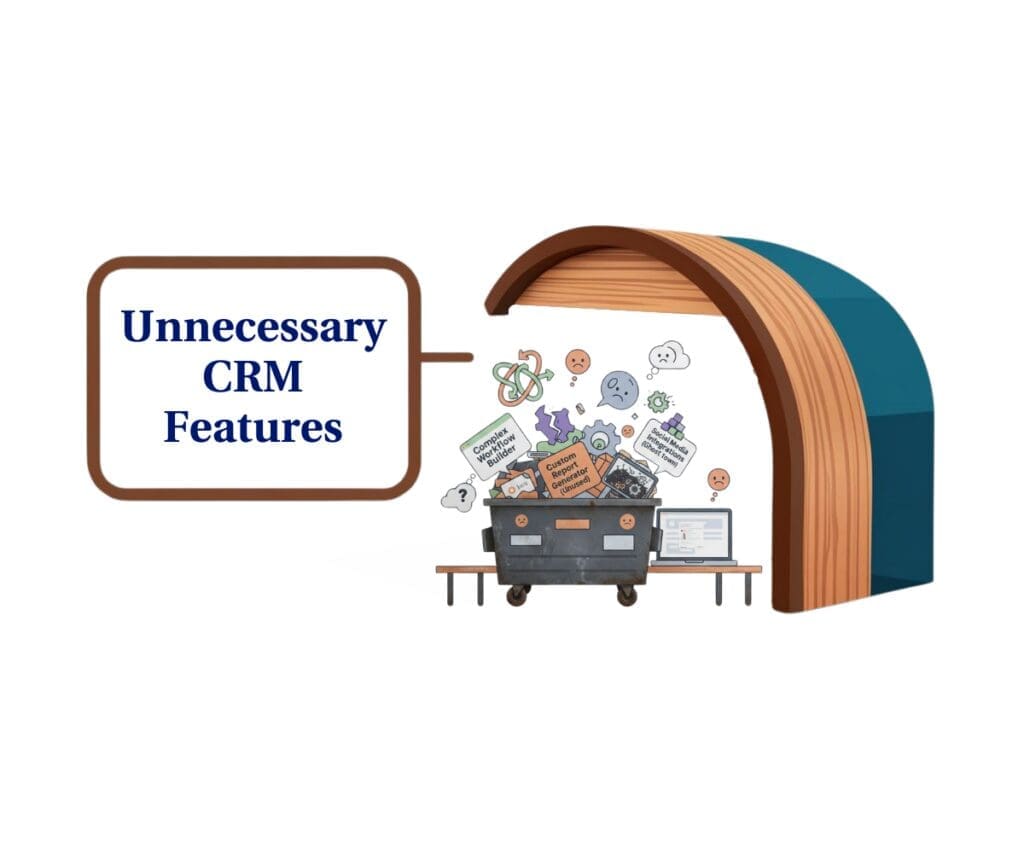
This post helps non-technical GoHighLevel users cut through the noise, avoid unnecessary CRM features, and focus only on the tools that actually move their business forward.
Quick Summary – Unnecessary CRM Features at a Glance
Purpose: This post explains which unnecessary CRM features in GoHighLevel non-tech users can safely ignore so they can reduce overwhelm and move forward with confidence.
Why It Matters: Many new users waste time and energy trying to understand advanced CRM features they do not need yet, which slows progress and creates unnecessary frustration.
What You Get: You gain clarity on which GoHighLevel CRM features are optional at your current stage and which core tools deserve your attention instead.
Time to Complete: Reading and understanding this guidance takes about 8 to 10 minutes and can immediately change how you approach the platform.
Difficulty Level: Beginner friendly and written specifically for non-technical users with no CRM or automation background.
Key Outcome: You walk away knowing exactly what to ignore in GoHighLevel and where to focus so the platform feels simpler and easier to use.
Why Unnecessary CRM Features Feel Overwhelming
Unnecessary CRM features feel overwhelming in GoHighLevel because everything is visible from the start. The platform does not hide advanced tools just because you are new. It shows you what is possible, even if you are nowhere near needing it yet.
For non-tech users, this creates a false sense of pressure. You see settings, menus, and options that look important, so your brain assumes they must be learned immediately. That assumption is where the overwhelm begins.
Automate marketing, manage leads, and grow faster with GoHighLevel.

GoHighLevel was built for agencies at every stage. Some users manage a few leads a week. Others manage thousands across dozens of clients. The platform has to support both. That means beginner-friendly tools and advanced systems live side by side.
Another reason this feels heavy is comparison. Many tutorials and videos are created by advanced users. When non-tech users see complex setups, they assume that level of complexity is the baseline. It isn’t. Those builds exist for specific use cases, not because everyone needs them.
The key thing to understand is this: visibility does not equal responsibility. Just because a CRM feature exists in GoHighLevel does not mean it belongs in your workflow today. Learning to separate what is available from what is necessary is the first step to using the platform with confidence.
The Biggest Misunderstanding About Unnecessary CRM Features
The biggest misunderstanding non-tech users have about unnecessary CRM features is believing that complexity equals competence. Many people assume that if they are not using advanced features, they are somehow using GoHighLevel the wrong way.
That belief is what creates friction.
In reality, most CRM platforms, including GoHighLevel, are built to support a wide range of business models. Some users need deep customization. Others need speed and simplicity. The platform does not expect everyone to operate at the same level.
Here’s where the misunderstanding usually shows up for beginners:
- They think power users represent the “correct” way to use the CRM
- They assume advanced setups are required to get basic results
- They confuse learning order with feature importance
- They believe skipping features means missing opportunities
None of that is true.
Unnecessary CRM features are not unnecessary because they lack value. They are unnecessary because they are designed for situations you are not in yet. Timing matters more than capability. Using the wrong features too early slows progress instead of accelerating it.
For non-tech users, success comes from mastering the few features that support daily actions. Everything else can wait. The CRM is meant to adapt to your business, not force your business to adapt to every feature it offers.
Once you understand that complexity is optional, not mandatory, GoHighLevel becomes far easier to use with confidence.
What Unnecessary CRM Features Mean in GoHighLevel
When we talk about unnecessary CRM features in GoHighLevel, we are not saying these tools are useless or poorly designed. We are saying they are not required for where most non-tech users are right now.
This distinction matters.
Unnecessary, in this context, simply means not needed yet. These features exist to solve specific problems that only show up after a business reaches a certain level of complexity. If those problems are not part of your daily reality, the features meant to solve them will only add confusion.
For non-technical users, unnecessary CRM features usually share a few traits:
- They support edge cases rather than everyday workflows
- They require technical knowledge or advanced planning
- They solve scale problems, not startup problems
- They assume volume, teams, or custom systems already exist
GoHighLevel includes these features because it is built to grow with agencies over time. The platform is designed so you do not have to switch systems as your business evolves. That does not mean you must use everything on day one.
Another important point is intent. Many CRM features are reactive by nature. They exist to reduce friction once it appears. Using them before the friction exists often creates the very problems they were meant to solve.
For non-tech users, the smartest move is to focus on what supports action today. Leads, conversations, appointments, and follow-up drive results. Everything else can remain untouched without hurting your progress.
Understanding this definition removes guilt. Ignoring unnecessary CRM features is not avoiding responsibility. It is choosing focus.
Unnecessary CRM Features Non-Tech Users Can Ignore
GoHighLevel includes many CRM features that are powerful but unnecessary for non-tech users in the early stages. These tools are not harmful. They are simply designed for use cases that most beginners have not reached yet.
Ignoring these features will not limit your results. In most cases, it will speed them up.
Here are common unnecessary CRM features non-tech users can safely ignore at the start:
Webhooks Everywhere
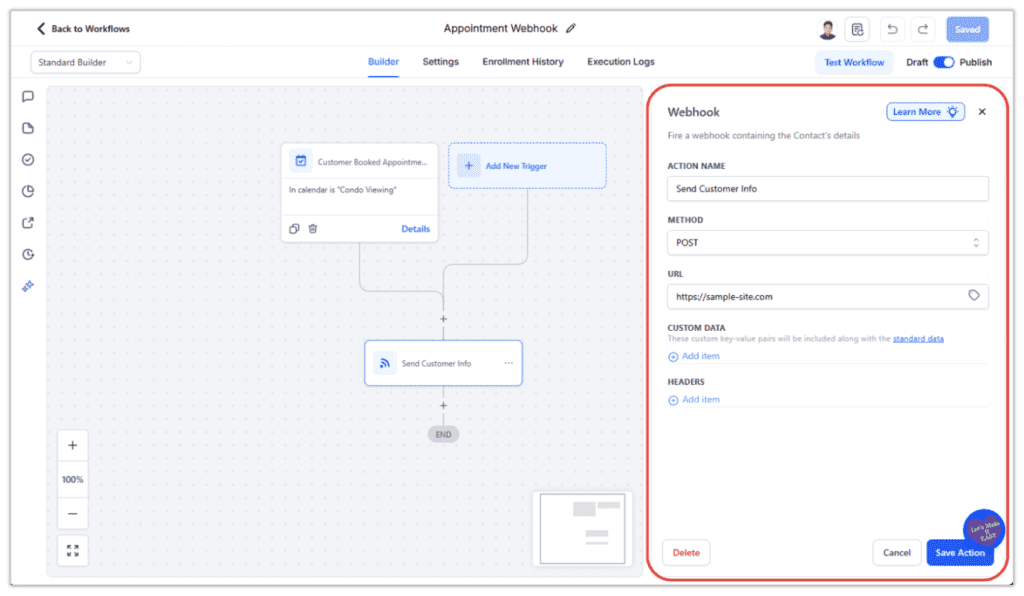
Webhooks are used to send data from GoHighLevel to other platforms in real time. They’re powerful when you’re connecting multiple tools or triggering actions outside of GHL. For most non-tech users, this is unnecessary early on because GoHighLevel already handles email, SMS, forms, and calendars natively. Until you are intentionally automating across multiple platforms, webhooks are something you can safely ignore.
Advanced Workflow Logic and Branching
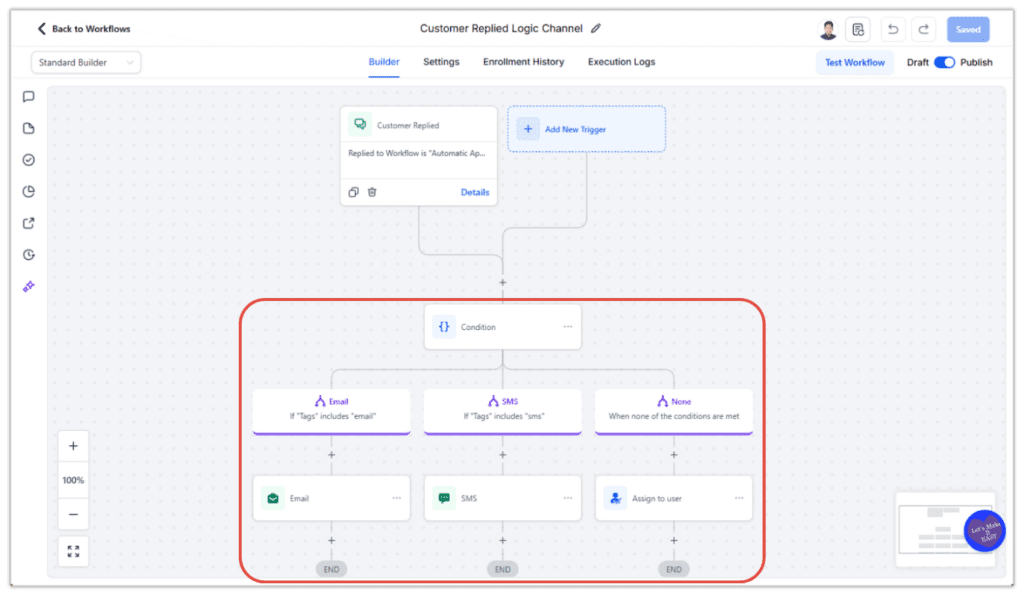
Advanced workflow logic includes complex if-else paths, goals, and multi-branch decision trees. These tools are designed for high-volume systems where different actions must happen based on many conditions. For beginners, this level of logic usually adds confusion instead of efficiency. Simple workflows handle most follow-up needs without increasing the risk of errors or broken automations.
Private Integrations
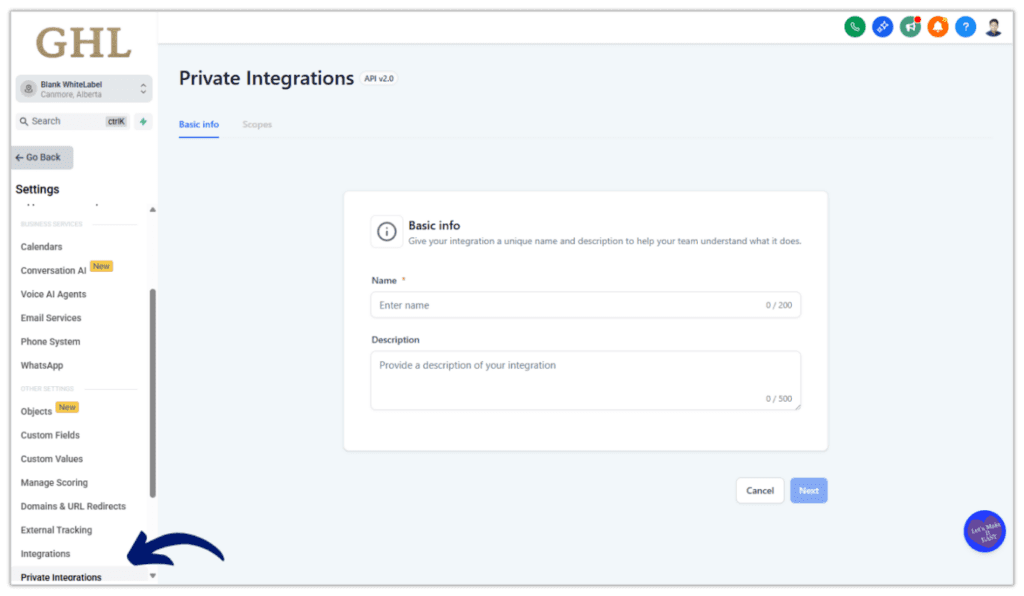
Private integrations are used to connect GoHighLevel with proprietary software or internal systems. These are typically built by developers or technical teams for custom business needs. If you are not running a custom app or syncing data with internal tools, you do not need private integrations. Non-tech users can generate leads and manage conversations perfectly well without touching this area.
Audit Logs
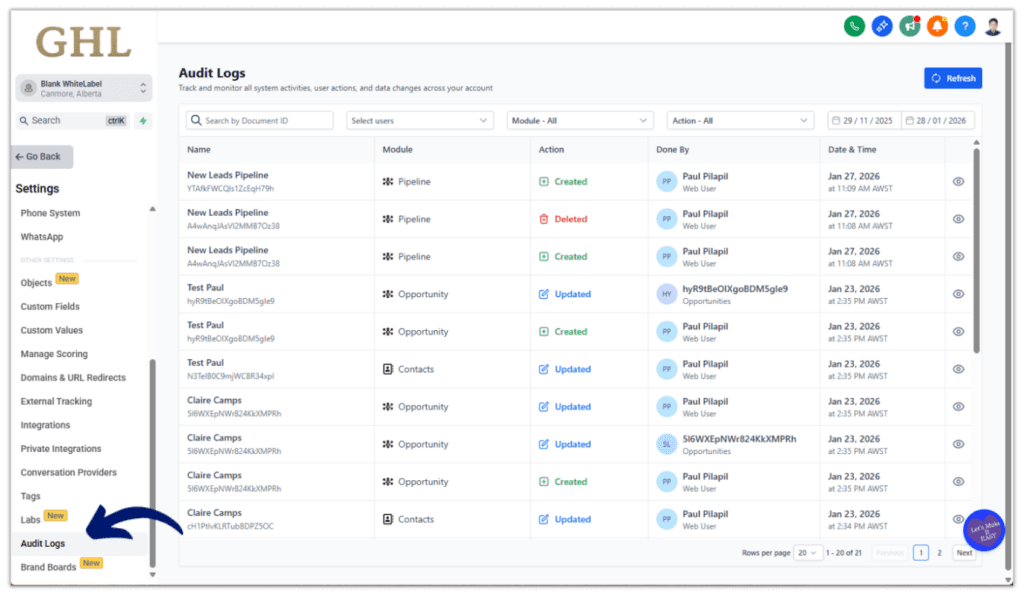
Audit logs track user actions, permission changes, and system activity inside GoHighLevel. They are most useful for large teams, compliance requirements, or regulated industries. Solo users and small agencies rarely need to review detailed activity logs. If you are the primary user in your account, audit logs are informational, not essential.
Custom Objects
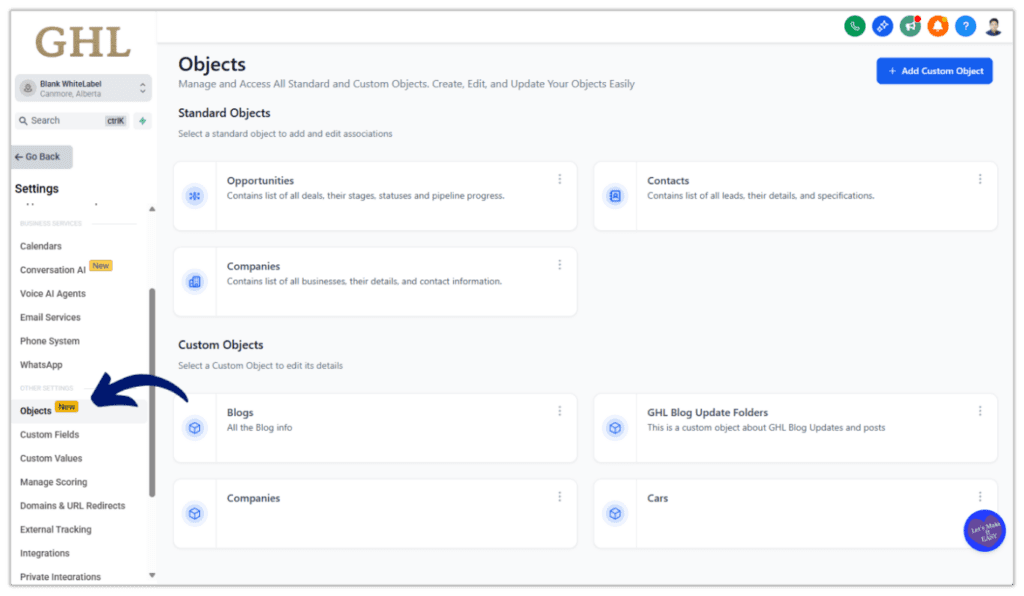
Custom Objects allow you to create entirely new data structures inside GoHighLevel beyond standard contacts and opportunities. They are designed for advanced use cases where businesses need to track complex or highly specific information, such as multi-location assets, detailed service records, or industry-specific data models. For beginners, Custom Objects usually add confusion because they introduce relationships, fields, and logic that aren’t needed to generate leads or manage conversations. Until you are clearly limited by the standard CRM structure, Custom Objects are something you can safely ignore without losing functionality.
Each of these features exists for a reason. That reason just isn’t tied to getting your first clients, launching basic campaigns, or following up with leads. For non-tech users, engaging with these tools too early creates friction instead of clarity.
The key takeaway is simple. If a CRM feature does not support a clear action you take today, it is probably unnecessary for your current stage.
Why Unnecessary CRM Features Exist in GoHighLevel
Unnecessary CRM features exist in GoHighLevel because the platform is not built only for beginners. It is built to support agencies and businesses at every stage, including those operating at scale.
This is an important distinction for non-tech users to understand.
GoHighLevel serves a wide range of users, including:
- Agencies managing dozens or hundreds of client accounts
- Teams with multiple staff roles and permissions
- Businesses with complex lead routing and data requirements
- Operators reselling software or running SaaS-style offers
These users face problems that do not exist in early-stage businesses. They need advanced logic, deeper customization, and tighter control over data and processes. The CRM features built for them would be unnecessary, and often confusing, for beginners.
The mistake non-tech users make is assuming that feature presence equals feature priority. In reality, these tools are future-facing. They are there so you do not outgrow the platform, not because you are expected to use them immediately.
Another reason these features exist is flexibility. GoHighLevel allows agencies to build custom solutions rather than forcing everyone into a rigid workflow. That flexibility requires options. Options naturally increase complexity when viewed all at once.
For non-tech users, the takeaway is reassuring. You are not behind because you are not using advanced CRM features. You are simply operating at the level your business currently requires. As your needs evolve, GoHighLevel will already have the tools waiting for you.
Common Mistakes Around Unnecessary CRM Features
Many non-tech users struggle with GoHighLevel not because of the platform itself, but because of how they approach unnecessary CRM features early on. These mistakes are common, understandable, and completely fixable once they’re recognized.
One of the biggest mistakes is trying to understand everything before taking action. New users often believe they need full clarity before launching anything. In practice, this leads to endless clicking, watching tutorials, and second-guessing instead of progress.
Another common issue is copying advanced setups without context. Non-tech users see complex workflows, custom fields, or deeply layered CRM logic and assume that is the standard. Those setups are usually built for high-volume operations, not early-stage agencies or service providers.
Here are a few patterns that tend to create unnecessary overwhelm:
- Exploring settings without a clear goal in mind
- Changing CRM options “just to see what happens”
- Building complex workflows before confirming simple ones work
- Focusing on customization instead of lead flow
- Mistaking feature availability for feature necessity
These habits pull attention away from what actually drives results. Instead of helping, they add friction and confusion. The CRM begins to feel heavy, even though the core tools are straightforward.
Unnecessary CRM features become a problem only when they distract from action. When non-tech users stay focused on the basics and resist the urge to overbuild, GoHighLevel becomes far easier to manage and far more effective.
What to Focus on Instead of Unnecessary CRM Features
Once non-tech users stop worrying about unnecessary CRM features, the next question becomes obvious. If you’re not supposed to touch everything, what should you focus on instead?
The answer is simpler than most people expect.
GoHighLevel works best for beginners when attention stays on the actions that directly move leads forward. These are the areas that create momentum without technical complexity.
Non-tech users should prioritize the following:
- Contacts and basic CRM management: Learn how contacts enter your system, how they are tagged, and how they move through simple stages. This alone covers most daily CRM needs.
- Conversations and follow-up: Email, SMS, and inbox management are where real engagement happens. If you can respond quickly and consistently, the CRM is doing its job.
- One simple pipeline: A basic pipeline helps you see where leads are at a glance. You do not need multiple stages or advanced logic to start closing deals.
- Calendars and appointments: Booking calls and sending reminders is a high-impact use of GoHighLevel. It replaces manual scheduling without added complexity.
- One or two basic workflows: Simple automations like new lead follow-up or appointment reminders save time immediately. They do not require advanced branching or conditions to be effective.
Focusing here gives non-tech users clarity and confidence. These tools are easy to understand, easy to fix if something goes wrong, and directly tied to results. Once these foundations feel natural, adding more advanced CRM features later becomes a choice, not a burden.
GoHighLevel rewards focus. When unnecessary CRM features are ignored, the platform feels lighter, faster, and far more approachable.
How Ignoring Unnecessary CRM Features Leads to Faster Results
Ignoring unnecessary CRM features in GoHighLevel does more than reduce stress. It directly improves speed, clarity, and follow-through for non-tech users.
When fewer options demand attention, decisions happen faster. Instead of wondering which setting is “correct,” users take action. That momentum matters, especially early on.
Non-tech users who limit their focus typically see these benefits:
- Less decision fatigue during setup
- Faster implementation of core tools
- Fewer mistakes caused by overconfiguration
- Clearer understanding of what actually drives outcomes
Another advantage is confidence. When users work with a small set of familiar tools, they are more likely to log in daily, respond to leads, and make small improvements over time. Confidence compounds faster than complexity.
There is also less risk. Advanced CRM features often depend on each other. Changing one setting can affect another. By avoiding unnecessary CRM features early, non-tech users reduce the chance of breaking workflows or creating problems they do not yet know how to troubleshoot.
Most importantly, ignoring the right features keeps attention on revenue-producing actions. Conversations, appointments, and follow-up do not require advanced CRM logic to be effective. They require consistency.
Faster results do not come from doing more inside GoHighLevel. They come from doing the right few things well and ignoring everything else until there is a clear reason to expand.
How Ignoring Unnecessary CRM Features Leads to Faster Results
Ignoring unnecessary CRM features in GoHighLevel does more than reduce stress. It directly improves speed, clarity, and follow-through for non-tech users.
When fewer options demand attention, decisions happen faster. Instead of wondering which setting is “correct,” users take action. That momentum matters, especially early on.
Non-tech users who limit their focus typically see these benefits:
- Less decision fatigue during setup
- Faster implementation of core tools
- Fewer mistakes caused by overconfiguration
- Clearer understanding of what actually drives outcomes
Another advantage is confidence. When users work with a small set of familiar tools, they are more likely to log in daily, respond to leads, and make small improvements over time. Confidence compounds faster than complexity.
There is also less risk. Advanced CRM features often depend on each other. Changing one setting can affect another. By avoiding unnecessary CRM features early, non-tech users reduce the chance of breaking workflows or creating problems they do not yet know how to troubleshoot.
Most importantly, ignoring the right features keeps attention on revenue-producing actions. Conversations, appointments, and follow-up do not require advanced CRM logic to be effective. They require consistency.
Faster results do not come from doing more inside GoHighLevel. They come from doing the right few things well and ignoring everything else until there is a clear reason to expand.
Final Thoughts on Unnecessary CRM Features in GoHighLevel
If you are a non-tech user, the biggest mistake you can make in GoHighLevel is believing you need to master everything before you can succeed. That belief creates pressure, hesitation, and unnecessary friction that has nothing to do with your ability to get results.
Unnecessary CRM features are not obstacles. They are simply tools designed for a later stage of growth. GoHighLevel shows them to you early because the platform is built to scale, not because you are expected to use them right away.
The most effective users are not the ones who know every feature. They are the ones who stay focused on the basics, take action consistently, and let their systems evolve as real needs appear. Contacts, conversations, appointments, and simple follow-up will carry most businesses much further than people expect.
You are not behind because you are ignoring advanced CRM features. You are being intentional. As your business grows, GoHighLevel will grow with you. When complexity becomes necessary, the tools will be there and they will make sense in context.Until then, simplicity is an advantage. Focus on what matters, ignore what doesn’t, and allow progress to build confidence over time.
Scale Your Business Today.
Streamline your workflow with GoHighLevel’s powerful tools.