- Remove old audits and free up your GHL quota
- Quick Summary – Delete SEO Project Overview
- What Is the Delete SEO Project Feature
- How to Delete an SEO Project
- What Happens After You Delete
- Why Agencies Should Use This delete SEO Project Feature
- Using Delete SEO Project for Client Sites
- Pro Tips Before You Hit Delete
- Results You Can Expect with this Delete SEO Project Feature
- FAQ on Deleting SEO Projects
- Final Take on the Delete SEO Project Feature
Remove old audits and free up your GHL quota
The new delete SEO project feature in GHL solves a long-standing issue for many users. Until now, once you hit the 4-site project limit in the SEO tool, you couldn’t start a new audit unless you upgraded or waited for support. That made it hard for agencies to stay flexible when testing different domains or working with multiple clients.
Now, users can delete an SEO project directly from their dashboard. It’s a quick way to clear space and keep moving. There’s no need to contact support or shuffle projects between accounts. Just select the site project you no longer need and remove it.
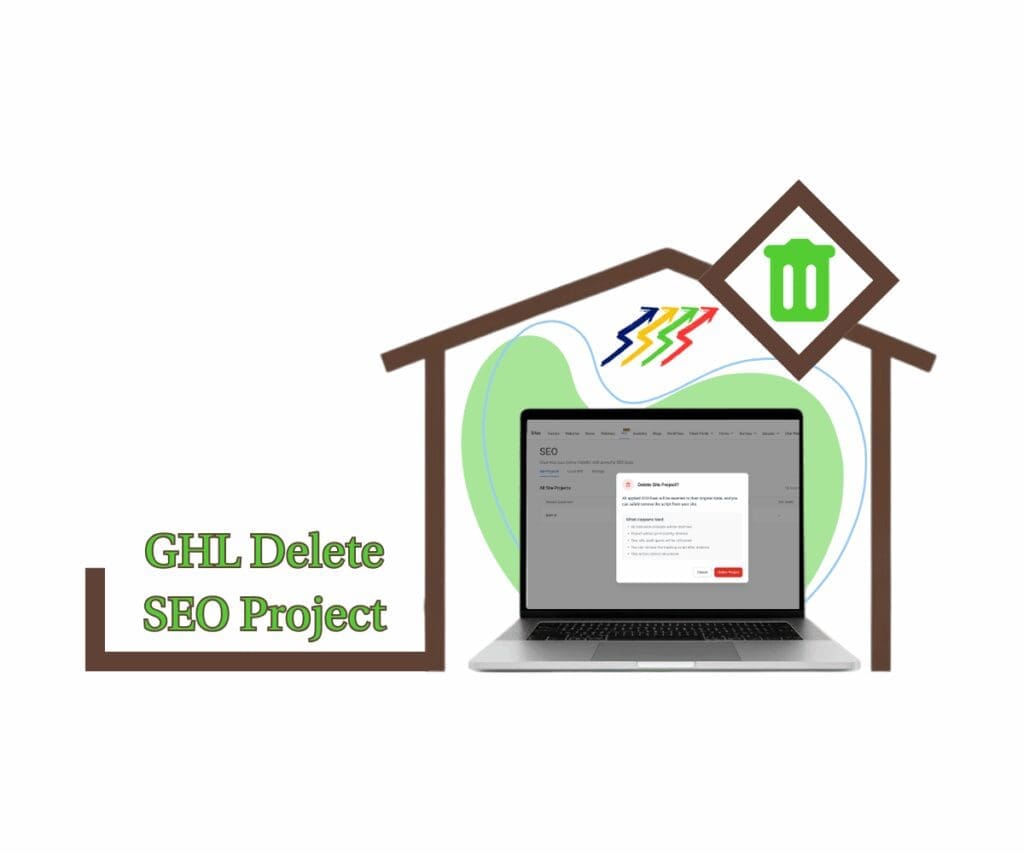
GoHighLevel now lets you delete SEO Site Projects so you can instantly free up your 4-site quota and run audits on new client domains. This update gives agencies more control, helping you stay agile and focused on what matters most.
Quick Summary – Delete SEO Project Overview
Purpose: The delete SEO project feature in GHL helps users remove old audits and free up their site quota without needing extra help.
Why It Matters: Agencies often work with more than four domains. This update lets them delete projects they no longer need and stay on track with client work.
What You Get: A fast way to clear out unused SEO projects, roll back any changes, and open space for the next audit.
Time to Complete: Less than a minute. Just pick the project and delete it.
Difficulty Level: Very easy. No extra tools or training needed.
Key Outcome: GHL users can now manage their SEO quota with less hassle and keep their audit list clean and current.
What Is the Delete SEO Project Feature
The delete SEO project feature in GHL gives users the option to remove an old or unused Site Project from their SEO tool. It’s a clean and direct way to manage the 4-site limit without needing help from support or making account changes.
Before this update, if all four slots were used, there was no way to free one up. That made it hard for agencies that needed to run audits on new domains or shift focus to higher-priority sites.
Automate marketing, manage leads, and grow faster with GoHighLevel.

Now, you can go into the SEO section, pick the project you no longer need, and delete it. Once you confirm, the project is permanently removed and your quota refreshes right away. This means you can add a new site as soon as you need to, without delay.
How to Delete an SEO Project
To delete an SEO project in GHL, start by opening the SEO tool inside your account. You’ll see a list of the Site Projects you’ve already set up.
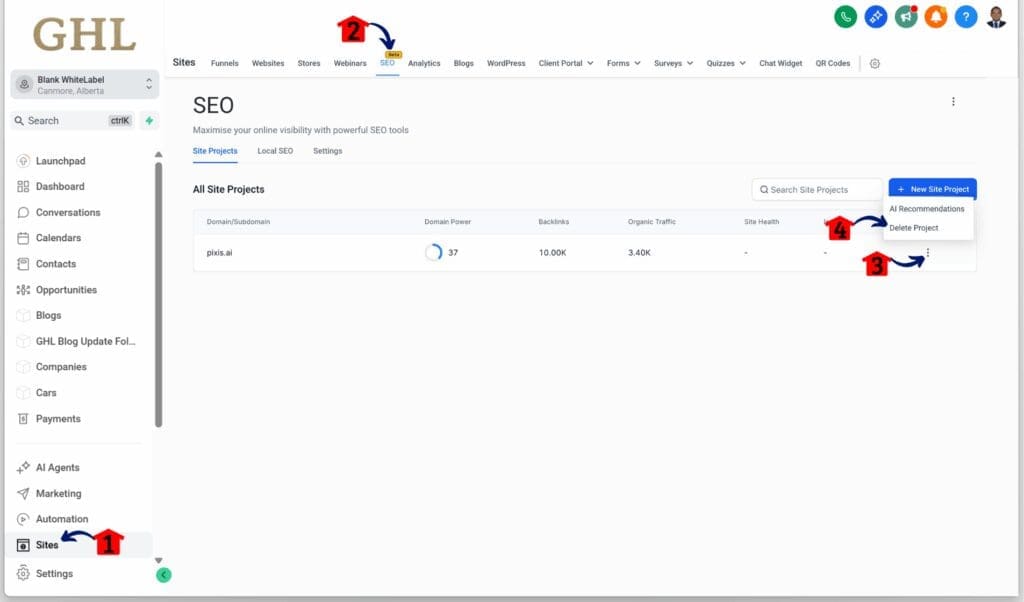
Step 01 – Access the Main Menu in GoHighLevel
- The main menu on the left side of your screen includes all the main areas you work in when using GoHighLevel (GHL).
1.1 Click on the Sites menu item to access the SEO section.
- You’ll now be in the Sites section, where you can access the SEO tab from the top menu.
1.2 Click the SEO tab.
1.3 Click the More options button for the site project.
- The More options button is represented by a three-dot icon.
1.4 Click the Delete Project button.
Step 02 – Confirm the Project Deletion
- The Delete Site Project popup should appear.
2.1 Click the Delete Project button.

The delete SEO project action is permanent. If you delete a project, it cannot be recovered. Make sure the project is no longer needed before you go ahead.
After deletion, your SEO quota updates automatically. The freed slot becomes available, so you can immediately add a new site for your next audit. It’s a quick way to keep your projects current and your account flexible.
What Happens After You Delete
When someone deletes an SEO project in GHL, a few things happen right away.
First, the SEO quota updates automatically. If the user was at the 4-site limit, they now have one open slot. There’s no delay. The updated quota can be checked under Settings in the Quota Info section.
Next, any SEO changes that were made through that project are removed. This includes fixes to funnel paths, blog paths, and any related SEO tweaks. GHL rolls these back so the site returns to how it was before the project started.
Finally, the deletion is permanent. Once the project is gone, there’s no way to bring it back. All data and SEO adjustments tied to that project are deleted too.
The process is simple, but it’s important to understand what gets removed when you delete an SEO project in GHL.
Why Agencies Should Use This delete SEO Project Feature
Agencies often work with several domains at once, especially when running audits or testing funnels for clients. Hitting the 4-site limit in GHL can slow that work down. The new option to delete an SEO project fixes that.
By removing a project that is no longer active, agencies can open up space right away. This helps when switching focus from one client to another or when testing a new domain. There’s no waiting or need to adjust account settings.
It also keeps the SEO tool easier to manage. With fewer inactive projects sitting in the dashboard, teams can stay organized and focused. Being able to delete an SEO project in GHL gives agencies more control and helps them move faster.
Using Delete SEO Project for Client Sites
For agencies, not every SEO audit is meant to stay forever. Some are tied to short-term campaigns. Others are just for testing. Over time, these old projects can take up space and get in the way.
The delete SEO project feature in GHL gives users a simple way to stay organized. It clears out the projects that are no longer needed and makes room for new ones.
Here are a few common examples of when this helps:
- Seasonal campaigns: A client runs a funnel for a limited-time sale. Once the sale is over, the project can be deleted to free up quota.
- One-time audits: An agency reviews a client’s website, applies fixes, and finishes the work. The audit is no longer needed after that.
- Testing funnels or blogs: Teams often run audits on demo sites. When testing is complete, the project can be removed without cluttering the dashboard.
Using delete SEO project in GHL makes it easier to focus on the work that’s still active. It’s a quick way to manage client flow without hitting limits.
Pro Tips Before You Hit Delete
Before you delete an SEO project in GHL, take a moment to make sure it’s the right move. Once it’s gone, you can’t bring it back. There’s no undo button.
A little planning can help avoid mistakes. Here are a few simple tips to follow:
- Look over the SEO changes. See what was added or fixed in the project. This could include funnel path edits, blog structure changes, or other site updates.
- Save anything important. If there’s data, notes, or results you want to keep, store them somewhere safe before deleting the project.
- Check with your team. Make sure no one else is still using the project. If others are working on it, deleting it could cause confusion.
- Think about timing. If the client is still reviewing changes or waiting on feedback, it might be better to wait before removing the project.
Deleting an SEO project in GHL is easy, but it should be done with care. A quick review helps keep your work clean and your team on the same page.
Results You Can Expect with this Delete SEO Project Feature
After deleting an SEO project in GHL, the changes take effect right away. The project is removed from your list, and your quota is updated instantly. There’s no delay and no need to refresh the page.
Users will notice they have space to add a new site audit right after the deletion. That makes it easier to shift focus, take on new clients, or test another domain without slowing down.
Keeping only active projects in your account also makes the workspace easier to manage. It helps teams stay organized and cuts down on clutter.
Using the delete SEO project feature in GHL is a smart way to keep your SEO audits current, flexible, and focused on what actually needs attention.
FAQ on Deleting SEO Projects
Final Take on the Delete SEO Project Feature
The delete SEO project feature in GHL gives users more control without adding extra steps. It solves a real problem for teams stuck at the four-site limit and needing a way to keep things moving.
For agencies, this means less waiting and more flexibility. You can free up space without jumping through hoops. Old audits that no longer serve a purpose can be cleared out, making room for new work.
It also keeps the SEO tool clean. With only active projects on the list, it’s easier to stay focused and work more efficiently. Whether it’s a seasonal campaign or a quick audit for a test funnel, being able to delete an SEO project in GHL makes managing your site audits a lot smoother.
Scale Your Business Today.
Streamline your workflow with GoHighLevel’s powerful tools.