- No fees and full resale control inside GHL
- Quick Summary – Free Ad Manager Overview
- What’s New with Free Ad Manager
- What’s Changed in Ad Manager Access
- Why the Free Ad Manager Update Matters
- How to Use Free Ad Manager in Your GHL Account
- Pro Tips for Using the Free Ad Manager
- Results You Can Expect from Free Ad Manager
- FAQs About the Free Ad Manager Update
- Final Thoughts on the Free Ad Manager
No fees and full resale control inside GHL
GoHighLevel has now made the Ad Manager completely free for all agency accounts. This means agencies no longer pay any platform fees to use it. The Free Ad Manager is now included in every GHL agency dashboard by default.
Agencies still have full control over pricing. You can resell Ad Manager to subaccounts at any amount you choose, while keeping all the revenue. Nothing is taken out by GHL. This update gives agencies more freedom to package and price their services without extra costs.
There’s also a simple thumbs-up or thumbs-down option added inside the platform. This lets you give quick feedback on whether you plan to resell the tool. That input helps GHL shape the future of the Ad Manager based on real user insight.
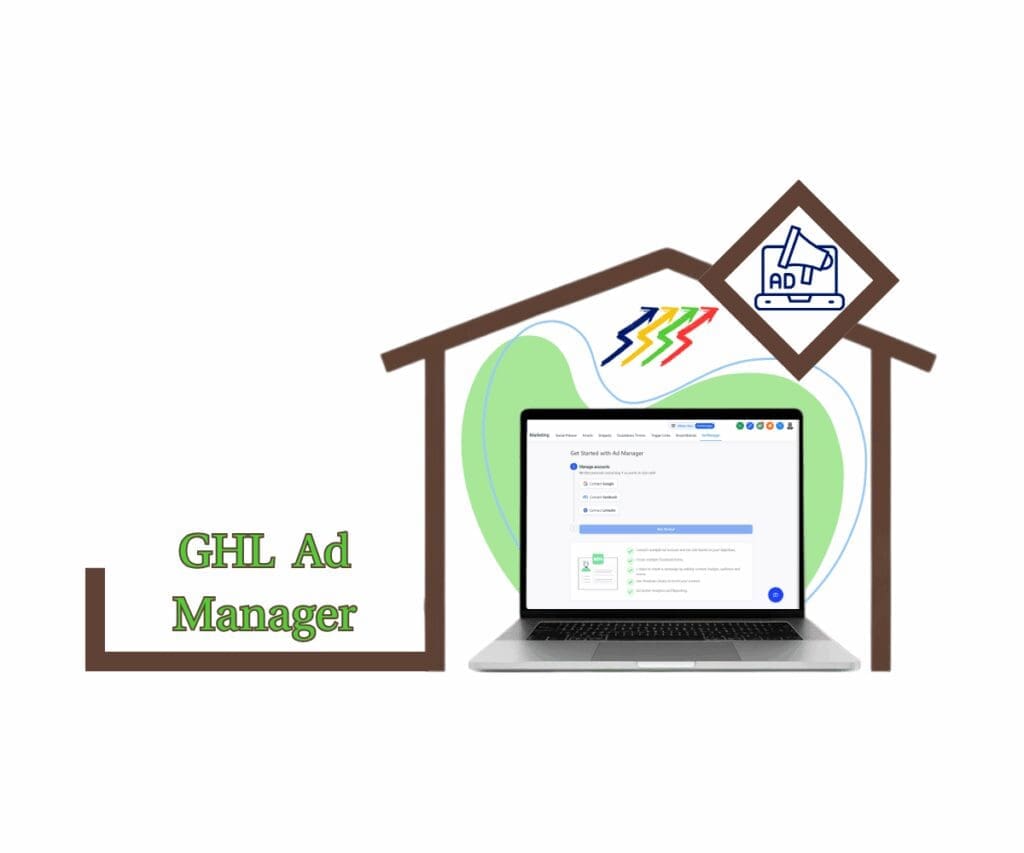
With Free Ad Manager now built into the platform, agencies can skip paywalls and start offering ad services right away. Whether you include it in your SaaS plans or charge as an upgrade, the setup is flexible. You get full pricing control, instant access, and no extra subscriptions. It’s a smart way to boost your margins and keep your ad revenue in-house.
Quick Summary – Free Ad Manager Overview
Purpose: The Free Ad Manager is now included in all GHL agency accounts. Agencies can turn it on, set their own resale price, and offer it to clients without paying platform fees.
Why It Matters: This update gives agencies more freedom to manage how they sell ad services. There are no extra costs, and setup is simple.
What You Get: Full access to Ad Manager, control over pricing, a smoother client onboarding flow, and a quick way to give feedback inside the platform.
Time to Complete: Setup can be done in about 10 minutes using the SaaS Configurator and Reselling tab.
Difficulty Level: Easy. The steps are straightforward, and everything is done from the agency dashboard.
Key Outcome: Agencies can offer ad services through GoHighLevel, keep all of the revenue, and adjust pricing when needed.
What’s New with Free Ad Manager
GoHighLevel now includes the Free Ad Manager for all agency accounts. There are no platform fees or subscriptions tied to it anymore. If you’re using GHL, the Ad Manager is already part of your agency dashboard.
Along with removing the cost, a few helpful changes have been added to make reselling easier:
Automate marketing, manage leads, and grow faster with GoHighLevel.

- No more agency-level billing. Agencies no longer pay to access Ad Manager. It’s now included with your account by default.
- Set your own resale price. You can choose what your clients pay. The price is set in the Agency Reselling tab and passed to subaccounts automatically. You can change it for each client if needed.
- Quick feedback tool. There’s now a thumbs-up or thumbs-down option. It lets you tell GHL if you plan to resell the tool. Your input helps shape what comes next.
- Nothing removed or limited. This is the full version of Ad Manager. All the features are still there. The only thing that changed is the price.
These updates are already live in all GHL accounts. Agencies can start using and reselling Ad Manager without needing to activate anything.
What’s Changed in Ad Manager Access
The Free Ad Manager is now part of every GHL agency account, but there are a few updates to how billing and onboarding work behind the scenes. These changes help keep everything clear, especially for agencies already reselling Ad Manager to clients.
Here’s what’s different:
- No billing change for current paid subaccounts. If any subaccounts are already paying for Ad Manager, nothing changes. They keep their current pricing and plan. You do not need to update anything.
- Billing section still shows active plans. Agencies can view any existing subscriptions, like the Utility or Founder’s plan. This helps keep track of who’s paying and what they are paying for.
- Standard plan is shown to unsubscribed subaccounts. If a subaccount has not used Ad Manager before, they will only see the Standard plan. It also shows the price set by the agency, so there are no surprises.
- CTA button adjusts based on your price. If your resale price is above zero, the button will read “Activate Ad Manager for $X/month.” If you set the price to zero, subaccounts will just see “Get Started” and can begin right away without entering payment details.
These small changes make it easier for agencies to manage who gets access to the Free Ad Manager and how clients are brought in.
Why the Free Ad Manager Update Matters
The Free Ad Manager is now built into every GHL agency account. That one change makes a big difference. Agencies no longer need to budget for platform fees just to use or resell the tool. It’s included, ready to go, and easy to offer to clients.
This matters for a few key reasons:
- Agencies get full pricing control. You decide how to price Ad Manager for your clients. It can be included in a base package or offered as a paid upgrade. There are no fixed rules.
- No cost to test or promote. You can set the resale price to zero if you want to use it as a bonus or trial offer. That lets you remove price as a barrier during onboarding.
- Clients see clear next steps. Whether you charge for Ad Manager or not, the call-to-action button adjusts automatically. Clients know what to expect and how to get started.
- You help shape future updates. The built-in sentiment feedback helps GHL understand what agencies want. Your input directly influences how the tool grows.
The update keeps things simple. Agencies can now use the Free Ad Manager without limits or extra steps. That saves time, reduces costs, and puts more options on the table.
How to Use Free Ad Manager in Your GHL Account
The Free Ad Manager is already available in every GHL agency account. It does not require any special plan or extra setup.
Step 01 – Access the Main Menu in GoHighLevel
- The main menu on the left side of your screen includes all the main areas you work in when using GoHighLevel (GHL).
1.1 Click on the Marketing menu item to access the Ad Manager section.
- You’ll now be in the Marketing section, where you can access the Ad Manager tab from the top menu.
1.2 Click the Ad Manager tab.
- If Ad Manager does not appear in the Marketing tab, make sure it’s enabled in Agency Mode.
1.3 Confirm that you can now access and use the free Ad Manager feature.

Pro Tips for Using the Free Ad Manager
With the Free Ad Manager now built into every GHL agency account, agencies can offer more without taking on extra cost. Whether you charge for it or include it as part of a package, a few smart moves can help you get better results.
Here are some practical tips:
- Offer it as a value add. If you already have SaaS packages, consider including Ad Manager in your mid or top-tier plans. Setting the resale price to zero can make your offer feel more complete without raising prices.
- Try different price points. Test different resale prices across your client base. Some clients may see more value when it’s part of a paid upgrade, while others may respond better when it is offered at no cost.
- Add it to your onboarding flow
Bring up the Free Ad Manager early when you talk to new clients. It can help you stand out from other providers and position your agency as more full-service. - Watch activation trends. Check how many of your subaccounts are using Ad Manager. If few are activating it, the price or messaging might need a tweak.
- Ask your team what they’re hearing. Sales and support teams often get useful feedback. Use what they hear to refine how you talk about Ad Manager and where it fits into your service.
With no platform fee and full pricing control, agencies can use the Free Ad Manager in whatever way works best for them. These tips can help you make it part of your process and not just another tool on the shelf.
Results You Can Expect from Free Ad Manager
Once agencies start using the Free Ad Manager inside GoHighLevel, the benefits are easy to see. There is no more platform cost, and the setup is built right into the tools you already use. This update gives agencies more control over how they manage ad services and how they present those services to clients.
Here is what most agencies will notice:
- Higher profit margins. With no platform fees, agencies keep all the revenue when reselling Ad Manager. This can help improve the value of each account without extra work.
- Faster onboarding for clients. If you decide to offer Ad Manager at no cost, clients can activate it right away. No payment screen means one less step to slow them down.
- Clearer billing and setup. Clients see the right plan and the correct call-to-action based on what the agency sets. That reduces confusion and support questions.
- Stronger SaaS packages. Adding Ad Manager to your plans gives clients one more reason to choose your agency. It also helps show the real value of your services.
- Simpler day-to-day management. All settings and pricing live in one place. Agencies can update plans and track usage without jumping between tools.
The Free Ad Manager gives agencies more freedom to build, price, and deliver their services in a way that fits their business. It removes a cost and replaces it with more options.
FAQs About the Free Ad Manager Update
Now that the Free Ad Manager is included in all GHL agency accounts, some common questions have started coming up. Here are clear answers to help agencies understand how it works and what to expect.
These answers should cover most of what agencies need to know. The Free Ad Manager was designed to make things easier, not harder.
Final Thoughts on the Free Ad Manager
Making Ad Manager free for all agencies is a practical move that benefits the entire GHL community. It removes one more barrier and gives agencies more control over how they offer ad services.
There is no platform fee to worry about, and setup takes just a few clicks. Agencies can resell the tool, include it in a package, or offer it for free to new clients. The pricing is flexible and managed from one place inside the agency dashboard.
The update also improves the client experience. When they see the option to activate Ad Manager, the message matches the price you set. That keeps things clear and helps with faster onboarding.
The Free Ad Manager is a solid upgrade. It saves money, opens up new ways to package services, and fits right into the tools agencies are already using.
Scale Your Business Today.
Streamline your workflow with GoHighLevel’s powerful tools.