- GHL Bot Sleep Control for Better Conversations
- Quick Summary – Bot Sleep Control Essentials
- What Changed With GHL Bot Sleep Control
- How to Use It: Set Up Indefinite Bot Sleep Control in GHL
- Pro Tips to Avoid Bot Conflicts
- Frequently Asked Questions About GHL Bot Sleep Control
- What This Update Means for Conversation Control
- Results You Can Expect From GHL Bot Sleep Control
- Final Thoughts and Best Practices for GHL Bot Sleep Control
GHL Bot Sleep Control for Better Conversations
If you’ve ever jumped into a live conversation in GHL, sent a manual message, and then watched a bot jump back in like it owned the place… you know how frustrating that feels. One second you’re building trust. The next second, automation steps all over the conversation. Not great.
Until now, GHL forced bots to wake back up after a maximum of 48 hours. Even if you wanted full human control, you still had a countdown ticking in the background. That limitation made true conversation control harder than it needed to be.
This update fixes that problem. With bot sleep control, you can now keep a bot asleep indefinitely after sending a message manually or through a workflow. No forced wake-ups. No surprise reactivation. The bot stays down until you decide otherwise.
This matters a lot for agencies, especially when you’re in the middle of real sales calls, onboarding conversations, or support issues. When someone on your team jumps in, the bot doesn’t hover or jump back in later. It backs off. And it stays that way until you decide otherwise.
GHL bot sleep control isn’t about killing automation. It’s about using it intentionally. You decide when bots engage. You decide when humans take over. And now, you’re not fighting the system to make that happen.
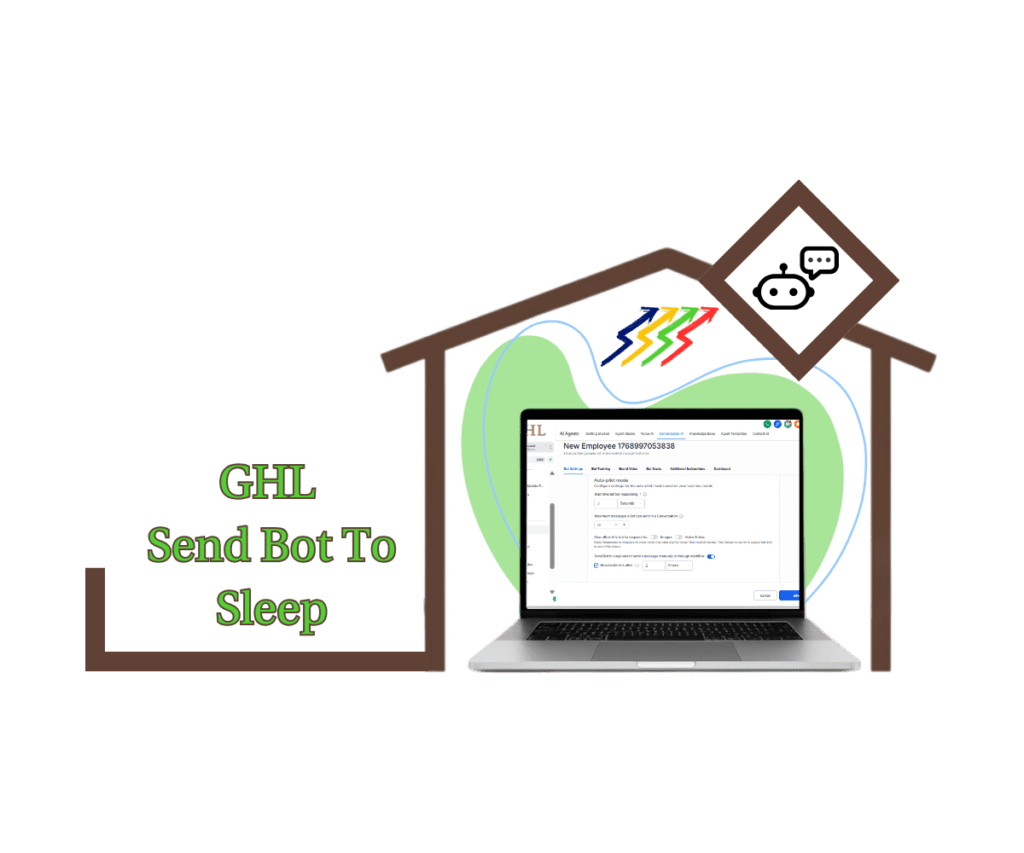
This update gives agencies full bot sleep control, allowing you to permanently pause bots after manual or workflow messages so conversations stay human, intentional, and interruption-free.
Quick Summary – Bot Sleep Control Essentials
Purpose: This update introduces bot sleep control in GHL, allowing you to keep bots asleep indefinitely after manual or workflow messages so humans stay in full control of conversations.
Why It Matters: Previously, bots were forced to reactivate after a set time, which often led to automation interrupting live sales, support, or onboarding conversations.
What You Get: You gain the ability to disable automatic bot reactivation entirely, ensuring bots never jump back into conversations unless you explicitly allow it.
Time to Complete:This setup takes less than five minutes to configure inside your bot settings.
Difficulty Level: This is an easy configuration with no technical knowledge or advanced workflow logic required.
Key Outcome: Your conversations stay human-led, predictable, and interruption-free while automation works only where it’s supposed to.
What Changed With GHL Bot Sleep Control
What changed sounds small on paper, but it fixes a real pain point that agencies have dealt with for a long time.
Before this update, anytime you sent a message manually or through a workflow, the bot would go to sleep temporarily. The problem was that “temporarily” had a hard limit. You were forced to choose a reactivation time, and the maximum was 48 hours. Even if the conversation wasn’t done. Even if a deal was still being worked. Even if a human clearly needed full control.
Automate marketing, manage leads, and grow faster with GoHighLevel.

That meant bots could wake back up automatically and jump into conversations you thought were handled. No warning. No permission. Just automation doing what it was told, even when it shouldn’t.
With GHL bot sleep control, that limitation is gone.
You can now turn off the “Reactivate bot after” option completely. When that checkbox is off, the bot does not wake up on its own. Ever. The only way it comes back is if you manually decide to wake it up.
This shifts control back where it belongs. With the user.
This also gets rid of the constant second-guessing. You’re not sitting there wondering how long to pause the bot or whether it’s going to wake back up mid-deal. If someone on your team is handling the conversation, automation stays out of it for as long as that takes.
The biggest shift is that behavior finally makes sense. When a bot is put to sleep, it stays that way. It doesn’t wake itself up later or follow some hidden rule. You decide when it comes back.
How to Use It: Set Up Indefinite Bot Sleep Control in GHL
If you’ve ever had a bot jump back into a conversation after you or your team already took over, this setup is for you. GHL bot sleep control lets you pause bots automatically after manual or workflow messages and keep them asleep for as long as you want. No timers. No surprises. Just clean handoffs between automation and humans. You can configure this in a few quick steps:
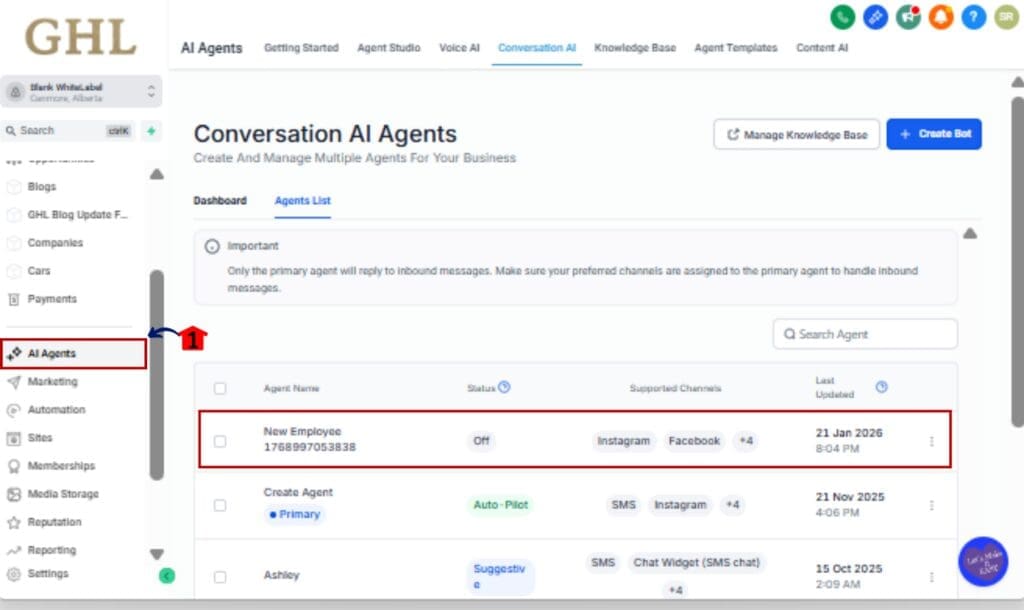
Step 01 – Open Bot Settings
1.1 Log into GHL as usual.
1.2 Click into Settings from the main menu.
1.3 Open the Bot or Conversation AI section for your account.
Step 02 – Enable Bot Sleep After Manual or Workflow Messages
2.1 Locate the option labeled “Send bot to sleep when I send a message manually or through workflow.”
2.2 Turn this toggle ON.

This ensures the bot immediately goes to sleep whenever a manual message or workflow message is sent.
Step 03 – Disable Automatic Reactivation
3.1 Find the setting labeled “Reactivate bot after.”
3.2 Turn OFF the checkbox completely.

When this option is disabled, the bot will never wake up automatically for that contact.
Step 04 – (Optional) Set a Reactivation Time Instead
4.1 If you want the bot to wake up later, leave the checkbox ON.
4.2 Pick a reactivation window only if you actually want the bot to come back later. Otherwise, you can leave this alone.

Step 05 – Save Your Settings
5.1 Click Save to apply the changes.
5.2 Your bot sleep control settings are now active.

Once this is turned on, you don’t have to think about it anymore. If you or a workflow sends a message, the bot steps back and stays out of the conversation until you decide it’s time to bring it back.
Pro Tips to Avoid Bot Conflicts
It’s a powerful setting. Use it with intention and you’ll avoid a lot of cleanup later.
There’s a big difference between qualifying a lead and actually closing a deal. Once a conversation crosses that line, bots usually do more harm than good. That’s where indefinite sleep fits best.
Second, use timed reactivation only for low-risk follow-ups. If a workflow sends a reminder or a simple check-in, a short reactivation window can be fine. But if there’s any chance a real conversation continues beyond that window, turn reactivation off completely. Guessing wrong is how bots end up interrupting at the worst time.
One thing that saves headaches later is tagging these contacts. A simple note like “bot paused” or “human handling” makes it obvious to anyone else on the account that automation shouldn’t touch this conversation.
Fourth, test your workflows before rolling them out. Send a manual message. Trigger a workflow message. Confirm the bot actually stays asleep. Five minutes of testing can prevent weeks of confusion once conversations are live.
Finally, document your rules. If you manage a team, write down when bots should be paused indefinitely and when timed reactivation is allowed. Clear rules keep everyone aligned and stop automation from becoming a liability instead of an asset.
Used the right way, bot sleep control doesn’t weaken automation. It strengthens it by making sure bots only speak when they’re actually supposed to.
Frequently Asked Questions About GHL Bot Sleep Control
What This Update Means for Conversation Control
This update mostly shows up in how conversations actually feel day to day. Automation and human replies finally stop stepping on each other without needing workarounds.
Before this change, conversations were easy to mess up. Someone on the team could jump in, but automation was still sitting there in the background. Then hours or days later, a bot would fire off a message that didn’t match the moment at all.
With GHL bot sleep control, conversation ownership becomes clear. When a human sends a message, the system respects that decision. The bot steps aside and stays there. That creates a clean, predictable experience for both your team and the contact on the other end.
This also makes it easier to scale teams. Sales reps don’t have to worry about automation undoing their work. Support agents can focus on solving problems without watching the clock. Admins can build workflows confidently, knowing they won’t accidentally interrupt live conversations.
One thing teams notice pretty quickly is they stop second-guessing the system. When automation does what you expect, people relax a bit and actually use it instead of constantly checking behind it.
Zooming out a bit, this change makes automation feel like support instead of competition. Bots help when they should, and step back when a person is involved.
Results You Can Expect From GHL Bot Sleep Control
Once you start using bot sleep control consistently, the difference shows up fast. Conversations feel cleaner. Teams feel more confident. And automation finally stays in its lane.
The first result most agencies notice is fewer interrupted conversations. When a human takes over, the bot no longer pops back in hours or days later with an awkward follow-up. That alone removes a major source of friction in sales and support conversations.
You also notice the quality of conversations improve. Automation stops breaking the flow, which makes messages feel more natural on both sides.
Another big win is cleaner CRM history. When bots stay asleep, conversation threads make more sense. You don’t end up with out-of-context bot messages mixed into human-led discussions. That makes it easier to review conversations, audit performance, and hand off contacts between team members.
Agencies also report stronger confidence in workflows. Once you know bots won’t reactivate unexpectedly, you can build automation more aggressively on the front end. Lead capture, qualification, and routing still run automatically, but handoffs to humans stay protected.
Teams also tend to move quicker once this is in place. There’s less hovering and fewer “just to be safe” checks to see if a bot might fire at the wrong moment.
Final Thoughts and Best Practices for GHL Bot Sleep Control
This update may look small, but it solves a problem agencies have quietly worked around for a long time. GHL bot sleep control gives you real authority over when automation speaks and when it stays silent. That’s not a convenience feature. That’s foundational.
Bots work best at the beginning of a conversation. They can open things up and move people along. But when things get personal or high-stakes, that’s where humans should stay in control.
If a conversation involves money, onboarding, or fixing a problem, that’s a good sign the bot should stay quiet. Those moments work better when a human is clearly in charge.
Timed reactivation still has a place, but it should be used intentionally. Low-risk follow-ups, light check-ins, or re-engagement campaigns can benefit from automation coming back online later. The key difference now is that you choose when that happens, not the platform.
If you manage a team, document your rules. Make it clear when bots must be paused indefinitely and when reactivation is allowed. Clear guidelines prevent mistakes, reduce internal confusion, and keep conversations consistent across your account.
When you step back and look at it, this update just makes GHL easier to use the way people actually work. Automation helps where it makes sense, then gets out of the way when a real conversation starts.
Scale Your Business Today.
Streamline your workflow with GoHighLevel’s powerful tools.