- Now you can track posts, likes, comments, and trends for Threads and Bluesky using GHL’s built-in analytics.
- Quick Summary – Social Media Analytics Essentials
- Track performance across Threads and Bluesky
- Not all metrics are available yet
- Use social media analytics to guide your content strategy
- How to View Social Media Analytics for Threads and Bluesky
- Make the most of your social media analytics
- Frequently Asked Questions about social media analytics for Threads and Bluesky
- Social media analytics helps you stay ahead
Now you can track posts, likes, comments, and trends for Threads and Bluesky using GHL’s built-in analytics.
Social media analytics now includes Threads and Bluesky
Social media analytics just got better with new support for Threads and Bluesky inside GoHighLevel. You can now see how your content performs across two of the fastest-growing platforms without needing any third-party tools.
This update gives you a clear view of what’s working. See daily trends, post activity, likes, and comments all from your Social Planner. It’s simple, clean, and right where you need it.
Threads and Bluesky may still be early-stage, but they’re picking up speed. If your agency is testing content there, this data helps you back up your strategy with real numbers.
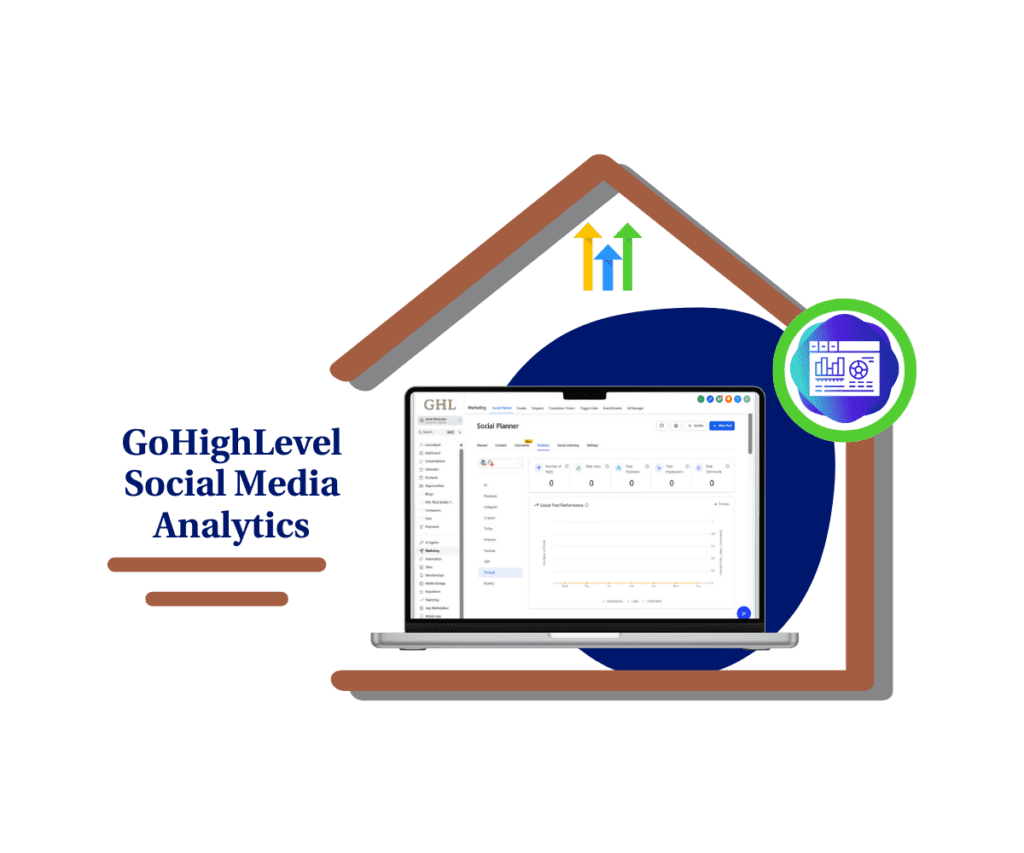
GoHighLevel now gives you social media analytics for Threads and Bluesky. You can track likes, comments, and trends across both platforms inside Social Planner. It’s a simple way to see what’s working and where to improve.
Quick Summary – Social Media Analytics Essentials
Purpose: This update adds social media analytics for Threads and Bluesky inside the GoHighLevel Social Planner.
Why It Matters: It gives you real data to track likes, comments, and trends on two fast-growing platforms that most tools don’t support yet.
What You Get: A simple way to compare Threads and Bluesky performance with your other social channels, all from one place.
Time to Complete: About 1–2 minutes to open Social Planner and select the platform view.
Difficulty Level: Beginner-friendly. Just a few clicks to access the data.
Key Outcome: You can now use social media analytics to see what’s working on Threads and Bluesky and adjust your content strategy with confidence.
Track performance across Threads and Bluesky
You can now access real social media analytics for Threads and Bluesky directly in GoHighLevel’s Social Planner. This includes new insights that help you understand how your posts are doing on both platforms.
Here’s what’s been added:
Automate marketing, manage leads, and grow faster with GoHighLevel.

- Post volume tracking so you can see how often you’re publishing
- Daily trends that show likes, comments, and engagement by day
- KPI cards that give a quick look at post totals, likes, and comments
- Visual graphs to help spot patterns in engagement
- Impressions tracking (available on Bluesky only)
This is the first time Threads and Bluesky are showing up in your stats dashboard. It brings them in line with the rest of your connected platforms like Instagram, Facebook, and X.
Not all metrics are available yet
Social media analytics for Threads and Bluesky is live, but it’s not the full picture yet. Some key stats are still missing because these platforms don’t share everything through their APIs.
Threads doesn’t show impressions or reach, so you can’t tell how many people actually saw your posts. Bluesky gives you impressions, which is helpful, but that’s about as deep as it goes.
You also won’t see follower counts, audience info, or detailed engagement metrics on either platform right now. It’s early days, and the data is limited.
Still, having likes, comments, and daily trends is a solid step forward. It means you can track what posts are getting noticed, even if you can’t see the full story just yet.
Use social media analytics to guide your content strategy
Social media analytics for Threads and Bluesky helps you stop guessing and start using data. If you’re posting on these platforms, now you can see what’s getting attention and what’s not.
This is important for agencies and anyone running content across multiple channels. Threads and Bluesky are still new, but they’re growing. Early engagement matters, and this gives you a way to track it.
With social media analytics built into GoHighLevel, you get a simple way to review likes, comments, and post activity all in one place. It saves time and helps you decide where to focus your efforts.
Better yet, you can show clients the actual results. No more explaining that Threads is “new.” You’ll have real numbers to back up your content plan.
How to View Social Media Analytics for Threads and Bluesky
This update is already active inside your Social Planner. No setup or new workflows needed. Just follow these steps to find and use the new analytics tools for Threads and Bluesky in GoHighLevel.
Here’s how to get started:
Step 01: Access the Main Left Hand Menu in GoHighLevel
- The Main Menu on the Left side of your screen has all the main areas that you work in when using GHL
1.1 Click on the Marketing Left hand Menu Item.
- Access the ‘Marketing’ section of GoHighLevel
1.2 Select Social Planner
- You’ll see a sub menus in Social Planner Dashboard
1.3 Click the Statistics tab in the top menu
- This is where all your platform analytics are tracked.

Step 02: Choose the Platform You Want to Track
- You can now select either of the two new platforms.
2.1 Look at the sidebar and click Threads or Bluesky
- Each one shows its own set of metrics.
2.2 The dashboard will refresh with data from that specific platform
- This includes graphs, trends, and performance cards.

Step 03: Review Key Performance Metrics
- Each platform view shows the most relevant social media analytics.
3.1 KPI cards: Total posts, likes, and comments
- These give you a quick view of how active and engaging your content is.
3.2 Graphs: Daily trends and post performance
- Use this to spot patterns and timing that works best.
3.3 Engagement tables: Scroll for a deeper look at daily activity
- This helps you compare days and see how content is doing over time.
3.4 Bluesky only: Impressions data is available

- Threads does not currently show this.

Step 04: Compare With Other Platforms
- This is where the real value shows up.
4.1 Use the same process to switch between Facebook, Instagram, X, Threads, and Bluesky
- Everything is side-by-side, so you can quickly compare performance.
4.2 Look for patterns in engagement and adjust your content strategy
- If Threads gets more comments, lean into that type of post.

That’s it. Now you can use social media analytics for Threads and Bluesky without needing outside tools or spreadsheets.
Make the most of your social media analytics
Social media analytics for Threads and Bluesky is a solid step forward, even if it’s not full-featured yet. Here are a few things to keep in mind as you start using it inside GoHighLevel:
Threads and Bluesky limit what data is available
- Threads does not show impressions or reach. Bluesky includes impressions, but neither platform gives follower counts or audience info yet.
Focus on what you can track
- Social media analytics still gives you useful data. Likes, comments, and posting trends are enough to see what’s working and when your audience is most active.
Compare performance across all platforms
- This feature lives inside Social Planner, so you can easily look at Threads, Bluesky, Instagram, and others side by side. It’s a fast way to see where your content is getting attention.
Help clients understand the gaps
- If you’re reporting to clients, let them know the missing numbers aren’t from GHL. They come from the platforms themselves. Use what you do have to show clear wins.
Keep checking back for updates
- As these platforms grow, more data will likely be added. GHL will pull in those updates when available, so it’s worth revisiting these tools regularly.
Social media analytics isn’t about having every stat. It’s about seeing enough to take action. And now you can do that with Threads and Bluesky too.
Frequently Asked Questions about social media analytics for Threads and Bluesky
Still figuring out how social media analytics works for Threads and Bluesky? Here are some common questions that come up.
Social media analytics helps you stay ahead
Social media analytics for Threads and Bluesky gives you a clearer picture of what your content is doing. It’s not perfect, but it covers the basics. Sometimes, that’s all you need.
Now you can track likes, comments, and trends in one place. You don’t have to guess if your posts are getting attention. With this update inside GoHighLevel, your social stats are easy to find and simple to read.
If you manage content for clients or your own brand, these insights help you stay on track. You’ll know which platform is worth your time and where people are starting to engage.
Social media analytics is about more than numbers. It’s about seeing what works so you can do more of it. Threads and Bluesky are just getting started, and now you’ve got the tools to stay one step ahead.
Scale Your Business Today.
Streamline your workflow with GoHighLevel’s powerful tools.