- Why Advanced Tag Filtering Changes GHL Automation
- Quick Summary – Advanced Tag Filtering Essentials
- What’s New in Advanced Tag Filtering in GHL
- What Changed from the Old Tag Trigger Logic
- Why Advanced Tag Filtering Matters for Agencies
- How to Use Advanced Tag Filtering in GHL
- Pro Tips for Smarter Trigger Logic
- What This Means for Your Automation Strategy
- Results You Can Expect from Advanced Tag Filtering
- FAQ – Advanced Tag Filtering in GHL
- Conclusion – Smarter Automation Starts Here
Why Advanced Tag Filtering Changes GHL Automation
If your workflows are firing at the wrong time, that’s not a small issue. It’s a logic problem, Advanced Tag Filtering is the answer.
Until now, tag-based triggers inside GHL were simple. You could check if a contact had a tag. You could exclude a tag. And that was about it. The moment you needed layered conditions or more precise filtering, you had to build workarounds.
That changes with Advanced Tag Filtering.
Advanced Tag Filtering upgrades how GHL handles tag conditions inside workflow triggers. You can now use multi-select operators, combine positive and negative logic, and stack multiple tag filters together using AND conditions. That means your automation behaves exactly the way you design it to.
No more messy logic.
No more duplicate workflows.
No more “almost right” triggers.
This is a structural improvement to how GHL automation works. And if you’re running agencies, SaaS accounts, or complex funnels, that precision matters.
Let’s break down what’s new.
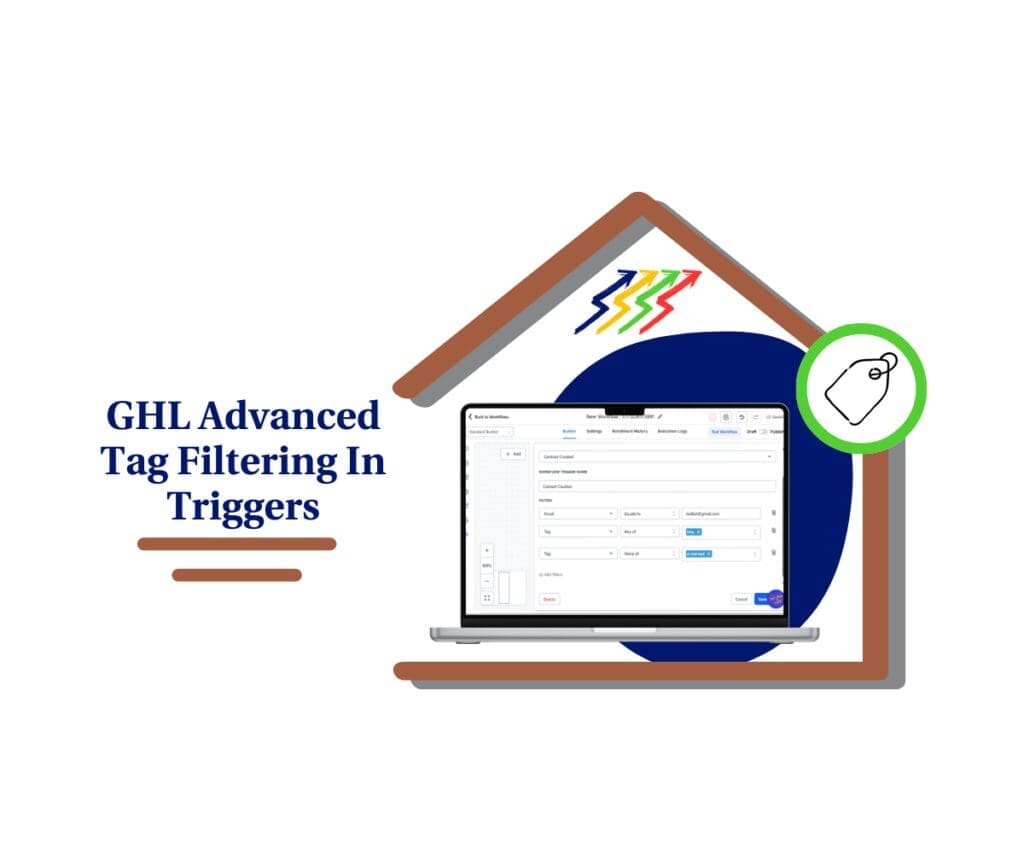
Advanced Tag Filtering gives you precise control over your GHL workflow triggers. Build smarter automation, eliminate misfires, and segment contacts with confidence using layered tag logic.
Quick Summary – Advanced Tag Filtering Essentials
Purpose: This update enhances workflow triggers by introducing Advanced Tag Filtering, allowing you to build precise tag-based logic directly inside GHL automation.
Why It Matters: Smarter tag conditions prevent low-quality leads from entering campaigns, reduce automation errors, and eliminate the need for duplicate workflows.
What You Get: You gain multi-select operators, negative filtering with “None of,” and the ability to stack multiple tag filters using AND logic inside a single trigger.
Time to Complete: Setting up Advanced Tag Filtering inside a workflow trigger takes less than five minutes once your tag structure is organized.
Difficulty Level: Beginner to Intermediate. Basic workflow knowledge is required, but no advanced coding or complex branching is needed.
Key Outcome: Cleaner automation, better lead qualification, fewer trigger conflicts, and scalable systems that grow with your agency.
What’s New in Advanced Tag Filtering in GHL
This update delivers three major improvements.
First, “Has Tag” is now renamed to “Tag.” But this isn’t just a cosmetic change. The filter now supports more powerful logic inside workflow triggers.
Automate marketing, manage leads, and grow faster with GoHighLevel.

Second, two new operators have been added: “Any of” and “None of.”
“Any of” allows a trigger to fire if a contact has at least one tag from a selected group.
“None of” ensures the trigger only fires if the contact has none of the selected tags.
This gives you real negative filtering control.
Third, all operators now support multi-select. That includes:
Equals to
Not equals to
Any of
None of
You can select multiple tags in a single condition, instead of stacking messy workarounds.
And it gets better.
You can now add multiple “Tag” filter instances inside the same trigger. Each one uses AND logic. That means you can combine positive and negative rules in one clean trigger.
Example:
Tag Equals to “Lead”
AND
Tag Not equals to “Low Quality”
Simple. Precise. Controlled.
Right now, this is live for Contact Created and Contact DND triggers, with opportunity-based triggers coming next.
This is not just an upgrade. It’s smarter trigger logic built directly into GHL.
What Changed from the Old Tag Trigger Logic
Before Advanced Tag Filtering, tag triggers were basic.
You could check if a contact had one tag. Or you could exclude one tag. If you needed more than that, things got messy fast. You had to stack multiple conditions, duplicate workflows, or build separate branches just to simulate layered logic.
Negative filtering was limited. Multi-tag logic required workarounds. And precision? It depended on how creative you were with automation structure.
Now it’s different.
With Advanced Tag Filtering, you can select multiple tags inside a single condition. You can use “Any of” to group interest-based tags. You can use “None of” to block unwanted contacts from entering a workflow. And you can layer multiple tag filters together using AND logic inside one clean trigger.
That means fewer duplicate workflows. Fewer trigger conflicts. And far less automation clutter.
Instead of building around limitations, you build exactly what you mean.
The difference isn’t cosmetic. It’s structural. And if you manage multiple offers, client segments, or qualification levels, that structure matters.
Why Advanced Tag Filtering Matters for Agencies
If you run one simple funnel, this is helpful.
If you run multiple offers, multiple client accounts, or SaaS sub-accounts… this is critical.
Advanced Tag Filtering gives agencies precision. And precision in automation means fewer mistakes and cleaner results.
Think about lead qualification. You can now trigger workflows only for contacts tagged as “Lead” but exclude anyone tagged “Low Quality” or “Unqualified.” That alone prevents bad leads from entering high-value nurture sequences.
Or think about multi-offer funnels. If someone shows interest in several services, you can group those interest tags using “Any of” and send them into the correct campaign without duplicating workflows.
Then there’s DND logic. You can prevent contacts with specific suppression or blacklist tags from re-entering communication workflows. That protects deliverability and keeps client accounts clean.
And here’s the big one: scalability.
Before Advanced Tag Filtering, agencies often created separate workflows just to handle slight tag variations. Over time, that creates automation clutter. More workflows. More triggers. More confusion when troubleshooting.
Now you can consolidate logic inside a single trigger. Fewer workflows. Cleaner builds. Easier debugging.
That’s not just convenient. That’s operational efficiency.
Advanced Tag Filtering helps agencies build smarter systems that scale without becoming chaotic.
How to Use Advanced Tag Filtering in GHL
If you’ve ever built a workflow and thought, “This should only trigger for certain leads… but not those ones,” this feature fixes that. Advanced Tag Filtering allows you to create precise tag-based trigger conditions directly inside your workflow. No workarounds. No duplicate builds. Just clean logic.
Step 01 – Access the Workflow Builder
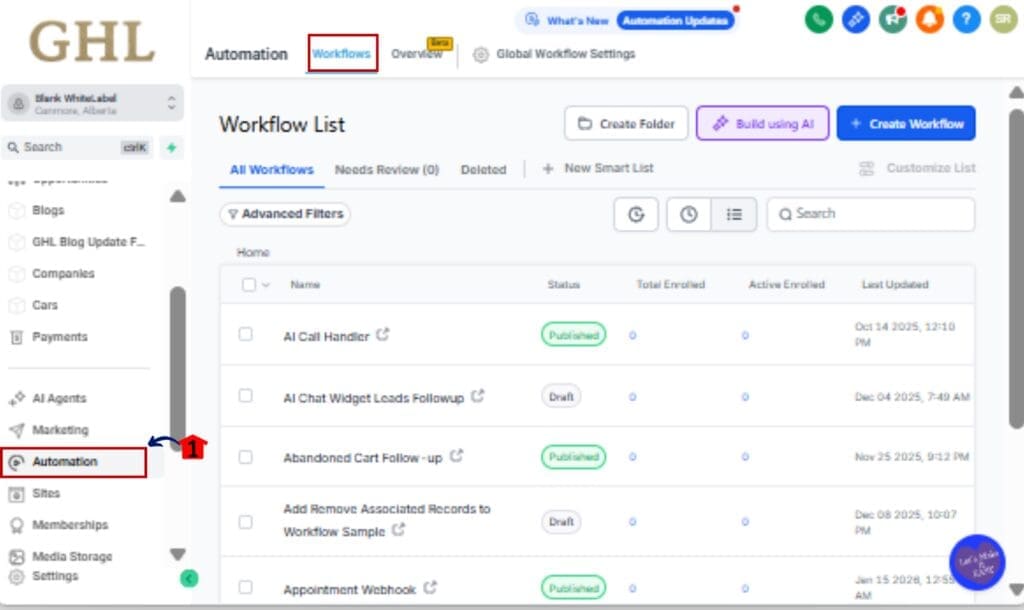
1.1 From your GHL sub-account, go to the Main Menu on the left.
1.2 Click on Automation > Workflows.
Step 02 – Create or Open a Workflow
2.1 Click +Create Workflow to start a new workflow.
2.2 Or open an existing workflow where you want to apply advanced tag logic.

Step 03 – Choose a Supported Trigger
3.1 Click Add Trigger.
3.2 Select Contact Created or Contact DND (currently supported triggers).
3.3 Click Add Filters inside the trigger settings.

Step 04 – Add the Tag Filter
4.1 From the filter dropdown, select Tag.
4.2 Choose your operator:
• Equals to
• Not equals to
• Any of
• None of

Step 05 – Select Multiple Tags
5.1 Select one or more tags from the dropdown list.
5.2 If using “Any of,” the trigger will fire when at least one selected tag is present.
5.3 If using “None of,” the trigger will fire only when none of the selected tags exist.

Step 06 – Add Additional Tag Conditions (Optional)
6.1 Click Add Filter again.
6.2 Select Tag to create another condition.
6.3 Combine positive and negative logic.Example:
Tag Equals to “Lead”
AND
Tag None of “Low Quality”

Step 07 – Save and Test Your Workflow
7.1 Click Save Trigger.
7.2 Add or remove tags from a test contact.
7.3 Confirm the workflow fires only when your exact conditions are met.

That’s it. Your workflow triggers are now smarter, cleaner, and fully controlled using Advanced Tag Filtering.
Pro Tips for Smarter Trigger Logic
Advanced Tag Filtering gives you power. But power without structure turns into chaos fast. Here’s how to use it the right way.
Use Negative Filters Aggressively
Most automation problems happen because bad contacts slip through. Use “None of” to block low-quality leads, blacklisted contacts, test entries, or disqualified prospects before they ever enter a workflow.
Filtering out is just as important as filtering in.
Group Similar Interest Tags
If you run multiple services, group related tags using “Any of.” Instead of building separate workflows for each service tag, consolidate them into one clean trigger.
Less duplication. Cleaner builds.
Separate Qualification from Nurture
Use one workflow strictly for qualification logic. Once contacts meet your tag conditions, then move them into nurture workflows.
Don’t stack everything into one monster automation.
Keep Tag Naming Clean
Advanced Tag Filtering works best when your tagging system is organized. Avoid vague tags like “Hot” or “Interested.” Use structured naming like:
Lead – Facebook Ads
Lead – SEO
Status – Low Quality
Clean naming equals clean automation.
Plan for Future Opportunity Triggers
This feature is expanding to opportunity-based triggers. Build your tag logic with scalability in mind so it transitions smoothly when opportunity triggers go live.
Think ahead.
Advanced Tag Filtering makes automation smarter. But strategy makes it scalable.
What This Means for Your Automation Strategy
Advanced Tag Filtering isn’t just a feature upgrade. It changes how you should think about automation inside GHL.
Before, many workflows were built around limitations. You created extra branches. You duplicated triggers. You added conditional steps just to compensate for basic filtering logic. Over time, that leads to clutter.
Now you can design with precision from the start.
Instead of building wide automation trees, you build smarter entry conditions. The trigger itself becomes more intelligent. That means fewer workflows doing the same job and fewer logic conflicts across campaigns.
This also shifts your focus toward segmentation strategy.
When your tag filtering becomes more precise, your messaging becomes more relevant. Leads only enter the workflows that match their exact status or interest level. That improves engagement, protects deliverability, and increases conversion rates.
And here’s the bigger shift.
Automation becomes logic-driven instead of reaction-driven.
You’re no longer reacting to tags after contacts enter a workflow. You’re controlling who enters in the first place.
That’s cleaner.
That’s safer.
That scales better across multiple clients.
As opportunity-based triggers roll out with this same filtering power, the impact will expand into pipeline automation and revenue tracking. So the agencies that structure their tag systems properly now will benefit the most later.
Advanced Tag Filtering isn’t just about better triggers.
It’s about building automation systems that stay clean as you grow.
Results You Can Expect from Advanced Tag Filtering
When you implement Advanced Tag Filtering properly, the results show up fast.
First, you’ll see fewer automation errors. Workflows will stop firing for the wrong contacts. Low-quality leads won’t slip into high-value nurture sequences. And disqualified prospects won’t accidentally trigger campaigns they shouldn’t see.
Second, your lead routing becomes cleaner.
When your triggers fire exactly when they’re supposed to, leads land in the right workflow from the start. That means tighter segmentation, messaging that actually fits, and fewer awkward handoffs between marketing and sales.
Third, your CRM data stays organized.
Instead of building patchwork workflows to fix filtering gaps, your logic sits directly inside the trigger. That reduces automation clutter and makes troubleshooting much easier when something needs adjustment.
You’ll also reduce workflow duplication.
Many agencies previously created multiple workflows just to manage slight tag variations. With Advanced Tag Filtering, you can consolidate that logic into one structured trigger. Fewer workflows mean less maintenance and faster scaling across client accounts.
And here’s the big one.
Your automation becomes predictable.
When your trigger logic is clear, layered, and intentional, you stop guessing why something fired. You know exactly why it did. That kind of clarity saves time, reduces support issues, and builds confidence in your systems.
Advanced Tag Filtering doesn’t just improve triggers.
It improves how confidently you build inside GHL.
FAQ – Advanced Tag Filtering in GHL
Conclusion – Smarter Automation Starts Here
Advanced Tag Filtering isn’t just a small trigger update. It’s a structural upgrade to how GHL automation works.
You now have multi-select operators.
You have true negative filtering.
You can layer tag conditions using AND logic inside a single trigger.
That means fewer duplicate workflows, fewer automation errors, and far more control over who enters your campaigns.
For agencies, this is about precision. When you control entry logic at the trigger level, everything downstream improves. Messaging gets cleaner. Lead routing gets smarter. CRM data stays organized. Troubleshooting becomes easier.
And once this rolls out to opportunity triggers, it won’t just help with contacts, it’ll start shaping how your pipelines and revenue automation run too.
If you’ve built workarounds in the past to handle complex tag logic, now’s the time to revisit those workflows. Simplify them. Consolidate them. Clean them up.
Advanced Tag Filtering gives you the tools to build automation the right way from the start.
Smarter triggers.
Cleaner systems.
Better results.
That’s how scalable agencies are built inside GHL.
Scale Your Business Today.
Streamline your workflow with GoHighLevel’s powerful tools.