- GoHighLevel now lets agencies manage client-facing banners for updates, promos, and branding with full control.
- Quick Summary – Announcement Banners Overview
- Announcement Banners Now in GHL
- Agencies Can Enable or Disable Banners
- Cleaner Dashboards, Better Branding
- Using Announcement Banners in GHL
- Pro Tips for Banners That Work
- Stronger Control for Agencies
- What You’ll Gain from Using Banners
- Common Questions About Announcement Banners
- Start Using Banners Today
GoHighLevel now lets agencies manage client-facing banners for updates, promos, and branding with full control.
GoHighLevel now lets agencies take control of what clients see using announcement banners. These banners appear across subaccounts and are used to share updates, important info, or internal promos. This gives agencies a simple way to manage messaging inside their white-labeled platform.
Before this update, banners would show by default, sometimes with messages clients didn’t need. Now, agency owners can choose which banners are turned on or off. This helps avoid confusion and keeps the client experience clean and focused.
This guide walks through what’s new, how to use the banners, and why this small update can make a big difference for agencies.
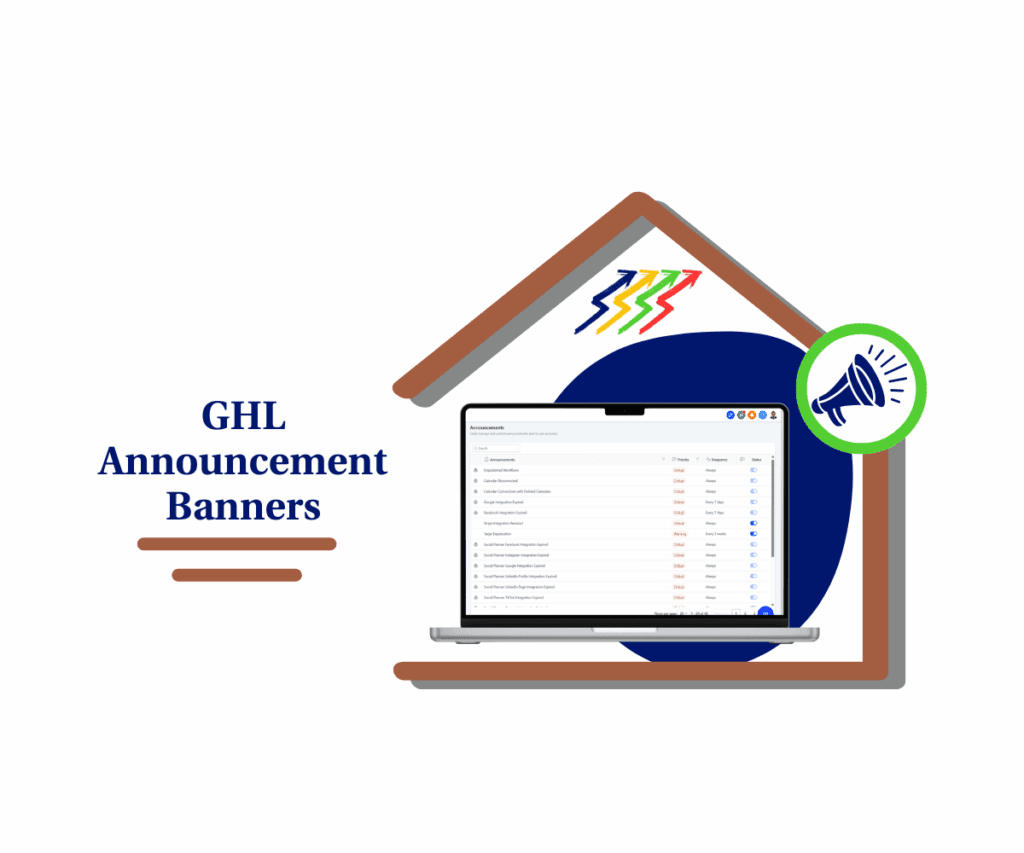
With announcement banners, GoHighLevel agencies get more control over platform messaging. This means better branding, fewer client questions, and a smoother experience across the board.
Quick Summary – Announcement Banners Overview
Purpose: GoHighLevel has added announcement banners so agencies can control the messages shown inside client accounts.
Why It Matters: It helps keep dashboards clean, cuts down on confusion, and supports a consistent brand experience.
What You Get: Access to banner settings with options to turn default messages on or off.
Time to Complete: Around 5 to 10 minutes to review and manage your banner list.
Difficulty Level: Easy. Everything is handled inside the Agency Settings.
Key Outcome: A more focused client view that reflects your agency’s voice, not random system messages.
Announcement Banners Now in GHL
GoHighLevel has added announcement banners to the Agency Settings. This new feature gives agencies control over which messages appear inside their clients’ accounts. It’s a simple way to keep things clear and focused.
Right now, agency owners can manage the default banners provided by GoHighLevel. Some can be turned off, others are required and stay active.
Automate marketing, manage leads, and grow faster with GoHighLevel.

Here’s what agencies will see:
- A new Announcements tab inside Agency Settings
- A full list of banners that includes:
- Whether each one is turned on or off
- How often it appears
- Its level of importance
- Clear status labels:
- Enabled means the banner shows on all subaccounts
- Disabled means it stays hidden
- Locked means it is controlled by GoHighLevel and can’t be changed
This first version focuses on managing the existing banners. But there’s more coming soon. GoHighLevel has already shared that agencies will be able to:
- Create their own banners
- Add custom text and design
- Choose colors to match their brand
- Set when and how often the banner appears
The update gives agencies a clean way to manage announcements across the platform, with more flexibility on the way.
Agencies Can Enable or Disable Banners
Before this update, announcement banners were handled only by GoHighLevel. Agencies had no control over what popped up in their clients’ accounts. Some banners were helpful. Others caused confusion. Either way, there wasn’t a way to turn them off or manage them directly.
That’s no longer the case.
Agencies can now choose which banners show inside subaccounts. This means they can keep important messages visible and hide the ones that don’t fit their needs.
Here’s what agencies can now do with the banner settings:
- Enable to show the banner across all subaccounts
- Disable to hide the banner from client view
- Locked banners remain managed by GoHighLevel and can’t be changed
Each banner also shows how often it appears and its level of priority, making it easy to decide what should stay visible.
This gives agencies more control over the client experience. They can keep things clean, reduce confusion, and build more trust with clients who expect a professional, branded platform.
By using announcement banners this way, agencies can keep messaging clear without relying on support or custom workarounds.
Cleaner Dashboards, Better Branding
When agencies use GoHighLevel to manage client accounts, the platform becomes part of their brand. That’s why control over what clients see matters. The new announcement banners feature helps make that possible.
Banners are often the first thing clients notice when they log in. If the message isn’t clear or doesn’t match the agency’s voice, it can cause confusion. Sometimes it even leads to support tickets that could have been avoided.
This update gives agencies the power to manage those messages. They can decide which ones to show, which to turn off, and when to use them.
Here’s why this change matters:
- It keeps dashboards simple and focused on the work that matters
- It helps agencies create a consistent experience across subaccounts
- It gives full control over what messages appear in the platform
For agencies offering a white-labeled version of GoHighLevel, this is especially useful. Now, every banner can match the brand and tone they want their clients to see.
With announcement banners, agencies can keep the platform clean and on-brand without needing extra tools or workarounds.
Using Announcement Banners in GHL
Setting up announcement banners in GoHighLevel is simple and doesn’t take long. Agencies can manage everything from inside the Agency Settings. No coding, no workarounds, and no need to contact support.
Here’s how to find and manage announcement banners:
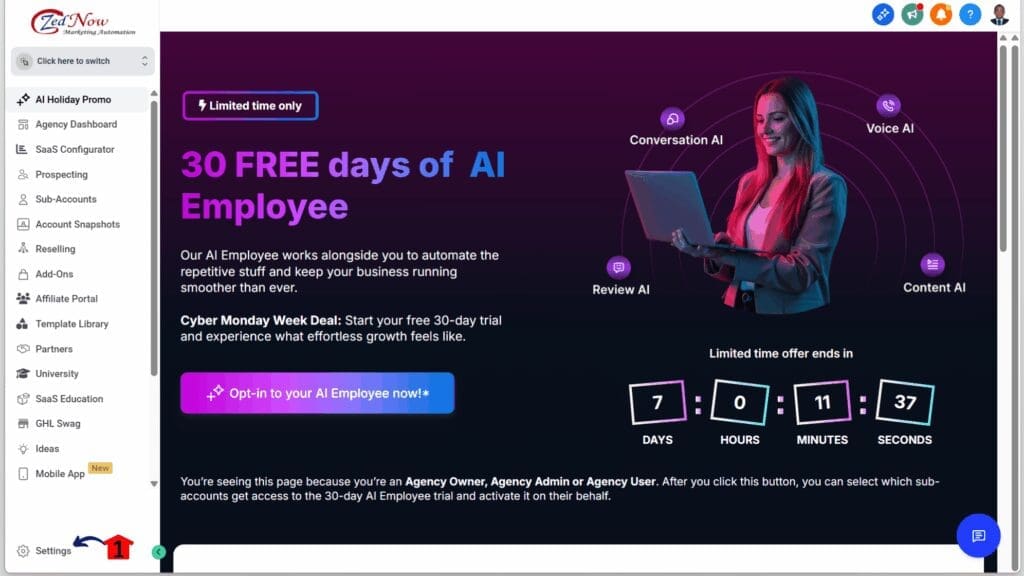
Step 01 – Access the Settings Area in GoHighLevel
- Go to the left-hand sidebar, look all the way to the bottom.
1.1 Click on the gear icon ⚙️ labeled Settings.
- You’ll now be in the main Settings dashboard, where you can access:
- My Profile
- Company
- Team
- Billing
- and more.
Step 02 – Manage the Agency Announcement Settings
- You should now be in the agency’s settings.
2.1 Click the Announcement section.
2.2 Enable or disable any announcements needed across all sub accounts.

For now, the focus is on cleaning up what your clients see. If there’s a banner that doesn’t help them, turn it off. If it’s useful, keep it on. And keep an eye out for the custom banner feature—it will take this to the next level.
Pro Tips for Banners That Work
The announcement banners feature in GoHighLevel is simple to use, but a few smart moves can make it even more effective. It’s not just about flipping switches. It’s about using the right message at the right time.
Agencies that plan how they use banners will help clients stay focused. It also cuts down on confusion, which means fewer support questions.
Here are a few practical tips to keep in mind:
- Only keep useful banners on. If a banner isn’t helping your clients, turn it off. That keeps the dashboard clean and easy to use.
- Use banners for clear updates. They’re good for short reminders or time-sensitive info like updates or holiday hours.
- Check the priority setting. Use it to make sure the most important messages are shown first.
- Plan ahead for custom banners. Soon, agencies will be able to create their own. That will be great for onboarding messages or service announcements.
- Keep the design simple. When custom banners become available, stick to your brand colors and clear text. Too much design can make the message harder to read.
When used with intention, announcement banners can improve how clients interact with your platform. They also help agencies look more professional without adding extra work.
Stronger Control for Agencies
The announcement banners feature gives agencies more control over how their platform looks to clients. Instead of letting default messages take up space, agencies can now decide what gets seen and what doesn’t.
This kind of control helps in a few ways. It keeps the client dashboard focused. It makes the whole experience feel more professional. And it shows that the agency is in charge, not the software.
Here’s what this change really means:
- Agencies manage the messages, not GoHighLevel
- Clients only see what’s useful or relevant
- The platform feels like part of the agency’s brand
This update also sets up a stronger foundation for what’s coming next. Once custom banners roll out, agencies will be able to take full control of the content, look, and timing of every message shown across accounts.
What You’ll Gain from Using Banners
When agencies start using announcement banners in GoHighLevel, they’ll notice a few simple but important changes. This feature helps clear up the client dashboard and puts messaging in the agency’s hands.
It also improves how the platform feels. A clean, focused interface makes it easier for clients to trust the tools they’re using. And when the banners match your brand, everything feels more connected.
Here’s what agencies can expect:
- Fewer support questions from clients who don’t understand what a banner means
- A cleaner dashboard that feels more professional and less distracting
- Better client focus since only useful messages are shown
- More control over how the platform looks and communicates
These small wins can make a big difference. As GoHighLevel rolls out custom banner options, agencies will be able to take things further with tailored messages and branded designs.
Common Questions About Announcement Banners
Agencies using announcement banners for the first time often have a few questions. Here are some straight answers to help you get started.
Start Using Banners Today
The new announcement banners feature in GoHighLevel gives agencies a better way to manage in-app messages. It’s a simple update, but one that helps improve how the platform looks and feels to clients.
Having control over banners means agencies can clean up the dashboard, remove messages that don’t apply, and keep things clear for their clients. It also supports a more consistent brand experience across every subaccount.
Even though custom banners are not available yet, this is a good time to get familiar with the current settings. Agencies can start by reviewing which banners are active and turning off the ones that don’t help.
This update is about giving agencies more control and setting the stage for even more flexibility in the near future.
Scale Your Business Today.
Streamline your workflow with GoHighLevel’s powerful tools.