- Confused by the new SaaS plan names? Here’s what the updated labels mean and why they matter for your clients and product setup.
- Quick Summary – SaaS Plan Labels Essentials
- What’s New: V1 and V2 SaaS Plan Labels
- What Didn’t Change: Same Plans, Clearer Labels
- Why This Matters: Avoid SaaS Confusion
- How to Use the New SaaS Plan Labels in GoHighLevel
- Frequently Asked Questions: GHL SaaS Plan Labels
- Final Takeaway: Simple Fix, Big Clarity
Confused by the new SaaS plan names? Here’s what the updated labels mean and why they matter for your clients and product setup.
SaaS Plan Labels Updated in GHL
GoHighLevel just updated its SaaS plan labels, and if you’ve been juggling between old and new plans, this clears things up.
What used to be called the “Agency Plan” is now labeled SaaS V1 Plan. The former “SaaS Plan” is now called SaaS V2 Plan. That’s it. Nothing fancy. Just a simple label change that makes it easier to know which plan structure you’re working with.
This won’t affect your billing, pricing, or features. It’s purely a naming update. But if you’re managing multiple clients, reselling SaaS, or working with snapshots, this makes things less confusing fast.
You’ll spot the new labels inside your GHL dashboard under Payments > Products. If you’re onboarding new clients or setting up new products, this update helps keep things aligned.
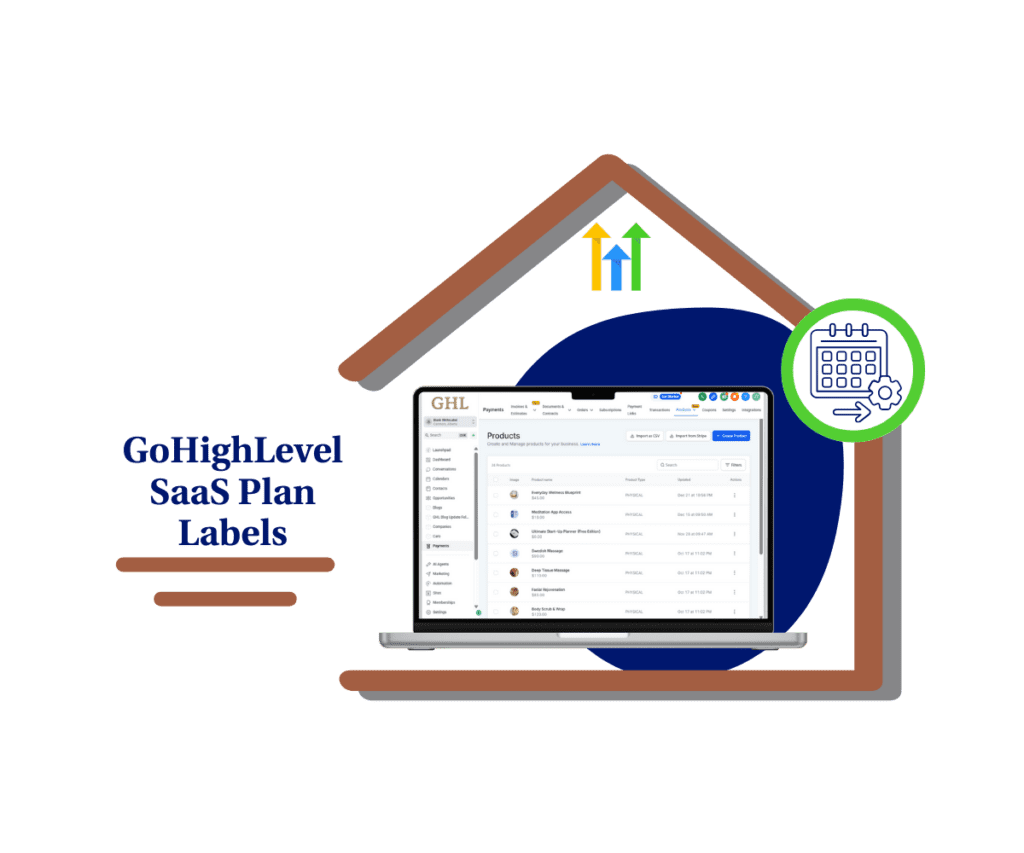
This label change clears up confusion between old and new SaaS models in GoHighLevel. With the new “SaaS V1” and “SaaS V2” labels, you can simplify client onboarding and better manage your product structure.
Quick Summary – SaaS Plan Labels Essentials
Purpose: This update renames the old “Agency Plan” and “SaaS Plan” to SaaS V1 and SaaS V2, helping clarify which SaaS model you’re working with in GoHighLevel.
Why It Matters: Confusing labels made it harder to manage products or train new team members. These new SaaS plan labels remove the guesswork.
What You Get: Updated plan names shown in Payments > Products that now clearly identify V1 or V2 plan structures.
Time to Complete: Less than 2 minutes to scan your current products and get familiar with the new labels.
Difficulty Level: Very easy. No setup required. The new labels are already live.
Key Outcome: Clear SaaS plan labels that make your account cleaner, your team faster, and your offers easier to manage.
What’s New: V1 and V2 SaaS Plan Labels
GoHighLevel has renamed its SaaS plan labels to make things clearer for everyone using the platform.
The Agency Plan is now labeled SaaS V1 Plan.
Automate marketing, manage leads, and grow faster with GoHighLevel.

The old SaaS Plan is now labeled SaaS V2 Plan.
This update applies to both new and existing products. You’ll see the new SaaS plan labels when you go to Payments > Products in your GHL account.
It’s a small change, but it helps a lot. These labels now match the way the SaaS models actually work. V1 refers to the earlier setup. V2 points to the newer version that most users are adopting today.
If you’re managing client products or using snapshots, these updated SaaS plan labels help avoid mixups. You can now tell at a glance which plan type you’re working with.
There are no changes to features, pricing, or billing. It’s just about better labeling so your agency runs smoother.
What Didn’t Change: Same Plans, Clearer Labels
Even with the new SaaS plan labels, nothing behind the scenes has changed.
You’re still getting the same features, pricing, and billing structure that was in place before. This update doesn’t affect how your SaaS accounts work. It only changes how the plans are labeled inside GoHighLevel.
That means no surprises on your invoices and no changes in how your sub-accounts function. Everything works exactly the same way as it did last week.
The new SaaS plan labels are meant to clear up confusion between older and newer SaaS structures. So if you’ve already set up products, offers, or packages, you don’t need to update anything. Just be aware of the new names when managing your product catalog or onboarding new clients.
This is a simple update focused on clarity, not functionality.
Why This Matters: Avoid SaaS Confusion
Clear SaaS plan labels might not sound like a big deal, but they save time and prevent mistakes. When your team knows what each plan means, everything runs smoother.
The old plan names made it hard to tell which version you were working with. Was it the original setup or the newer one? That kind of guessing slows things down, especially when you’re cloning accounts or building offers.
With the updated SaaS plan labels, it’s easy to spot the difference. “SaaS V1 Plan” shows you’re using the older structure. “SaaS V2 Plan” means you’re on the latest version.
These clear SaaS plan labels also help when training new team members or supporting clients. You don’t have to explain the history of plan changes. You just point to the label, and it speaks for itself.
Simple labels. Less confusion. Better workflows.
How to Use the New SaaS Plan Labels in GoHighLevel
The updated SaaS plan labels are already live in GoHighLevel. You don’t need to turn anything on, but it’s smart to check your setup and make sure you and your team are on the same page.
Here’s how to find the new labels and explain the changes to your team or clients:
Step 01: Access the Main Left Hand Menu in GoHighLevel
- The Main Menu on the Left side of your screen has all the main areas that you work in when using GHL
1.1 Click on the Payments Menu Item.
- Access the ‘Payments’ section of GoHighLevel
1.2 Click on the Products tab
- You’ll see your existing products listed here.

Step 02: Confirm Which SaaS Plan Structure You’re Using
- This helps avoid mixups between legacy and current offers.
2.1 If the label says SaaS V1 Plan, you’re using the older setup
- This was known as the “Agency Plan” before the update.
2.2 If it says SaaS V2 Plan, you’re on the newer SaaS model
- This is the version most new accounts are built on today.

Step 03: Share a Quick Update With Your Team
- Let your team know what changed so they can stay aligned.
3.1 Send a short message or Loom video
- Explain the difference between V1 and V2 using plain terms.
3.2 Update internal SOPs or client onboarding docs
- Swap in the new SaaS plan labels so everything stays clear moving forward.
Step 04: Use the New Labels to Stay Organized
- These labels make it easier to manage growth and scale.
4.1 When cloning sub-accounts, double-check the plan type
- It helps you avoid mismatches and misconfigured snapshots.
4.2 Label client-facing plans clearly in your white-labeled environment
- This keeps your offers clean and consistent, especially if you’re reselling.
That’s it. With a quick check and clear communication, these new SaaS plan labels will make your agency easier to manage.
Frequently Asked Questions: GHL SaaS Plan Labels
Final Takeaway: Simple Fix, Big Clarity
The updated SaaS plan labels in GoHighLevel are a small change that make a big difference.
By switching from generic names to SaaS V1 Plan and SaaS V2 Plan, it’s now easier to tell which plan you’re using. This helps you manage your products with less guesswork and more accuracy.
You don’t need to update anything manually. The new SaaS plan labels are already in your account, and they show up automatically under Payments > Products.
This change won’t affect how your plans work. It just gives you better visibility when setting up new offers, cloning accounts, or reviewing your SaaS structure.
If you’re building and selling SaaS, these clear SaaS plan labels make it easier to stay organized and onboard your team. It’s one less thing to explain.
Scale Your Business Today.
Streamline your workflow with GoHighLevel’s powerful tools.