- Use local numbers for calls in the GHL app
- Quick Summary – Local Presence Dialing Overview
- What’s New in the Mobile App
- How Local Presence Dialing Works
- Changes to Outbound Calling
- Why Local Numbers Increase Answer Rates
- How to Turn On Local Presence Dialing
- Tips to Maximize Results
- Why This Matters for Agencies
- Results to Expect From Local Presence Dialing
- FAQs About Local Presence Dialing
- Final Thoughts and Next Steps
Use local numbers for calls in the GHL app
Local presence dialing is now built into the GoHighLevel mobile app. This means when a user makes a call, the app automatically picks a phone number with the same area code as the contact they’re calling. The goal is to make the call feel more familiar, which often leads to more people answering.
This new mobile feature is especially useful for agencies, sales teams, and anyone working leads from their phone. It helps remove the friction of calling from an unknown number and makes every outbound call feel more local and personal.
Users don’t need to set anything special up in the mobile app. Once local presence dialing is enabled in the web settings, it works automatically during mobile calls. The number shown to the contact is matched by area code when available. If not, the app falls back to other numbers in a smart order.
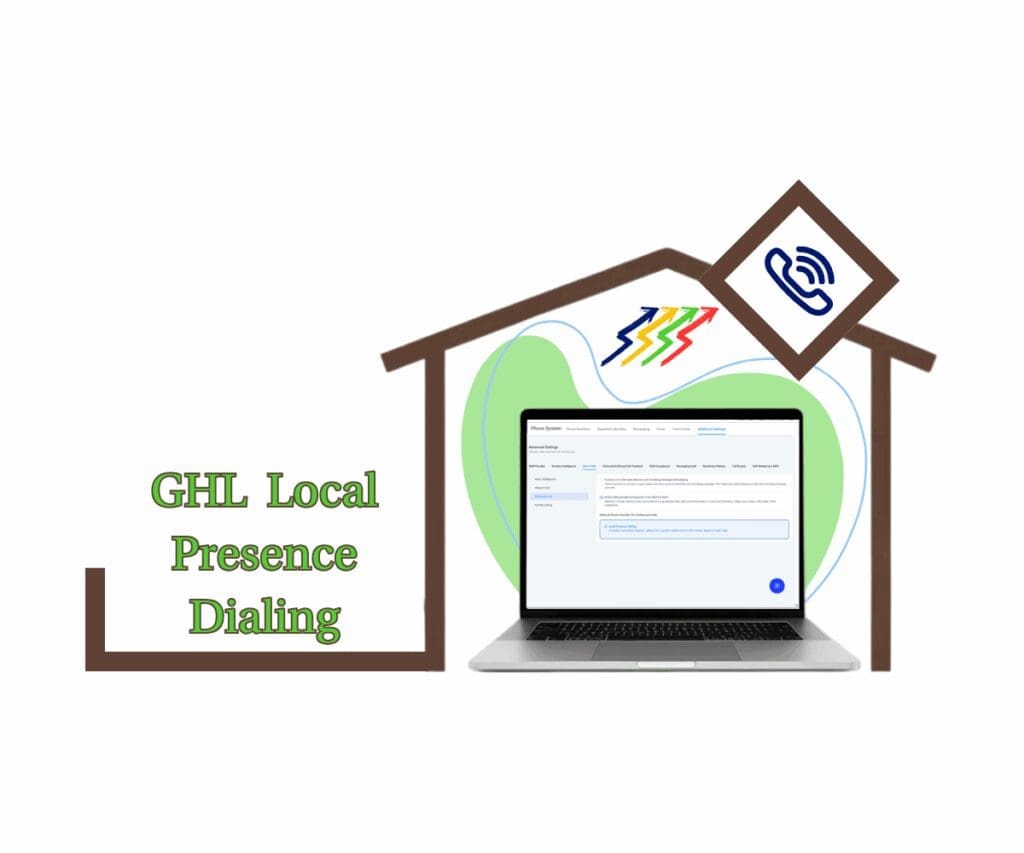
Using local presence dialing in the GHL mobile app lets users match their caller ID to a contact’s area code without manual changes. This builds instant trust, improves answer rates, and helps teams close more deals directly from their phones.
Quick Summary – Local Presence Dialing Overview
Purpose: Make outbound calls look local using the GHL mobile app
Why It Matters: Local numbers are more likely to be answered
What You Get: Area code matching, fallback logic, and easy number control
Time To Complete: About 5 minutes to set up in the web app
Difficulty Level: Easy
Key Outcome: More conversations and improved mobile call performance
What’s New in the Mobile App
The GoHighLevel mobile app now includes full support for local presence dialing. This means users can call contacts using numbers that match the area code or region of the person they are calling. These updates help make calls feel more familiar and increase the chance of someone answering.
Here’s a simple breakdown of what’s been added:
Automate marketing, manage leads, and grow faster with GoHighLevel.

- City-level precision. The app first looks for a number from the same city as the contact. If that city number is not available, it uses one from the same state. This helps the caller appear more local, which often leads to better results.
- Support for international numbers. When calling someone outside the United States or Canada, the app tries to use a number from that person’s country. If a matching number exists, the app uses it to help the call feel local, even across borders.
- Improved fallback logic. If there is no perfect match, the app will:
- Try the user’s assigned number.
- Then try the default number set for the sub-account.
This way, the call always goes through with a number that makes the most sense. - Redesigned number picker. Users can now view and choose from all available outbound numbers. The number picker shows:
- Who the number is assigned to
- Whether it is local, mobile, or toll-free
- An option to temporarily use a different number for one call
Once the call is done, the system switches back to the default number set in the web app.
With these mobile updates, local presence dialing now works smarter, both in the background and on the screen. It gives users more confidence when making calls and helps improve how contacts respond.
How Local Presence Dialing Works
Local presence dialing in GoHighLevel helps users show a local number when calling leads. The app automatically matches the contact’s area code with one from the user’s available phone numbers. This small change makes a big difference in how calls are received.
Here’s how it works in plain terms:
- The app checks the contact’s area code before the call starts.
- If a number with the same area code is available, it uses that one.
- If not, it looks for another number from the same city or state.
- If no local numbers are found, it moves to the number assigned to the user.
- If that’s also unavailable, it uses the default number set in the sub-account.
Everything happens automatically. The user does not need to choose anything. The system picks the best option to make the call feel more local and trustworthy to the person on the other end.
This process also works for international calls. If the contact is in another country and the account has a number from that country, the app will use it. If not, it goes through the same fallback process.
By using local presence dialing, users can make their calls feel closer to home. This increases the chance of someone picking up, which can lead to more conversations and better results.
Changes to Outbound Calling
With local presence dialing now part of the GoHighLevel mobile app, the way outbound calls are handled has improved. Before this update, most calls would go out using either the user’s assigned number or the default number set for the sub-account. That approach worked, but it didn’t always look local to the person receiving the call.
Now, things feel more personal. Here’s what’s changed:
- The app looks for a local match first. If a number is available that shares the same area code as the contact, the app will use it for the call.
- Fallback logic is built in. When no matching number is found:
- It tries the user’s assigned number next.
- If that’s not available, it uses the sub-account’s default number.
- Temporary number switching is allowed
Users can change the number before a call using the number picker. This only affects that single call. Afterward, the system goes back to the default setting. - Settings sync from web to mobile. Whatever is selected in the web app for outbound calls will also apply on mobile. There’s no need to set it twice.
These updates help users make smarter calls without needing to think about it. Local presence dialing handles the details behind the scenes, so the focus stays on the call.
Why Local Numbers Increase Answer Rates
Local presence dialing helps users get more calls answered. It works by using a phone number that matches the contact’s area code. This makes the call feel local, which can lead to better results.
When people see a number from their area, they are more likely to pick up. It feels familiar. It doesn’t look like a scam or an unwanted sales pitch from across the country.
Here are a few reasons why this works:
- It feels more personal. A local number makes the caller seem closer to home, even if they’re not.
- It avoids the spam label. Many people ignore calls from numbers they don’t recognize. Local presence dialing helps the call stand out in a good way.
- It builds trust right away. When a number looks local, the contact is more open to listening.
These small details matter. People are quick to ignore unknown calls. By using local presence dialing in the GoHighLevel mobile app, users can improve their chances of starting real conversations with their leads.
How to Turn On Local Presence Dialing
Turning on local presence dialing in GoHighLevel is a one-time setup that takes just a few clicks. Once it’s enabled in the web app, the mobile app will follow the same setting. There’s nothing extra to set up on your phone.
Here’s how to do it:
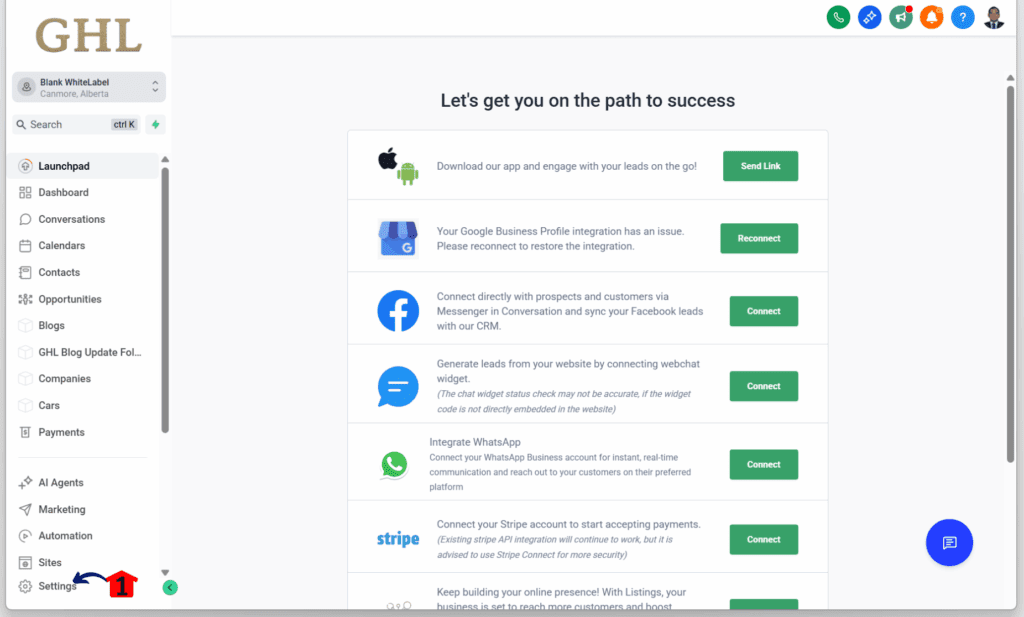
Step 01 – Access the Settings Area in GoHighLevel
- Go to the left-hand sidebar, look all the way to the bottom.
1.1 Click on the gear icon ⚙️ labeled Settings.
- You’ll now be in the main Settings dashboard, where you can access:
- My Profile
- Company
- Team
- Billing
- and more.
Step 02 – Open Phone System Settings
- You should now be in the subaccount settings.
2.1 Click the Phone System section.
2.2 Click the Additional Settings tab.
- There should be sub-tabs for advanced settings, including Voice Calls.
2.3 Click the Voice Calls tab.
2.4 Click the Outbound Call option.
2.5 Tick the Local Presemce Dialing checkbox.

That’s all it takes. Once this setting is saved, the mobile app will try to match the contact’s area code every time a call is made. If there’s no local number available, the system will use the next best option based on the fallback rules.
Users don’t need to set this up again unless they want to change the default behavior. It runs quietly in the background and makes every call feel more local without extra work.
Tips to Maximize Results
Local presence dialing works well right out of the box, but there are a few smart ways to make it even more effective. These tips help users get the most out of every call made from the GoHighLevel mobile app.
- Add numbers that match your leads. If most of your contacts are in a few key cities or regions, try to add phone numbers from those places. This gives the system more options to match area codes correctly.
- Set it up the right way. Make sure the default outbound call setting in the web app is set to “Local Presence Dialing.” The mobile app follows whatever is chosen in the web version.
- Use the number picker when needed. Sometimes you may want to use a different number for a one-time call. The number picker makes that easy. Just pick a number before the call, and it will go back to the default after.
- Teach your team how it works. Give your staff a quick overview so they know how calls are matched and what fallback options the system uses. This saves confusion and helps them work more confidently.
- Track your results over time. Keep an eye on your call data. If you notice better pickup rates in certain regions, consider adding more local numbers for those areas.
Local presence dialing is easy to use, but these small steps can help teams get better outcomes. It’s a simple way to make outbound calls more personal and more effective.
Why This Matters for Agencies
Agencies that rely on outbound calls need every edge they can get. Local presence dialing in the GoHighLevel mobile app helps make those calls more effective. It gives teams a way to show up with a local number, even when calling from somewhere else.
For agencies working across different cities or states, this feature is a big win. It removes that hesitation contacts often feel when they see an unfamiliar number. When the number looks local, people are more likely to pick up.
Here’s how this helps:
- More answered calls. Calls that look local tend to get better pickup rates. That means more chances to connect, pitch, and follow up.
- Stronger first impressions. A local number can make a call feel more personal. That small detail can change how the conversation starts.
- Less manual work for the team. Agents don’t have to choose the right number each time. The app does the matching in the background.
- Useful for client sub-accounts. Agencies can enable this for the accounts they manage. It adds value without adding extra setup.
Local presence dialing may seem like a small change, but for agencies, it helps make outreach more personal, more trusted, and more likely to lead to results.
Results to Expect From Local Presence Dialing
Local presence dialing helps more calls get answered. It doesn’t change your pitch, your timing, or your script. It simply puts the right number in front of the right contact. That small shift can make a big difference in the results.
When people see a number with their own area code, they are more likely to answer. That quick moment of trust gives users a better shot at starting a real conversation. It takes some of the guesswork out of outbound calling.
Here’s what users can expect:
- More people picking up. Calls that show a local number often have higher answer rates, especially for first-time contacts.
- Fewer voicemails and missed calls. Better pickup means users spend less time leaving messages and more time talking to leads.
- Faster lead follow-up. When contacts answer sooner, it shortens the time between outreach and response.
- Better value from each call session. Local presence dialing helps teams get more done with the same amount of effort.
For teams that rely on outbound calling, even a small lift in connection rates can lead to better outcomes over time. This feature gives them a simple, reliable way to improve results without changing how they work.
FAQs About Local Presence Dialing
Local presence dialing in the GoHighLevel mobile app is simple to use, but there are a few questions that come up often. Here’s what users need to know.
These answers cover the basics. The feature is designed to run in the background so users can focus on the conversation, not the setup.
Final Thoughts and Next Steps
Local presence dialing is one of those updates that just makes sense. It doesn’t change how users call, but it does change how people respond. When a contact sees a number from their area code, they are more likely to answer. That small shift can help teams get more out of every call.
Once this setting is turned on in the GoHighLevel web app, it works automatically in the mobile app. No extra tools, no new workflows, just better calls from the start.
For anyone already making outbound calls, local presence dialing adds value without extra effort. It helps agencies improve their follow-up process and gives client accounts a better chance to connect with leads.
Here’s what users should do next:
- Go into the web app and turn on local presence dialing under phone number settings.
- Make sure their account has a good mix of local numbers based on where contacts are located.
- Test it out from the mobile app and keep an eye on answer rates.
This feature is built to run quietly in the background, but the results are clear. It’s one of the easiest ways to improve outbound calls without changing how teams work.
Scale Your Business Today.
Streamline your workflow with GoHighLevel’s powerful tools.